A throttle quadrant is one of the most satisfying upgrades for flight simmers. Real aircraft use separate levers for throttle, propeller, mixture, flaps, speed brakes and reversers, and a quadrant puts those controls under your hand instead of on a keyboard. It makes take-offs, approaches and engine management feel natural and helps you fly more precisely. This guide explains what a throttle quadrant does, the main types, how to match one to the aircraft you fly and our picks for PC and Xbox.
North Gaming PCs stocks throttle quadrants and flight controls priced in Canadian dollars with a 2-year warranty. If you are unsure which option suits you, our team is happy to compare specifications with you and suggest a setup that fits your space, budget and plans.
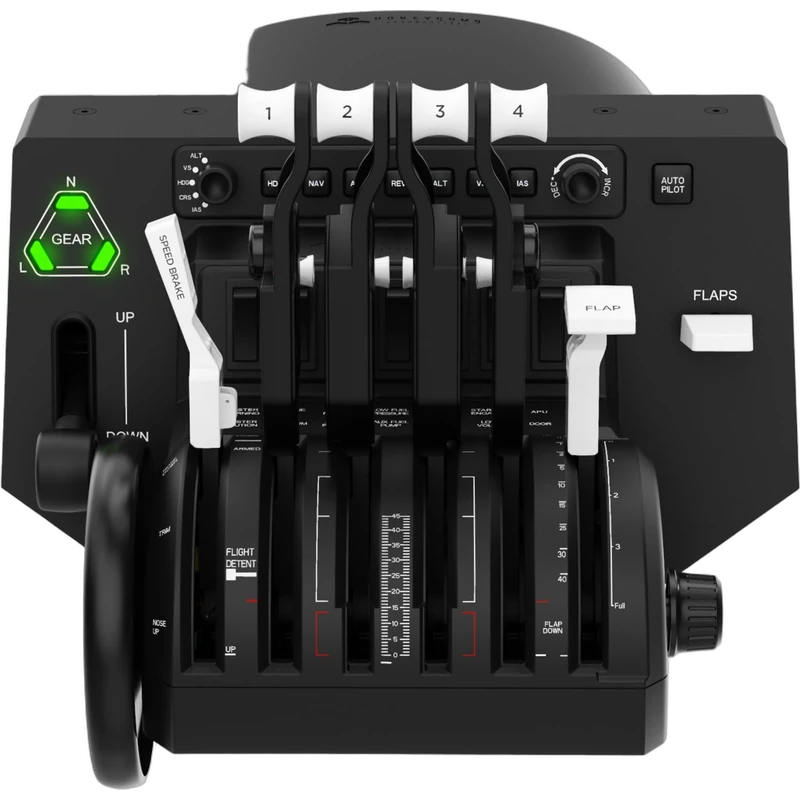
What is a throttle quadrant?
A throttle quadrant is a set of levers that controls engine power and other functions. In a light aircraft, the levers might be throttle, propeller and mixture. In an airliner, they might be two or four thrust levers, speed brake and flaps. Many quadrants also add switches, autopilot panels and annunciator lights.
Why add a throttle quadrant?
- Realism: handle each engine control like a real pilot.
- Precision: fine-tune power settings during approaches.
- Multi-engine control: manage engines separately for training scenarios.
- Fewer key presses: flaps, speed brake and gear on physical levers.
- Immersion: every flight phase feels more authentic.
Types of throttle quadrant
- General aviation: throttle, propeller and mixture levers for piston aircraft.
- Airliner (Boeing style): thrust levers with reversers, speed brake and flaps.
- Airliner (Airbus style): detented thrust levers with climb, flex and TOGA positions.
- Modular: interchangeable levers and modules for many aircraft types.
- Military: fighter-style throttles with many buttons, often part of a HOTAS.
Honeycomb Bravo
The Honeycomb Bravo is one of the most popular options. It offers six configurable levers with general aviation and commercial lever sets, an autopilot panel, gear lever, flap switch, trim wheel and annunciator panel. The Bravo Lite version offers four interchangeable levers in a simpler package. Both are designed for PC and Mac.
MOZA MTQ
The MOZA MTQ is a modular throttle quadrant with interchangeable fighter, Airbus and Boeing modules, a gear lever and many panel controls. It is configured in MOZA Pit House and suits pilots who fly many aircraft types. MOZA also offers separate Boeing-style and Airbus-style throttle modules and a throttle panel.
Thrustmaster TCA Quadrant Airbus Edition
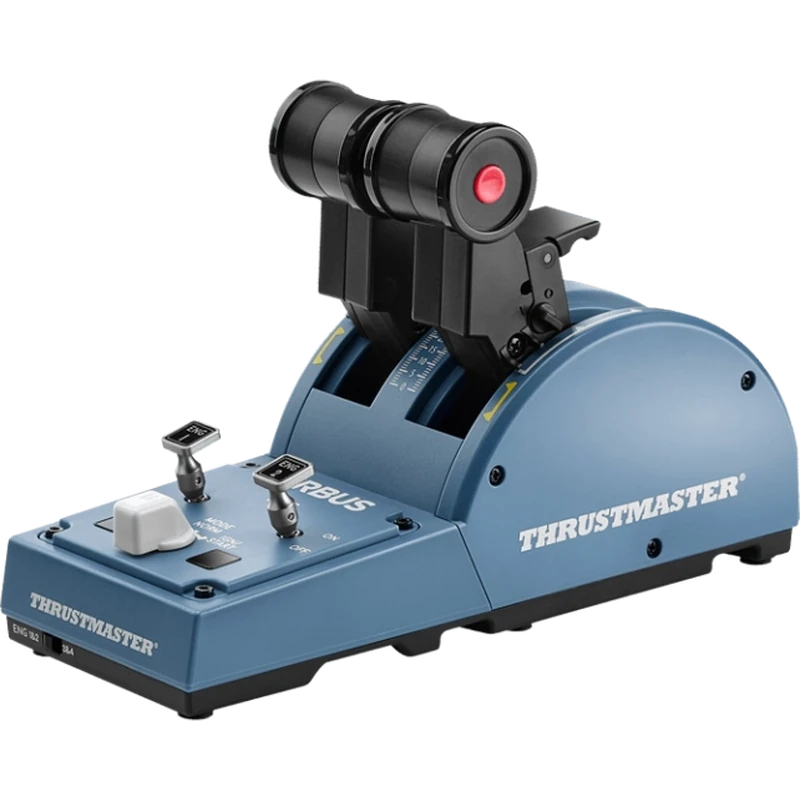
The TCA Quadrant Airbus Edition replicates the A320 thrust levers, with detents for climb, flex and TOGA, plus thrust reversers and engine controls. Add-on modules bring flaps and speed brake. It works on PC and Xbox and pairs with the TCA Sidestick for a complete Airbus setup.
Thrustmaster TCA Quadrant Boeing Edition
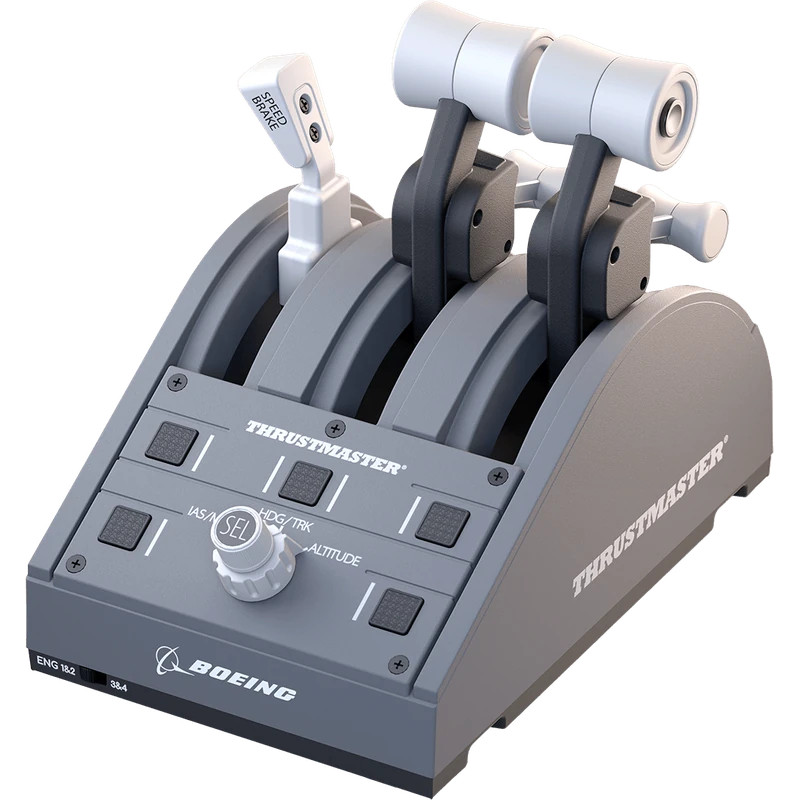
The TCA Quadrant Boeing Edition is inspired by the 787 throttle, with thrust levers, reversers, speed brake and flap levers. It is included in the TCA Yoke Pack Boeing Edition and works on PC and Xbox. Our Boeing yoke guide covers the matching yoke.
Fighter throttles
The HOTAS Warthog dual throttle and Viper TQS replicate military jet throttles, with many buttons and switches for weapons and systems. They suit DCS World pilots. Our best HOTAS guide covers these in more detail.
Matching a throttle quadrant to your aircraft
Choose a throttle quadrant with levers that match the aircraft you fly most. A general aviation pilot needs throttle, propeller and mixture. An Airbus pilot needs detented thrust levers. A Boeing pilot needs thrust levers with reversers and a speed brake. Modular quadrants are ideal if you fly a mix.
Detents explained
Detents are physical notches that mark specific lever positions, such as idle, climb or TOGA. They help you set power accurately without looking. Airbus-style quadrants rely heavily on detents, while many general aviation quadrants have smooth travel with an idle stop.
Reversers and idle cut-off
Airliner quadrants often include reverse thrust, either as a separate lever or by pulling the thrust lever back past idle. Some quadrants also include idle cut-off or fuel switches. Check how a quadrant handles these before buying if you fly airliners.
Platform compatibility
PC supports nearly every throttle quadrant. Xbox requires officially compatible models, such as Thrustmaster’s TCA Airbus and Boeing quadrants. PlayStation support is limited. Our flight simulator Xbox guide lists console options.
Mounting
A throttle quadrant should sit beside your yoke or stick at a natural height. Desk clamps hold most quadrants securely, while flight stands and cockpits provide dedicated mounting points. Make sure levers have room to travel fully. Browse our flight sim stands.
Calibration and binding
Calibrate each lever in the sim or manufacturer software, set detent positions for airliners and bind levers to the right functions. Save a profile for each aircraft type. Many sims and add-ons include ready-made profiles for popular quadrants.
Using two throttle quadrants
Some pilots combine two quadrants for four-engine aircraft or separate controls for each engine. This adds realism for heavy airliners and turboprops, though it takes more desk space.
Turboprops and business jets
Turboprops such as the King Air use power, propeller and condition levers, while business jets use thrust levers much like airliners. A modular quadrant with interchangeable lever sets lets you fly both. Some pilots colour-code levers to match real aircraft: black for power, blue for propeller and red for mixture.
Build quality and feel
Lever tension and smoothness make a big difference. Good quadrants allow tension adjustment, so levers stay where you set them during long flights. Metal shafts and quality detents feel more precise than light plastic designs. Read reviews about lever feel before buying.
Expanding your setup
Many quadrants support add-on modules for flaps, speed brakes, landing gear and autopilot. Starting with a modular system makes it easy to expand as you fly more complex aircraft.
Our picks
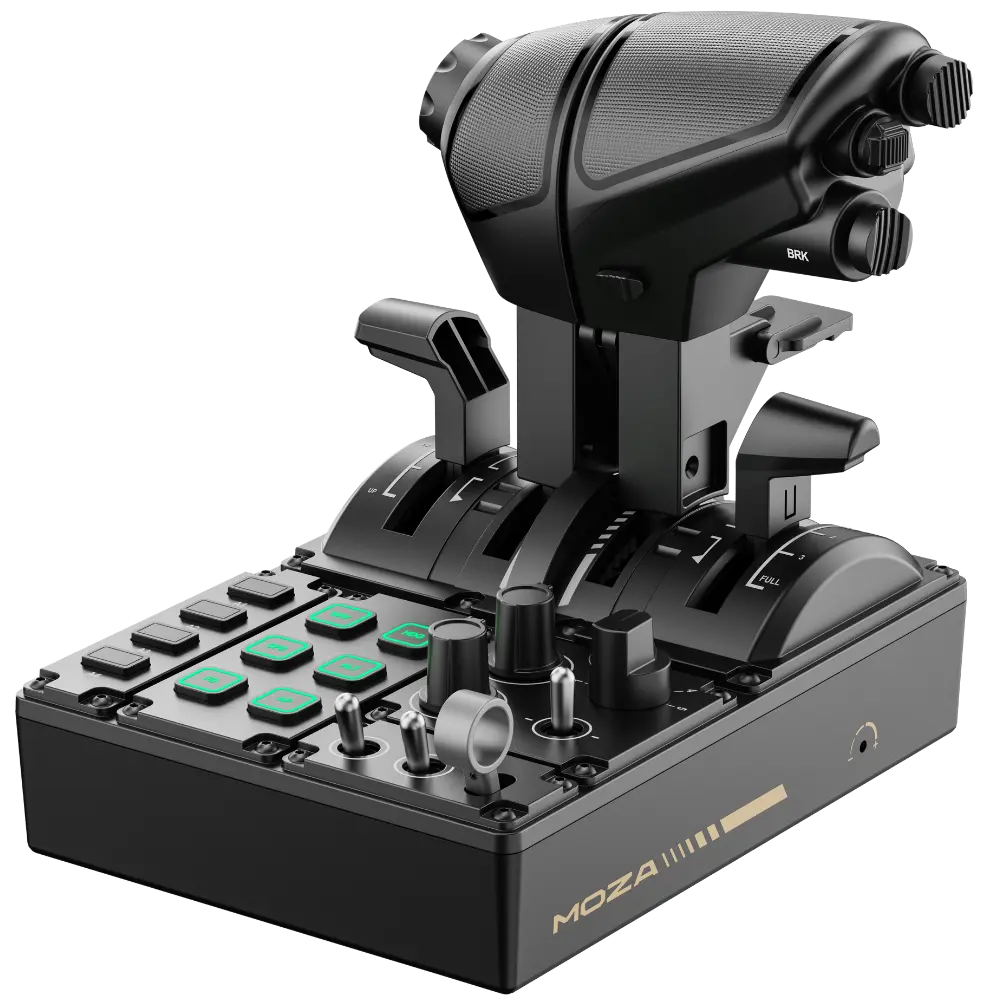
- MOZA MTQ: a modular throttle quadrant for fighters, Airbus and Boeing.
- TCA Quadrant Airbus Edition: an Airbus replica for PC and Xbox.
- TCA Quadrant Boeing Edition: a Boeing-inspired quadrant for PC and Xbox.
The Honeycomb Bravo is our top throttle quadrant pick for PC pilots.
Throttle quadrant FAQ
Do I need a throttle quadrant?
Not to start, but it greatly improves realism and control.
Which throttle quadrant works on Xbox?
Thrustmaster’s TCA Airbus and Boeing quadrants are Xbox compatible.
Which is best for general aviation?
The Honeycomb Bravo, with its general aviation lever set.
What are detents?
Notches that mark specific lever positions, such as climb or TOGA.
Can I use a quadrant with a HOTAS?
Yes. Many pilots use a stick with a separate quadrant.
Does the Honeycomb Bravo work on Mac?
Yes. It supports PC and Mac.
How many levers do I need?
Three for light aircraft, two or four for airliners, or a modular set for both.
Can I use a throttle quadrant on PS5?
Support is limited on PlayStation, so check the latest compatibility list before buying.
Do I need software for a throttle quadrant?
Most work plug-and-play, but maker software helps with calibration, detents and lighting.
Take control of the power
A throttle quadrant transforms every phase of flight, from engine start to landing. Choose one that matches your aircraft and platform, then add modules as your hangar grows. See Microsoft’s beginner’s guide to peripherals, browse our yokes and throttles, or contact us for advice.