Flight sim hardware is what turns a flight simulator into a real cockpit at home. A yoke or stick gives you natural control, a throttle quadrant puts engine levers under your hand, rudder pedals add coordinated turns and ground steering, and panels give you physical switches for autopilot, radios and systems. With so many options, it can be hard to know where to start. This guide explains every type of flight sim hardware, how each part fits together and a sensible upgrade path for every budget.
North Gaming PCs stocks flight sim hardware from Thrustmaster, Honeycomb, MOZA and Next Level Racing, all priced in Canadian dollars with a 2-year warranty. Every price is shown in Canadian dollars, so there is no surprise currency conversion at checkout, and you can email our team whenever you need help choosing.
Start your flight sim hardware with your aircraft
The best flight sim hardware depends on what you fly. General aviation pilots want a yoke, throttle, propeller and mixture. Airbus pilots want a sidestick and detented throttle. Boeing pilots want a yoke and thrust levers. Fighter and helicopter pilots want a HOTAS or collective. Space sim pilots often use dual sticks.
Yokes
Yokes suit Cessnas, Pipers, King Airs and Boeing airliners. Options range from the Honeycomb Alpha and Alpha Lite to the MOZA MFY and Thrustmaster’s TCA Yoke Boeing Edition. Our Boeing yoke guide compares yokes in detail.
Joysticks and HOTAS
Joysticks suit fighters, aerobatic aircraft, helicopters and Airbus airliners. A HOTAS adds a matching throttle with buttons. Options range from the T.Flight Hotas X to the T.16000M FCS, the Warthog and MOZA’s flight sticks. Our best HOTAS guide covers them.
Sidesticks
Airbus sidesticks, such as Thrustmaster’s TCA Sidestick and MOZA’s MA3 sidesticks, replicate Airbus controls. They can be mounted on the left for a captain’s seat or the right for a first officer’s seat.
Throttle quadrants
A throttle quadrant gives you physical levers for engine power, propeller, mixture, flaps and speed brake. Options include the Honeycomb Bravo, MOZA MTQ and Thrustmaster’s TCA quadrants. Our throttle quadrant guide explains the choices.
Rudder pedals
Rudder pedals control yaw for coordinated turns, crosswind landings and ground steering, with toe brakes for taxiing. Options include the Thrustmaster TFRP and TPR, Honeycomb Charlie and MOZA MRP. Pedals are one of the most underrated flight sim hardware upgrades, because they free your hand from twisting the stick and make every take-off and landing smoother. Once you fly with pedals, it is hard to go back.
Force feedback
Force feedback yokes and joysticks, such as MOZA’s AY210 and AY90 yoke bases and AB9 joystick base, add realistic control forces that change with airspeed, trim and turbulence. They bring a new level of realism, especially in general aviation and when trimming an aircraft.
Flight sim hardware panels and switches
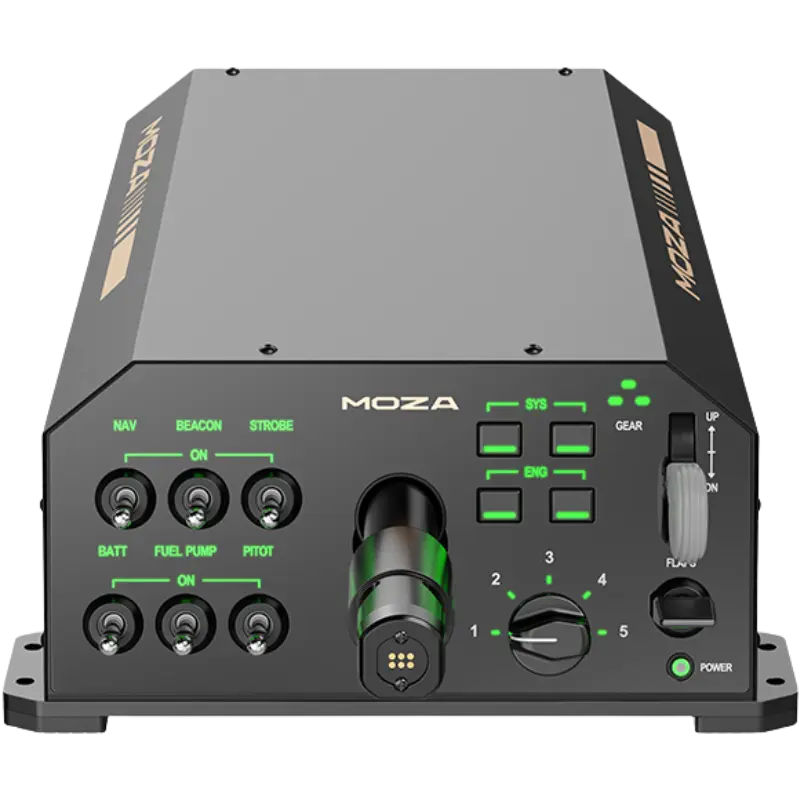
Physical panels add autopilot controls, radios, landing gear, lights and systems switches. Examples include Honeycomb’s Sierra and Echo modules, MOZA’s throttle and landing panels, Thrustmaster’s Viper panel and MFD Cougar packs, and flight computer displays. Panels reduce reliance on the mouse and let you set headings, altitudes and frequencies by feel.
Head tracking and VR
Head tracking lets you look around the cockpit by moving your head, while VR places you inside the aircraft with depth perception. Both make visual flying, landing and traffic spotting much easier, especially in busy airspace. VR needs a strong PC.
Cockpits, stands and seats
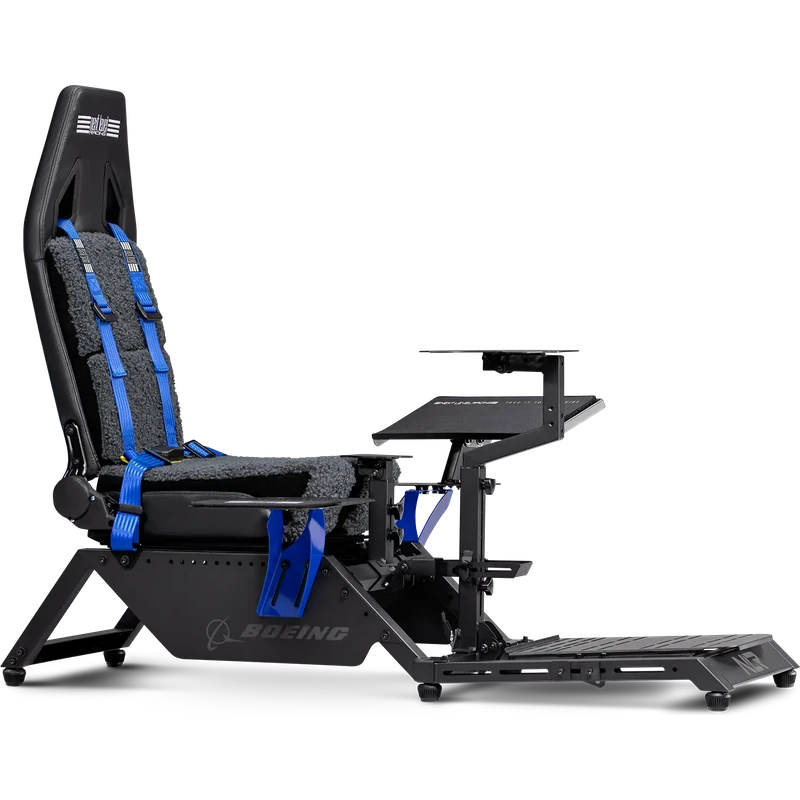
A flight stand or cockpit holds your controls at realistic heights, so they do not slide around a desk. Dedicated flight seats add comfort for long flights. Next Level Racing offers flight stands, cockpits for commercial, military and general aviation setups, and flight seats. Browse our flight sim cockpits.
The PC behind your flight sim hardware
Flight sims are demanding, especially Microsoft Flight Simulator 2024. A modern processor, 32 GB of RAM and a capable graphics card make a big difference. Our Microsoft Flight Simulator PC requirements guide explains the specs.
Flight sim hardware on consoles
On Xbox, only officially compatible flight sim hardware works, such as Thrustmaster’s TCA range, HOTAS One, Honeycomb’s XPC equipment and Turtle Beach controls. PS5 support is narrower. Our flight simulator Xbox and flight simulator PS5 guides list options.
A step-by-step upgrade path
- Start with a joystick or yoke that suits your aircraft.
- Add a throttle quadrant or HOTAS throttle.
- Add rudder pedals.
- Mount everything on a flight stand.
- Add panels for autopilot and systems.
- Consider force feedback or VR.
Flight sim hardware budget guide
- Entry: an affordable HOTAS or joystick.
- Mid-range: a yoke, throttle quadrant and rudder pedals.
- High-end: force feedback controls, panels, a cockpit and a powerful PC.
Software and profiles
Most flight sim hardware is plug-and-play, with profiles in popular sims. Manufacturer software such as MOZA Pit House adds calibration, curves, force feedback settings and lighting. Save a profile for each aircraft type so you can switch quickly.
Flight sim hardware for helicopters
Helicopters use a cyclic, collective and anti-torque pedals. A joystick can serve as the cyclic, a throttle or dedicated collective handles lift, and rudder pedals provide yaw control. Good pedals are especially important in helicopters, where precise yaw control is essential when hovering.
Flight sim hardware for space sims
Space sims such as Star Citizen and Elite Dangerous often use two joysticks for full six-axis control. A HOTAS also works well, and extra analogue axes help with strafing. Pedals can add yaw or strafe control.
Desk setup tips
If you do not have a cockpit, clamp your controls firmly and position them at a natural height. A keyboard tray or side table keeps a keyboard and mouse within reach. Cable management stops wires snagging on moving controls.
Our picks
- MOZA AY210 force feedback yoke base: realistic forces for serious pilots.
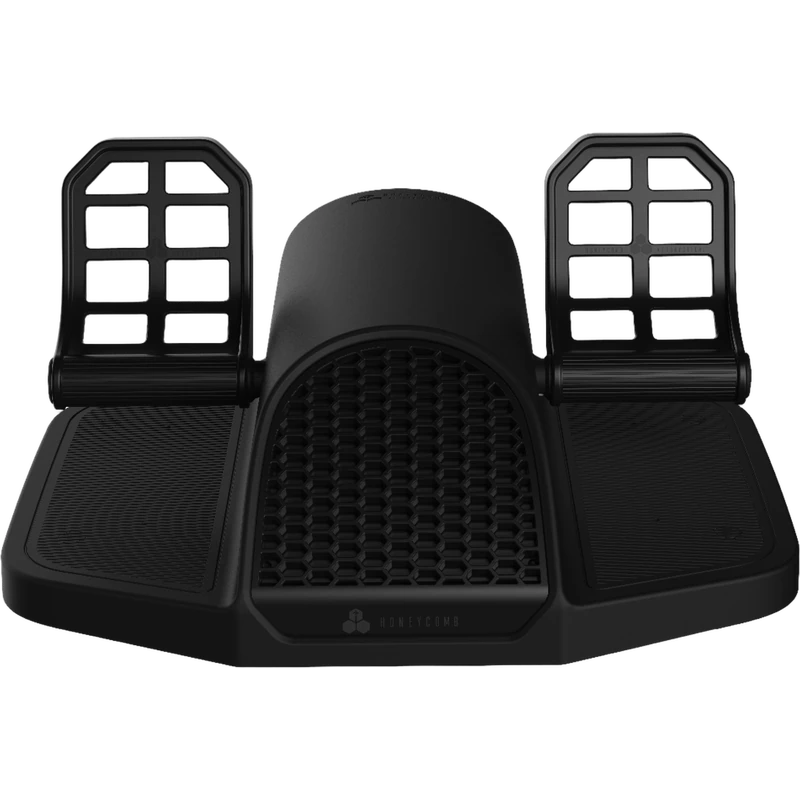
- Honeycomb Charlie rudder pedals: smooth rudder pedals with toe brakes.
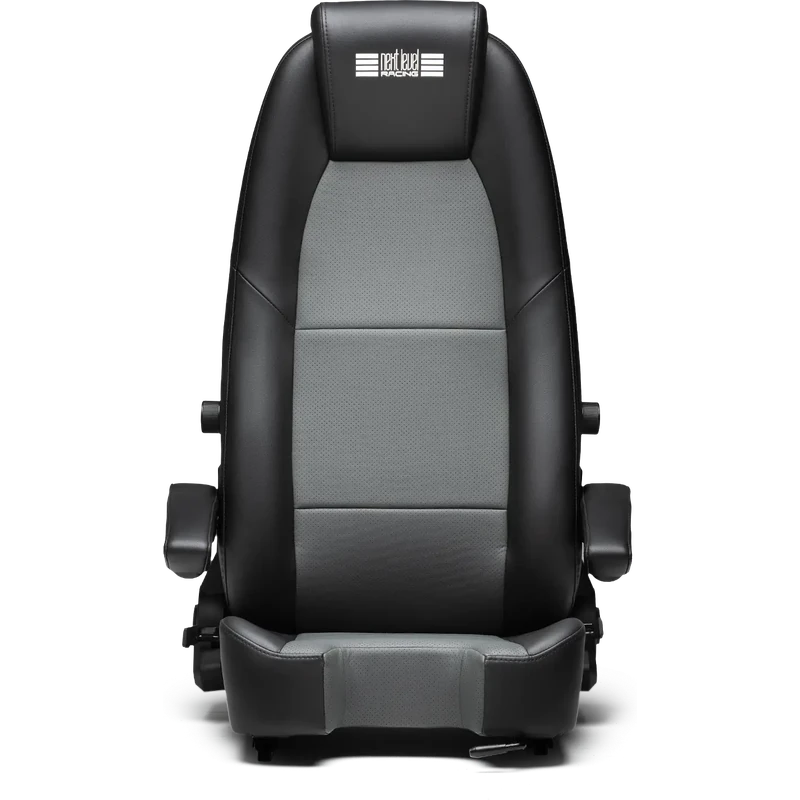
- Next Level Racing Flight Sim Seat 2.0: a comfortable seat for long flights.
The Next Level Racing Boeing Commercial Edition is a complete cockpit for airliner fans.
Flight sim hardware FAQ
What should I buy first?
A yoke or joystick that suits the aircraft you fly most.
Do I need rudder pedals?
They are not essential at first, but they improve control and realism.
Is force feedback worth it?
For serious pilots, yes. It adds realistic control forces and trim feel.
Does flight sim hardware work on Xbox?
Only officially compatible models.
Do I need a cockpit?
A flight stand keeps controls stable and at the right height.
Can I mix brands?
Yes, on PC. Controls from different brands work together.
Is VR worth it for flight sims?
Yes, for immersion, though it needs a powerful PC.
Which rudder pedals should I choose?
The TFRP is a good start; the Honeycomb Charlie and MOZA MRP offer smoother travel and toe brakes.
Does flight sim hardware need a separate power supply?
Most devices are USB powered, but force feedback bases need their own power supply.
Build your cockpit
The right flight sim hardware makes every flight more realistic, from a Cessna circuit to a transatlantic crossing. Start with primary controls for your aircraft, then add throttles, pedals, panels and a stand. Read the beginner’s guide to peripherals, browse our flight sim joysticks, or contact us for advice.