A Boeing yoke brings the feel of an airliner flight deck to your desk. Boeing aircraft such as the 737, 747, 777 and 787 are flown with a control wheel, or yoke, rather than the sidestick used in Airbus aircraft. If you love flying Boeing airliners in Microsoft Flight Simulator or X-Plane, a yoke designed around Boeing controls makes hand-flying, approaches and landings far more realistic. This guide explains what to look for in a Boeing yoke, compares the main options and shows how to build a complete Boeing-style setup.
North Gaming PCs stocks flight yokes and throttle quadrants priced in Canadian dollars with a 2-year warranty. Our team can also help with setup questions after your order arrives, so you can get everything configured properly and enjoy your upgrade from the first day.
Why Boeing uses a yoke
Boeing has kept the traditional control wheel in its airliners, linking the captain’s and first officer’s controls so each pilot can feel the other’s inputs. Airbus uses side-mounted sidesticks with fly-by-wire control laws. In a sim, flying a Boeing with a yoke feels right, while an Airbus feels best with a sidestick.
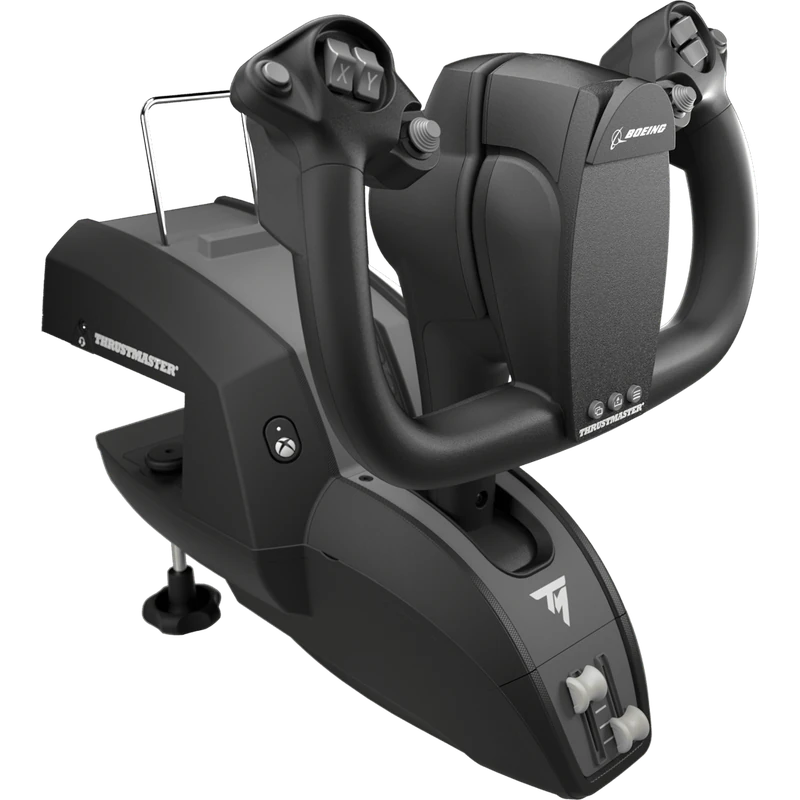
Thrustmaster TCA Yoke Boeing Edition
The TCA Yoke Boeing Edition is officially licensed by Boeing and inspired by the 787 control wheel. It offers a realistic look and feel, programmable buttons and a sturdy desk mount. It works on PC and Xbox, which makes it one of the most popular Boeing yoke choices for console pilots. Our flight simulator Xbox guide covers Xbox setups.
The TCA Yoke Pack Boeing Edition
The Yoke Pack combines the Boeing yoke with the TCA Quadrant Boeing Edition, giving you thrust levers, reversers, speed brake and flap levers in one box. It is a complete Boeing setup for PC and Xbox.
MOZA yokes
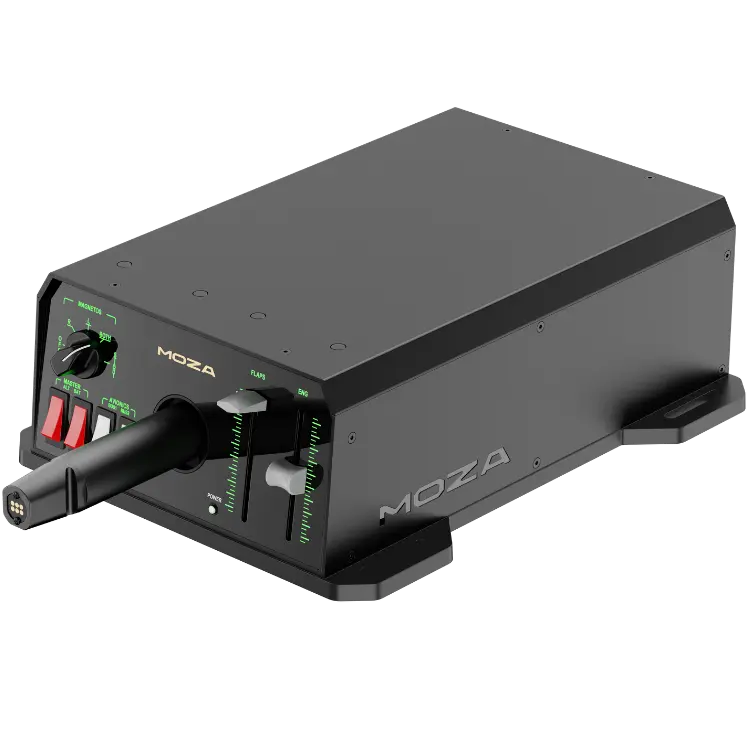
MOZA’s MFY yoke offers many configurable inputs, Hall effect triggers and a sturdy build. For more realism, MOZA’s AY90 and AY210 bases add force feedback, so control forces change with airspeed, trim and turbulence. The TQB throttle module adds Boeing-style thrust levers to the MOZA system.
Honeycomb Alpha
The Honeycomb Alpha is a popular general aviation yoke for PC and Mac with 180 degrees of rotation and a built-in switch panel. It is not a Boeing replica, but many pilots use it to fly Boeing aircraft, especially paired with the Bravo throttle quadrant.
What to look for in a Boeing yoke
- Rotation: enough roll travel for smooth control.
- Pitch travel: long, smooth fore and aft movement.
- Centring: a firm, consistent centre for trimmed flight.
- Buttons: autopilot disconnect, trim and push-to-talk positions.
- Mounting: a sturdy clamp or stand mount.
- Platform: PC, Xbox or both.
Force feedback vs spring centring
Spring-centred yokes return to centre with constant force. Force feedback yokes change their resistance with airspeed and trim, just like a real aircraft. Force feedback adds realism but costs more. For airliner flying with autopilot, spring centring is fine; for hand-flying, force feedback shines.
Adding a Boeing throttle quadrant
A Boeing yoke works best with matching thrust levers. Options include the TCA Quadrant Boeing Edition, MOZA’s TQB module and Honeycomb’s Bravo with its commercial lever set. Our throttle quadrant guide compares them.
Rudder pedals
Rudder pedals help with crosswind landings, engine-out training and taxiing with toe brakes. Thrustmaster’s TFRP pairs with the TCA range, and Honeycomb’s Charlie and MOZA’s MRP are strong alternatives.
Platform compatibility
On PC, any Boeing yoke works. On Xbox, choose an officially compatible model such as the TCA Yoke Boeing Edition. On PS5, yoke support is limited, so check compatibility carefully. Our flight simulator PS5 guide explains PlayStation options.
Mounting a Boeing yoke
Mount the yoke at a comfortable height in front of you, with the throttle quadrant to the side. Desk clamps work well, but flight stands and cockpits give the most realistic position. Ensure the yoke has room for full pitch travel, and that your knees and the desk edge do not block it. A seat that slides forward and back helps you find a comfortable reach. Browse our flight sim stands.
Setting up in the sim
Calibrate the yoke axes, set a small dead zone if needed and bind autopilot disconnect, trim and view controls to the yoke buttons. Many sims include default profiles for popular yokes. Save a profile for Boeing aircraft so you can switch quickly.
Flying technique
Boeing airliners are flown smoothly, with small inputs and frequent trim. Use the yoke’s trim switch to relieve pressure, then make gentle corrections. On approach, small pitch changes control the glide path while thrust controls speed. Practising hand-flown approaches at a familiar airport is the best way to build confidence with a new yoke.
Boeing yoke for general aviation
A Boeing yoke also works well for light aircraft, turboprops and business jets. Many pilots use one yoke for everything, switching profiles for different aircraft.
Boeing yoke vs Airbus sidestick
A yoke sits in front of you and moves fore and aft for pitch and turns for roll. A sidestick sits beside you and moves like a joystick. If you fly both manufacturers, consider owning a Boeing yoke and an Airbus sidestick, or choose a modular system that supports both. Many simmers find that matching the real control type improves immersion more than any other upgrade.
Buttons and switches on a Boeing yoke
Real Boeing control wheels carry an autopilot disconnect switch, electric trim switches, a push-to-talk switch and a chart clip. A good sim yoke offers buttons in similar places, so you can disconnect the autopilot and trim without looking. Extra buttons can be bound to views, flaps or gear.
Building a Boeing home cockpit
Combine a Boeing yoke, a Boeing-style throttle quadrant, rudder pedals and a flight stand for a realistic setup. Add an autopilot panel and screens for instruments, or a VR headset for full immersion. Our flight sim hardware guide explains each component.
Our picks
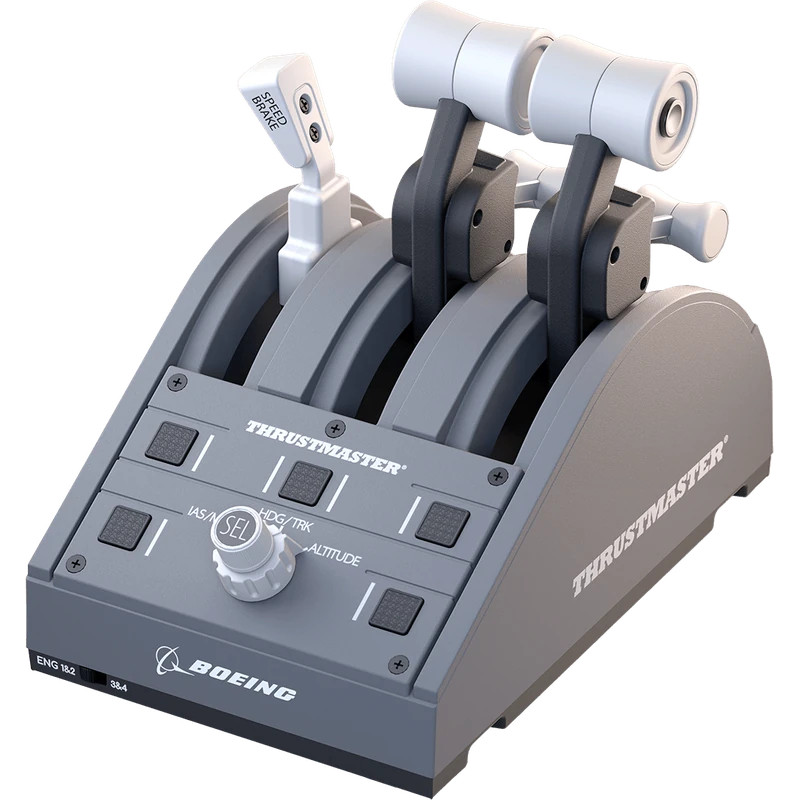
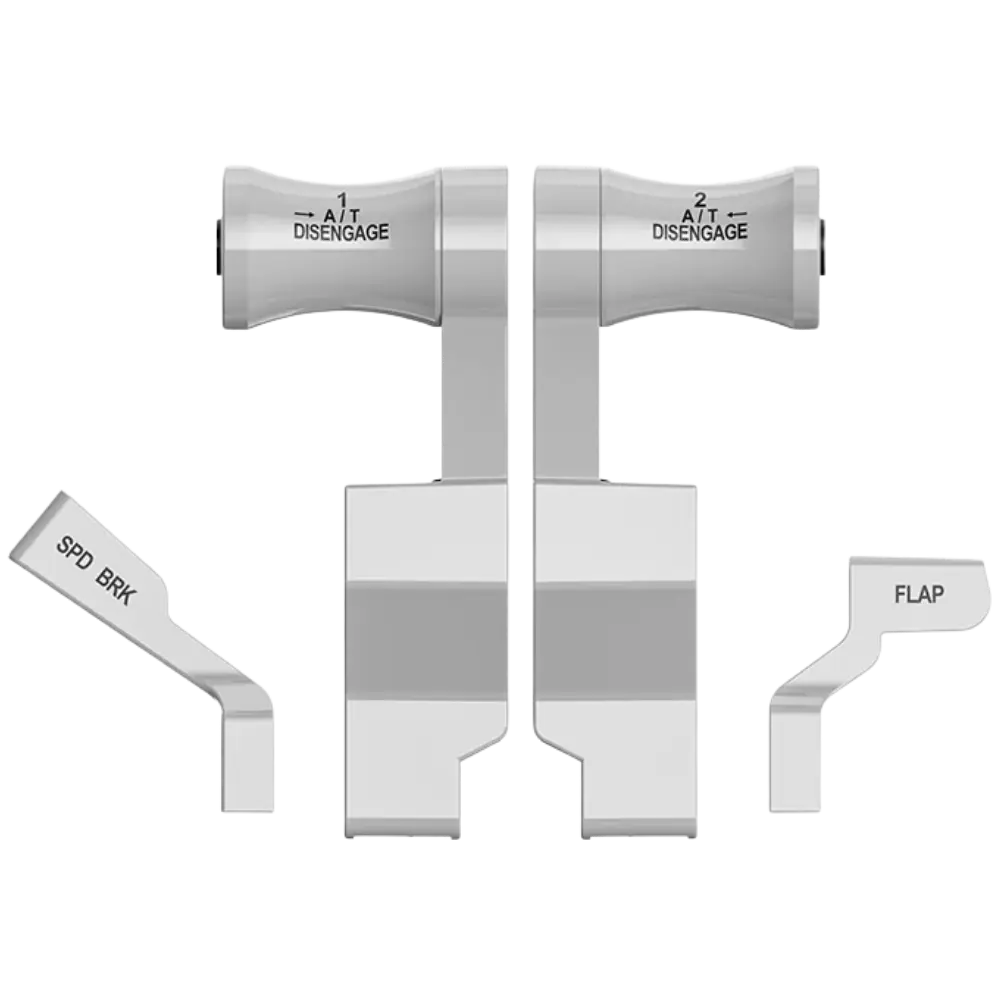
- TCA Quadrant Boeing Edition: Boeing-inspired thrust levers for PC and Xbox.
- MOZA TQB throttle module: Boeing-style levers for the MOZA system.
- MOZA AY90 yoke base: force feedback for realistic yoke forces.
The TCA Yoke Boeing Edition is our top Boeing yoke pick for PC and Xbox.
Boeing yoke FAQ
Do Boeing aircraft use yokes?
Yes. Boeing airliners use a control wheel rather than a sidestick.
Which Boeing yoke works on Xbox?
The Thrustmaster TCA Yoke Boeing Edition.
Is the Honeycomb Alpha a Boeing yoke?
No. It is a general aviation yoke, though many pilots fly Boeings with it.
Do I need a throttle quadrant?
It is strongly recommended for realistic airliner flying.
Is force feedback worth it?
Yes, for hand-flying realism, though spring yokes work well with autopilot.
Can I use a Boeing yoke for small aircraft?
Yes. Switch control profiles for different aircraft.
How do I mount a yoke?
With its desk clamp, or on a flight stand or cockpit.
Does the TCA Yoke Boeing Edition work with MSFS 2024?
Yes, on PC and Xbox, with ready-made profiles in the sim.
Fly the Boeing way
A Boeing yoke and matching throttle quadrant make airliner flying feel authentic, from rotation to touchdown. Choose a licensed replica for Xbox and PC, or a force feedback base for maximum realism. Learn about the real aircraft at Boeing, browse our yokes and throttles, or contact us for advice.