Flight Simulator Xbox pilots have enjoyed Microsoft’s flagship sim on console since 2021, and Microsoft Flight Simulator 2024 raised the bar with career mode, new activities and a more detailed world. Xbox Series X|S also has one of the best ranges of officially compatible flight controls, from affordable HOTAS sets to licensed Airbus and Boeing replicas. This Flight Simulator Xbox guide explains what the game offers, which controls work, how they connect and how to build a home cockpit around your console.
North Gaming PCs stocks Xbox-compatible flight controls, priced in Canadian dollars with a 2-year warranty. Every price is shown in Canadian dollars, so there is no surprise currency conversion at checkout, and you can email our team whenever you need help choosing.
What the Flight Simulator Xbox version includes
Microsoft Flight Simulator 2024 launched on Xbox Series X|S and PC on November 19, 2024, and was available on Game Pass from day one. It includes the whole planet, career mode with jobs such as aerial firefighting, search and rescue and air ambulance, missions, challenges and free flight. Xbox Play Anywhere lets eligible purchases work on both Xbox and Windows PC.
Flight Simulator Xbox on Series X vs Series S
Both consoles run the sim. The Series X offers higher resolution and more visual detail, while the Series S runs at a lower resolution with fewer effects. Much of the world streams from the cloud, so a fast internet connection helps on both.
Game Pass and editions
The standard edition is included with Game Pass, while premium editions add extra aircraft and airports. Marketplace add-ons extend the sim further with aircraft, scenery and liveries, from small bush planes to detailed airliners and hand-crafted airports around the world.
Flight Simulator Xbox compatible controls
Xbox only works with officially compatible devices. Popular options include:
- Thrustmaster T.Flight HOTAS One: an affordable stick and throttle.
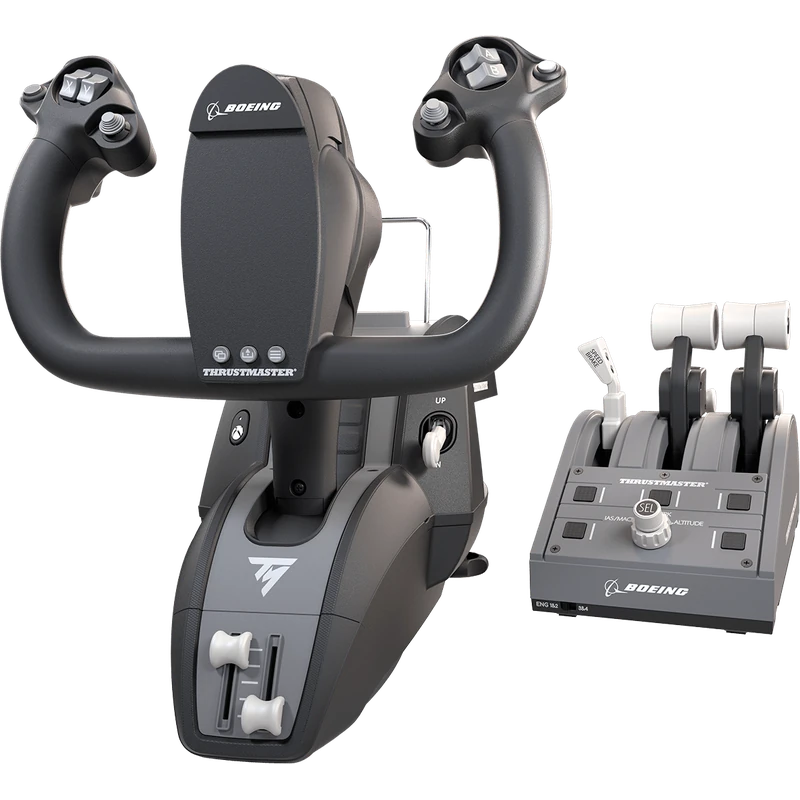
- Thrustmaster TCA Yoke Pack Boeing Edition: a 787-inspired yoke and throttle quadrant.
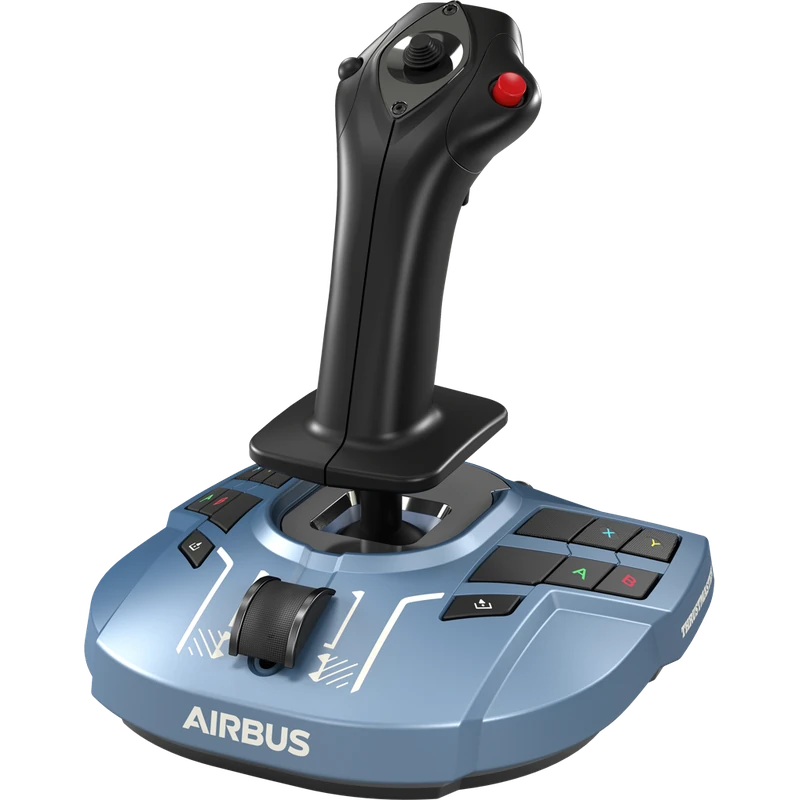
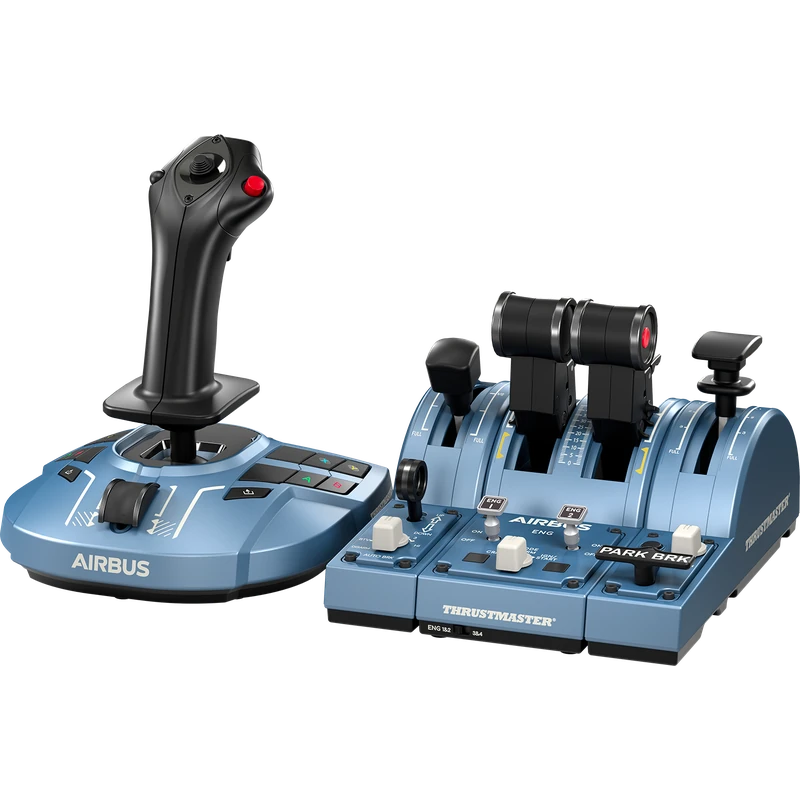
- Thrustmaster TCA Sidestick X and Airbus Captain Pack X: Airbus-style controls.
- Honeycomb Alpha XPC: the Xbox version of the Alpha yoke.
- Turtle Beach VelocityOne Flight: a complete yoke and throttle system.
Always check that the exact model is labelled for Xbox Series X|S before you buy, because similar-looking PC versions exist.
PC controls do not work on Xbox
Many popular PC devices, including the standard Honeycomb Alpha and Logitech’s flight yoke, are not Xbox compatible. A USB adapter will not change that. This is the most common Flight Simulator Xbox buying mistake.
How devices connect
Some throttles and pedals connect through a host device rather than directly to the console. Thrustmaster’s rudder pedals connect through a compatible Thrustmaster stick or yoke, and Honeycomb’s Xbox setup uses its hub. Keep your controls within the same brand’s Xbox system for the simplest setup.
Yoke or HOTAS?
A yoke suits general aviation aircraft and Boeing airliners, while a stick suits Airbus airliners, fighters and aerobatics. Many Flight Simulator Xbox pilots start with a HOTAS because it is affordable and versatile, then add a yoke later. Our best HOTAS and Boeing yoke guides go deeper.
Airbus controls on Xbox
Thrustmaster’s TCA Airbus range replicates the Airbus sidestick and throttle quadrant, including the thrust reverser and add-on modules for flaps and speed brake. The Captain Pack X includes the sidestick, quadrant and two add-on modules for a complete Airbus cockpit.
Boeing controls on Xbox
The TCA Yoke Pack Boeing Edition includes a 787-inspired yoke and a Boeing throttle quadrant. It suits heavy airliners and general aviation aircraft.
Keyboard and mouse in Flight Simulator Xbox
Xbox supports a USB keyboard and mouse in the sim, which makes it easier to click cockpit switches and navigate menus.
Best Flight Simulator Xbox settings
- Use the default profile for your device, then fine-tune sensitivity.
- Add a small dead zone if the aircraft drifts.
- Set graphics mode for performance or quality.
- Turn on assistance options while learning, then disable them gradually.
- Save custom control profiles for each device.
Screen and audio
A large, sharp screen makes cockpit instruments easier to read. A 27-inch 1440p monitor or a big TV works well. Our best monitor for Xbox Series X guide explains choices. Good headphones bring out engine sounds, cockpit callouts and air traffic control.
Building a Flight Simulator Xbox home cockpit
A flight stand holds your yoke, throttle and pedals firmly in realistic positions. A comfortable seat helps long flights. Our flight sim hardware guide covers stands, seats and panels.
Flight Simulator Xbox vs PC
PC offers more hardware choice, third-party add-ons, VR and higher settings. The Flight Simulator Xbox experience is easier to set up and runs well. Our Microsoft Flight Simulator PC requirements guide explains what a PC needs.
Flight Simulator Xbox vs PS5
Xbox has a broader list of compatible yokes and throttles than PlayStation. Our flight simulator PS5 guide covers the PlayStation version.
Career mode on Xbox
Career mode lets you build a pilot career from training to commercial flying, with jobs such as cargo runs, aerial firefighting, medical flights and agricultural work. It is one of the best ways to learn new aircraft on Xbox, and good controls make each job more satisfying.
Choosing Flight Simulator Xbox controls by aircraft
- Small aircraft and Boeing airliners: a yoke and throttle quadrant.
- Airbus airliners: a sidestick and Airbus-style quadrant.
- Helicopters and jets: a HOTAS with rudder pedals.
Matching controls to the aircraft you fly most gives the most realistic Flight Simulator Xbox experience.
Common setup problems
If a device is not detected, check that it is the Xbox version, update its firmware on a PC and reconnect it directly to the console. If pedals or quadrants are missing, make sure they connect through the correct host device.
Our picks
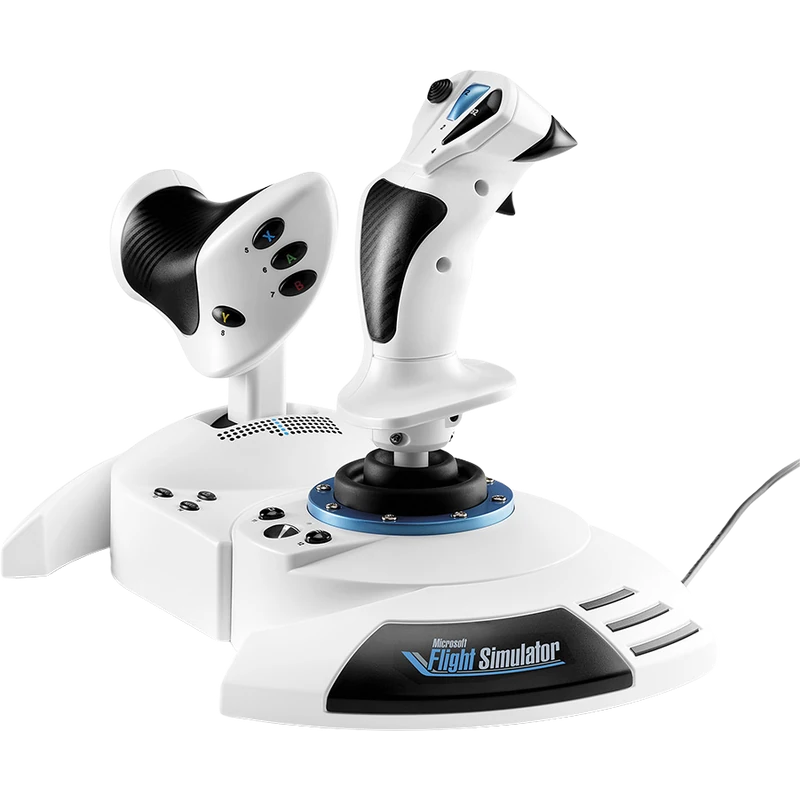
- Thrustmaster HOTAS One MSFS Edition: an affordable Xbox and PC HOTAS.
- TCA Sidestick X Airbus Edition: Airbus-style control for Xbox and PC.
- Airbus Captain Pack X: a complete Airbus cockpit set.
The TCA Yoke Pack Boeing Edition is a licensed Boeing setup for Xbox and PC.
Flight Simulator Xbox FAQ
Is Microsoft Flight Simulator on Game Pass?
Yes. The standard edition is included with Game Pass.
Which yoke works on Xbox?
Thrustmaster’s TCA Yoke Boeing Edition, Honeycomb’s Alpha XPC and Turtle Beach’s VelocityOne Flight.
Does the Honeycomb Alpha work on Xbox?
Only the Alpha XPC version; the standard Alpha is for PC and Mac.
Can I use rudder pedals on Xbox?
Yes, connected through a compatible host device from the same brand.
Does Xbox support VR in the sim?
No. VR is available on PC.
Does the Series S run the sim well?
Yes, at a lower resolution than the Series X.
Can I use a keyboard and mouse?
Yes. USB keyboard and mouse are supported.
Does Play Anywhere include the PC version?
Eligible purchases work on both Xbox and Windows PC through Xbox Play Anywhere.
What is the cheapest way to start?
The Xbox controller, then a HOTAS One for more precise control.
Fly from your Xbox
Flight Simulator Xbox pilots have a great range of licensed controls to build a realistic cockpit. Start with a HOTAS One or go straight to Airbus or Boeing controls. Read Microsoft’s hardware guide, browse our yokes and throttles, or contact us for help.