The best monitor for gaming is the one that matches your graphics card, your games and your desk. A fast 1080p screen suits competitive shooters on a mid-range PC, a 1440p screen suits most players, and 4K suits large screens and powerful systems. Panel type, size and features also change the experience. This guide explains how to choose the best monitor for gaming, then gives six picks for different budgets and play styles.
North Gaming PCs stocks gaming monitors priced in Canadian dollars, each covered by our 2-year warranty. Our team can also help with setup questions after your order arrives, so you can get everything configured properly and enjoy your upgrade from the first day.

Step 1: choose the resolution
- 1080p: affordable and easy to run, ideal for 24-inch screens and competitive play.
- 1440p: sharper detail with high frame rates on mid-range cards, ideal at 27 inches.
- 4K: maximum sharpness for large screens and powerful PCs.
For most players, 1440p is the best monitor for gaming resolution, because it balances sharp detail with frame rates that mid-range graphics cards can reach. Our 1440p monitor guide explains why.
Step 2: choose the refresh rate
144 Hz to 170 Hz is smooth and affordable for all games. 240 Hz and above suits competitive shooters with fast PCs. Make sure your graphics card can reach the frame rates to use the refresh rate you buy.
Step 3: choose the panel
- IPS: accurate colours, wide viewing angles, fast motion.
- VA: deep blacks and contrast, often curved.
- OLED: perfect blacks and near-instant response, at a higher price.
Our IPS vs VA guide compares the two most common types.
Step 4: choose the size
24 inches suits competitive play and small desks. 27 inches is the most popular size. 32 inches suits 4K and large desks. Ultrawides add immersion for racing and flight sims.
Six picks for the best monitor for gaming
Best overall: a 27-inch 1440p IPS at 165 to 170 Hz
The ASUS TUF VG27AQ1A offers sharp 1440p, a 170 Hz refresh rate and accurate IPS colours. It is the best monitor for gaming for most players with an RTX 5060 Ti to RTX 5070 Ti.
Best budget: a 24-inch 1080p IPS at 144 Hz
The LG 24GN60T-B delivers smooth 144 Hz gaming with good colours at a low price, ideal for entry-level PCs.
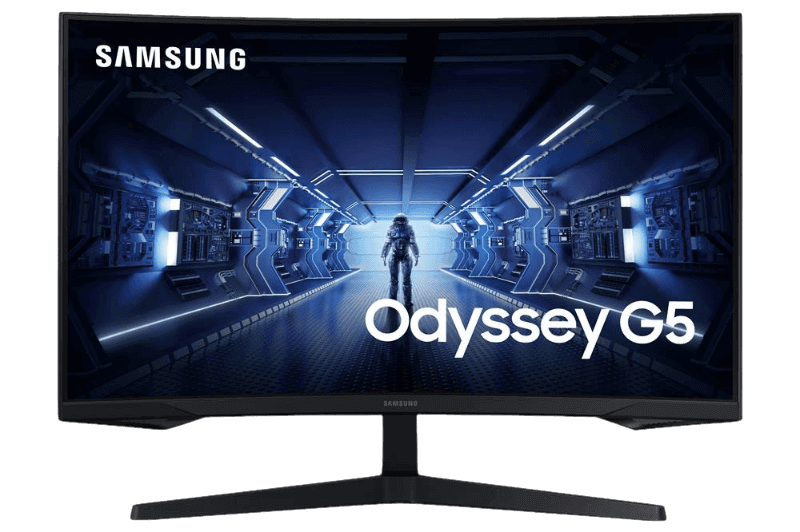
Best curved: a 27-inch 1440p VA
The Samsung Odyssey G5 uses a 1000R curved VA panel with deep contrast at 165 Hz, great for immersive games.
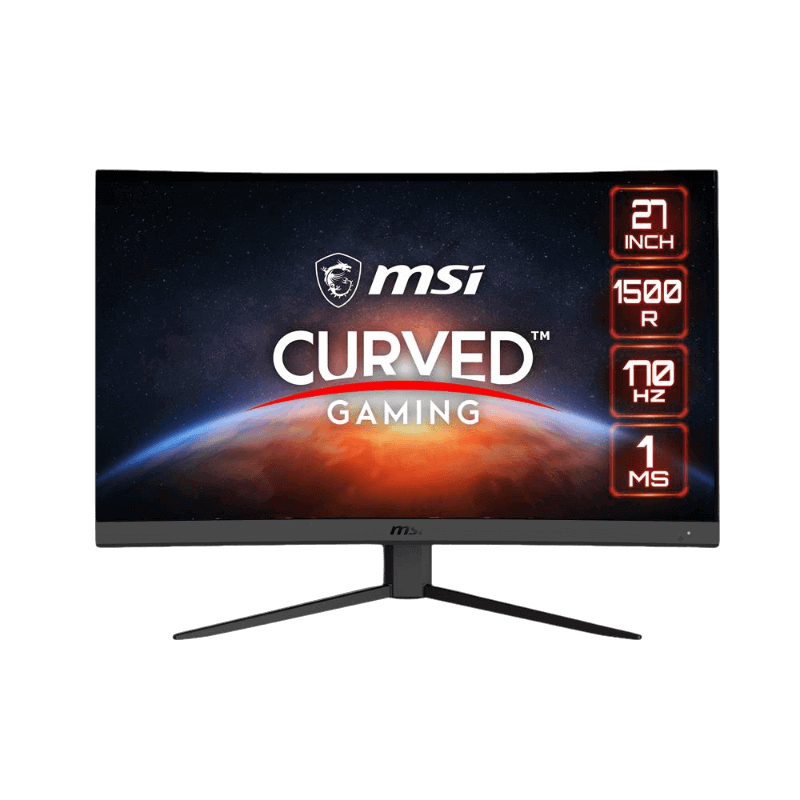
Best value curved: a 1500R 1440p VA
The MSI G27CQ4 E2 offers 1440p at 170 Hz with a gentler curve, a strong all-rounder for the money.
Best for competitive shooters: 240 Hz or faster
A 24 or 27-inch 240 Hz screen helps competitive players with fast PCs. Read our 240Hz monitor guide for details.
Best for consoles: 1440p or 4K with HDMI 2.1
PS5 and Xbox players should look for 120 Hz support and HDMI 2.1 for VRR. Our best monitor for PS5 guide covers the details.
Features that matter
Adaptive sync with FreeSync or G-Sync compatibility is essential for smooth gameplay. A height-adjustable stand or VESA mount helps posture. DisplayPort is the best connection for PC gaming. HDR is a bonus on mid-range screens; true HDR needs local dimming or OLED.
Features you can skip
Built-in speakers are usually weak, so budget for a headset instead. Extreme contrast and brightness numbers on spec sheets are often misleading. Basic HDR400 badges rarely improve the picture.
Matching the monitor to your graphics card
- RTX 5060 or RTX 5060 Ti: 1080p at 144 Hz to 165 Hz, or 1440p at 144 Hz.
- RTX 5070 or RTX 5070 Ti: 1440p at 165 Hz to 240 Hz.
- RTX 5080 or RTX 5090: 1440p at 240 Hz or 4K at 144 Hz.
The best monitor for gaming is the one your graphics card can keep fed with frames.
The best monitor for gaming in sim racing
Sim racers benefit from wide fields of view: a curved screen, an ultrawide or triple monitors. Mount screens close behind the wheel on a rigid monitor stand for a realistic view and steady image.
The best monitor for gaming on a tight budget
On a tight budget, focus on refresh rate and panel quality rather than resolution. A 24-inch 1080p IPS screen at 144 Hz to 165 Hz offers smooth gameplay and good colours for little money, and it is easy for entry-level graphics cards to drive. The best monitor for gaming on a budget is one that plays at high frame rates without straining your PC.
The best monitor for gaming and streaming
Streamers benefit from a fast main monitor plus a second screen for chat and OBS. A 27-inch 1440p main display paired with a 24-inch 1080p second display is a popular, affordable combination. Make the faster screen your main display in Windows so games launch on it.
The best monitor for gaming at 4K
If you have an RTX 5080 or RTX 5090, a 32-inch 4K monitor at 144 Hz or more delivers stunning detail. Upscaling such as DLSS helps keep frame rates high. Our 4K monitor guide covers sizes, ports and HDR.
How long will a gaming monitor last?
A good gaming monitor lasts many years, often outliving the PC it was bought with. That makes it worth investing in a quality screen. The best monitor for gaming today will still serve you well after your next graphics card upgrade.
Common mistakes to avoid
Avoid buying a high refresh monitor and forgetting to set the refresh rate in Windows, connecting with an HDMI cable that limits refresh rate, and choosing 4K for a mid-range graphics card. Check the stand height and VESA mount too, so you can position the screen comfortably.
Setting up your new monitor
Connect with DisplayPort, set the highest refresh rate in Windows, enable adaptive sync in your graphics driver and adjust brightness for your room. Our guide on how to check monitor refresh rate walks you through it.
Our picks
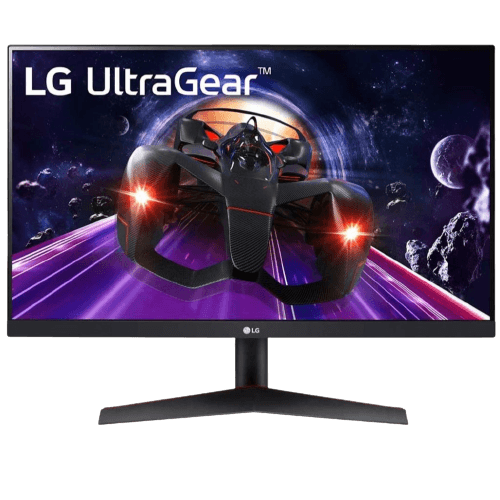
- LG 24GN60T-B: the budget 144 Hz IPS pick.
- Samsung Odyssey G5: the curved 1440p pick.
- MSI G27CQ4 E2: the value curved 1440p pick.
Best monitor for gaming FAQ
What is the best resolution for gaming?
1440p offers the best balance of sharpness and frame rate for most players.
Is 144 Hz enough?
Yes for most players. Competitive gamers may prefer 240 Hz with a fast PC.
IPS or VA for gaming?
IPS for colour and motion clarity, VA for contrast and immersive curved screens.
Is curved better for gaming?
Curved screens add immersion, especially at 27 inches and above. Flat screens suit competitive play and work.
Do I need HDR?
Only if the monitor has real HDR hardware, such as local dimming or OLED. Basic HDR badges rarely improve the picture.
What size is the best monitor for gaming?
27 inches suits most players. Choose 24 inches for competitive play or 32 inches for 4K.
Choose your monitor
The best monitor for gaming balances resolution, refresh rate and panel type with your graphics card and play style. For most players, a 27-inch 1440p screen at 165 Hz to 170 Hz is ideal. Browse our gaming monitors, read independent tests at RTINGS, or contact us for advice.