Choosing the best monitor for PS5 is different from choosing one for a gaming PC. The PS5 has specific output modes, a 120 Hz limit and features such as VRR that depend on the right connection. A monitor that suits the console unlocks sharper images, smoother frame rates and lower input lag at your desk. This guide explains the resolutions, refresh rates, ports and settings that matter, so you can pick the best monitor for PS5 and set it up correctly.
North Gaming PCs stocks 1440p and 1080p monitors that work well with consoles, priced in Canadian dollars with a 2-year warranty. If you are unsure which option suits you, our team is happy to compare specifications with you and suggest a setup that fits your space, budget and plans.
What the PS5 can output
The PS5 and PS5 Pro support several output modes:
- 1080p: up to 120 Hz in supported games.
- 1440p: up to 120 Hz in supported games, added in a 2022 system update.
- 4K: up to 120 Hz in supported games over HDMI 2.1.
The console’s maximum refresh rate is 120 Hz, so a monitor faster than that offers no extra benefit for PS5 gaming. Many games offer a performance mode that targets 60 or 120 frames per second, and a 120 Hz-capable screen lets you enjoy both.
1440p or 4K: which is the best monitor for PS5?
A 27-inch 1440p monitor is the best monitor for PS5 for many players at a desk. It is sharper than 1080p, many games run at higher frame rates in performance modes, and 1440p monitors are affordable. A 4K monitor shows the console’s sharpest image, especially on 32-inch and larger screens, but costs more. Our 1440p vs 4K guide explains the trade-offs.
HDMI 2.0 vs HDMI 2.1
Connection matters. Many monitors with HDMI 2.0 can display the PS5’s 1440p output at up to 120 Hz. For 4K at 120 Hz and for VRR on PS5, you need a monitor with HDMI 2.1. If smooth VRR gameplay matters to you, HDMI 2.1 is a key feature of the best monitor for PS5.
VRR and why it helps
Variable refresh rate matches the monitor’s refresh rate to the game’s frame rate, which removes tearing and smooths out frame drops. PS5 supports VRR over HDMI 2.1 in supported games. Our variable refresh rate guide explains how it works on consoles and PCs.
HDR on PS5
The PS5 supports HDR10. For a good HDR picture, choose a monitor with high brightness and local dimming or an OLED panel. On basic HDR400 monitors, HDR can look washed out, so SDR may look better. Run the PS5’s HDR adjustment in settings when you connect a new display.
Audio: speakers and headphones
Many monitors have weak built-in speakers or none at all. Plug a headset into the DualSense controller, or use the monitor’s headphone jack if it has one. For room sound, connect speakers to the monitor’s audio output. The PS5’s Tempest 3D Audio works best with headphones.
Size and desk distance for the best monitor for PS5
A 24-inch screen suits small desks and competitive play. A 27-inch screen is the sweet spot for most desks. A 32-inch screen suits 4K and larger desks. Sit about an arm’s length from the monitor for comfortable viewing.
Panel types for console gaming
IPS panels offer accurate colours and fast response, while VA panels offer deep blacks and strong contrast for cinematic games. OLED gives the best of both, at a higher price. Our IPS vs VA guide compares the main LCD options.
Best PS5 settings for a monitor
- Go to Settings, Screen and Video, then Video Output.
- Set Resolution to Automatic or your monitor’s native resolution.
- Turn on 120 Hz Output if your monitor supports it.
- Turn on VRR if your monitor supports HDMI 2.1 VRR.
- Enable Performance Mode in Game Presets to prioritise frame rate.
- Run the HDR adjustment if you use HDR.
Best monitor for PS5 and PC together
Many players use one monitor for both a PS5 and a gaming PC. Choose a screen with both HDMI and DisplayPort, so the PC uses DisplayPort for its higher refresh rate and the PS5 uses HDMI. A 1440p monitor at 144 Hz to 170 Hz is a great match for both.
Racing on PS5
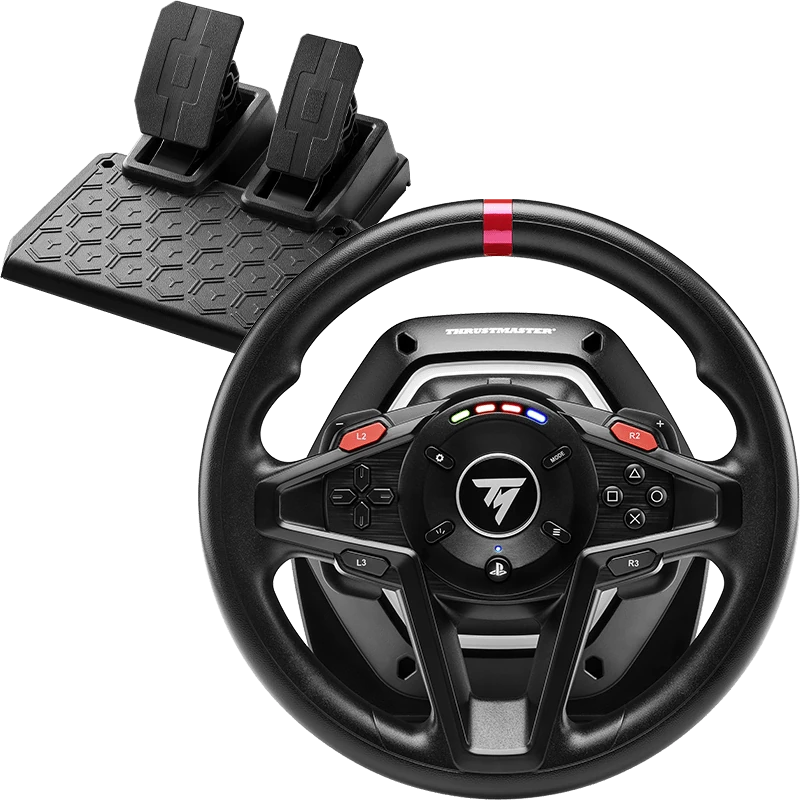
Racing fans can pair the best monitor for PS5 with a PlayStation-compatible wheel for Gran Turismo 7 and other racing games. Wheels such as the Thrustmaster T128 and T248 support PS5, and a wheel stand or cockpit holds everything steady. Our best racing wheel for PS5 guide covers the options.
Input lag and game mode
Input lag is the delay between pressing a button and seeing the result on screen. Gaming monitors usually have very low input lag, often lower than TVs. The best monitor for PS5 keeps input lag low at both 60 Hz and 120 Hz. Turn off extra image processing in the monitor menu and use the fastest response setting that does not cause visible overshoot.
Monitor vs TV for PS5
A TV is great for couch gaming and large screens, while a monitor suits a desk with lower input lag and a sharper image up close. If you play at a desk, a monitor is usually the best monitor for PS5 choice. If you play from the sofa, a 4K TV with HDMI 2.1 makes more sense.
Budget tips for PS5 players
If budget is tight, a 27-inch 1440p monitor at 144 Hz to 170 Hz offers excellent value and works with the PS5’s 1440p output at up to 120 Hz. Skip very high refresh rates you cannot use on console, and put the savings towards a good headset or a racing wheel.
Our picks

- ASUS TUF VG27AQ1A: a 1440p IPS monitor with HDMI and DisplayPort.
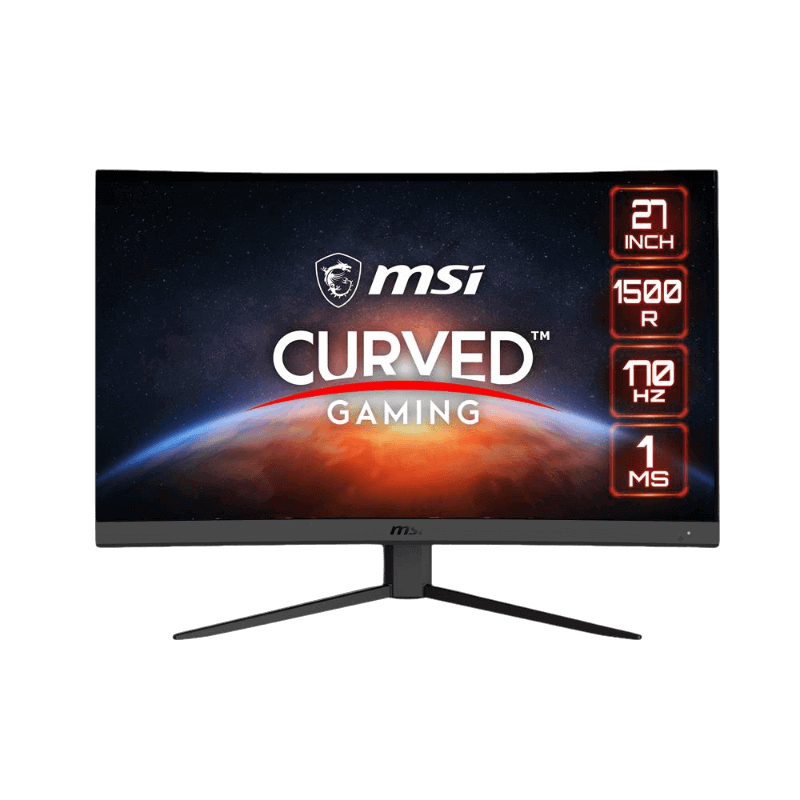
- MSI G27CQ4 E2: a curved 1440p VA monitor for immersive console play.
- Thrustmaster T128 for PS5: an affordable PS5 racing wheel and pedals.
Best monitor for PS5 FAQ
Does PS5 support 1440p?
Yes. The PS5 has supported 1440p output since a 2022 system update.
Do I need HDMI 2.1 for PS5?
For 4K at 120 Hz and VRR, yes. For 1440p at up to 120 Hz, many HDMI 2.0 monitors work.
Is a 240 Hz monitor good for PS5?
It works, but the PS5 tops out at 120 Hz, so you pay for speed the console cannot use.
Can I use a monitor with a PS5 Pro?
Yes. The same rules apply: choose the resolution and HDMI features that match your needs.
What size is the best monitor for PS5?
27 inches suits most desks. Choose 32 inches for 4K and larger desks.
Does the best monitor for PS5 need speakers?
Not necessarily. Most players use a headset through the DualSense controller, which also supports Tempest 3D Audio.
Is a curved screen good for PS5?
Yes, especially for racing and cinematic games. A curved 1440p VA screen is a popular choice for the best monitor for PS5 at a desk.
Choose your console screen
The best monitor for PS5 matches the console’s 120 Hz limit, supports the resolution you want and, ideally, offers HDMI 2.1 for VRR and 4K 120. For most desks, a 27-inch 1440p screen is the sweet spot. Browse our gaming monitors, see Sony’s official PS5 display support pages, or contact us for advice.