The IPS vs VA question is one of the most common choices when buying a gaming monitor. Both are LCD panel types, both can be fast and both look good, but they have different strengths. IPS panels are known for accurate colours and wide viewing angles, while VA panels deliver deeper blacks and higher contrast. This guide compares IPS vs VA in every area that matters, from contrast and colour to motion and price, so you can choose the right panel for your games and your room.
North Gaming PCs stocks both IPS and VA monitors, priced in Canadian dollars with a 2-year warranty. Our team can also help with setup questions after your order arrives, so you can get everything configured properly and enjoy your upgrade from the first day.

How IPS and VA panels work
Both panel types use liquid crystals and a backlight. In IPS, or in-plane switching, the crystals rotate parallel to the screen, which keeps colours consistent from different angles. In VA, or vertical alignment, the crystals stand vertically and block light very effectively when switched off, which produces deeper blacks.
IPS vs VA: contrast
Contrast is VA’s biggest advantage. A typical VA panel offers a contrast ratio of around 3000:1 or higher, while IPS panels usually sit around 1000:1. In a dark room, VA blacks look deep and inky, while IPS blacks look grey. In a bright room, the difference is much smaller, because ambient light washes out dark tones on both panel types. IPS panels can also show IPS glow, a faint light at the corners in dark scenes.
IPS vs VA colour accuracy
IPS panels generally offer more accurate and consistent colours, especially across the screen and at angles. That makes IPS the better choice for photo editing, design and colour-sensitive work, where a slight colour shift could affect your final result. Modern VA panels have improved a lot and look vibrant in games, but IPS still leads for accuracy.
IPS vs VA viewing angles
IPS keeps colours and brightness stable even when viewed from the side, which helps on large screens and when sharing a screen with friends. VA panels lose some contrast and shift colours at wider angles. Curved VA screens reduce this issue by angling the edges towards you.
Response time and motion
Fast IPS panels have excellent response times and very clear motion, which makes them popular for competitive shooters. VA panels can be slower in dark transitions, causing black smearing, a dark trail behind moving objects in dark scenes. Better VA models with good overdrive reduce smearing, but in the IPS vs VA debate for fast esports, IPS usually wins.
Curved screens
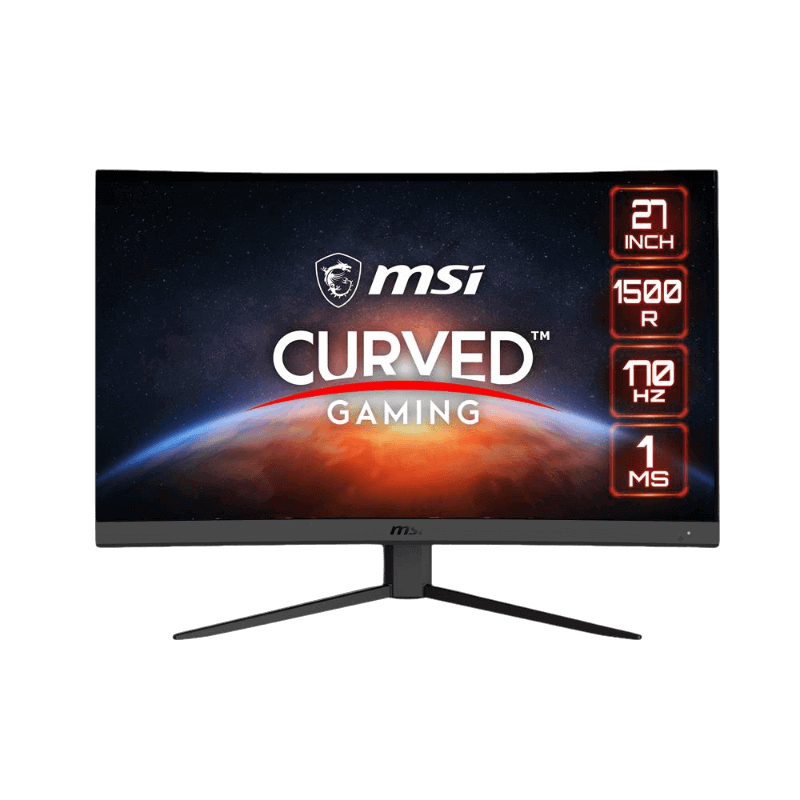
Most curved gaming monitors use VA panels, because VA handles curvature well. A curve like 1000R or 1500R wraps the image around you for immersion. The Samsung Odyssey G5 uses a 1000R VA panel, while the MSI G27CQ4 E2 uses a 1500R VA panel. Our curved vs flat monitor guide explains the trade-offs.
Brightness and HDR
Both types can be bright. VA’s higher contrast makes HDR content look more convincing on mid-range screens without local dimming. For true HDR, look for Mini-LED backlights or OLED panels, which outperform both standard IPS and VA.
IPS vs VA price
At similar sizes and refresh rates, VA monitors are often slightly cheaper than IPS. That makes curved VA screens a popular choice for budget immersive gaming, while IPS commands a small premium for colour accuracy and motion clarity.
IPS vs VA for gaming genres
- Competitive shooters: IPS for faster, cleaner motion.
- Dark single-player and horror games: VA for deep blacks and contrast.
- Racing and flight sims: either; curved VA adds immersion, IPS keeps motion sharp.
- Mixed gaming and work: IPS for colour accuracy and viewing angles.
IPS vs VA for films and streaming video
For watching films in a dim room, VA’s contrast makes a clear difference. Black bars stay black and dark scenes keep their detail. IPS looks better in bright rooms and from wider angles.
IPS vs VA vs OLED
OLED beats both on contrast and response time, with perfect blacks and near-instant motion, at a higher price and with burn-in considerations. Our IPS vs OLED guide compares those two directly.
IPS vs VA for consoles
Console players benefit from either panel. A VA screen suits cinematic PS5 and Xbox games with deep blacks, while an IPS screen keeps motion sharp in fast shooters and sports titles. For console HDR, panel brightness and local dimming matter more than the IPS vs VA choice itself.
IPS vs VA for work and creative tasks
For photo editing, design and colour-critical work, IPS is the safer pick, thanks to accurate colours and consistent viewing angles. For coding, writing and office work, both panel types work well, and VA’s contrast can make dark-mode apps look crisp. If you split time between creative work and gaming, IPS covers both comfortably.
IPS vs VA for sim racing
Sim racers often run triple screens, where viewing angles matter because the side screens sit at an angle. IPS keeps colours consistent across all three screens. A single curved VA screen, on the other hand, adds immersion behind the wheel. Mount screens on a rigid monitor stand so they stay aligned under force feedback.
Common myths
One myth in the IPS vs VA debate is that VA is always slow. Modern VA panels are fast enough for most gamers, especially with good overdrive. Another myth is that IPS always has poor blacks; newer IPS panels with better backlights narrow the gap, though VA still leads in contrast.
Testing what suits you
If possible, look at both panel types in person, ideally showing dark game scenes and fast motion. Reviews from testers such as RTINGS measure contrast, response time and smearing, which helps when comparing specific models in the IPS vs VA decision.
Our picks
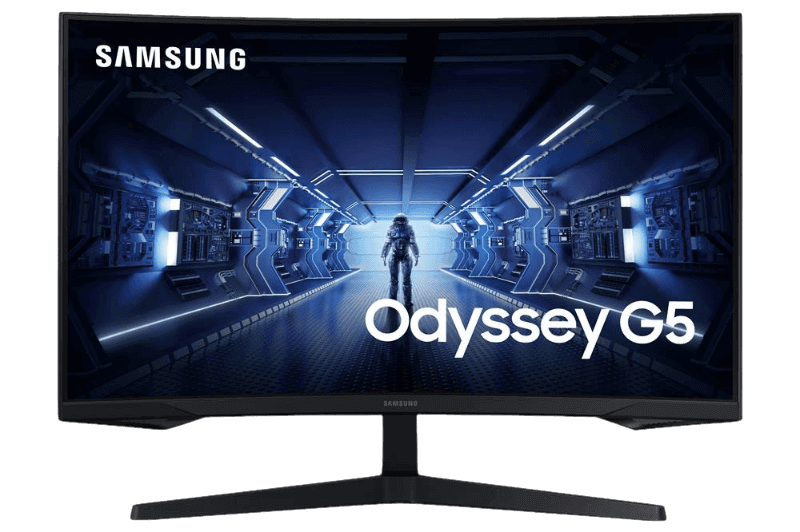
- Samsung Odyssey G5: a 1000R curved 1440p VA monitor at 165 Hz.
- MSI G27CQ4 E2: a 1500R curved 1440p VA monitor at 170 Hz.
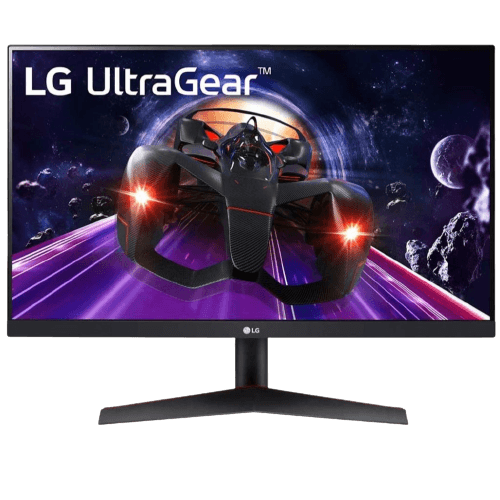
- LG 24GN60T-B: a 1080p IPS monitor at 144 Hz.
Our IPS all-rounder is the ASUS TUF VG27AQ1A, a 1440p panel at 170 Hz.
IPS vs VA FAQ
Is IPS or VA better for gaming?
IPS for fast competitive games and colour accuracy, VA for contrast in dark games and films.
Does VA have ghosting?
Some VA panels show black smearing in dark scenes. Good overdrive settings reduce it.
Which is better for a dark room?
VA, thanks to its higher contrast and deeper blacks.
Which lasts longer?
Both last many years. Neither suffers burn-in like OLED can.
Is VA good for competitive gaming?
Good VA panels are fine for most players. For top-level esports, a fast IPS panel is usually the better choice.
Is IPS glow a defect?
No. A little glow in the corners of dark scenes is normal for IPS panels and varies between units.
Should I choose IPS or VA for a curved monitor?
Most curved monitors use VA, which handles curvature well and adds contrast for immersive games.
The verdict
In the IPS vs VA comparison, choose IPS for colour accuracy, viewing angles and fast motion, and choose VA for contrast, deep blacks and curved immersion. Browse our gaming monitors, or contact us for advice.