A 1440p monitor is the sweet spot for PC gaming today. It is noticeably sharper than 1080p, far easier to drive than 4K and available with fast refresh rates at reasonable prices. On a 27-inch screen, 1440p looks crisp for games and work alike, and mid-range graphics cards can push high frame rates at this resolution. This guide explains why a 1440p monitor is so popular, which size and refresh rate to choose, how panel types compare and what PC you need to drive one.
North Gaming PCs stocks several 1440p monitors, priced in Canadian dollars with a 2-year warranty. If you are unsure which option suits you, our team is happy to compare specifications with you and suggest a setup that fits your space, budget and plans.

What is a 1440p monitor?
A 1440p monitor has a resolution of 2560 x 1440 pixels, also called QHD or WQHD. That is about 3.7 million pixels, around 78 percent more than 1080p and less than half of 4K. The result is a big jump in sharpness without the heavy graphics load of 4K.
Why 1440p is the sweet spot
Three reasons make 1440p the favourite resolution of many gamers:
- Sharpness: text and detail look clean on a 27-inch screen.
- Performance: mid-range graphics cards reach 144 Hz or more at 1440p in most games.
- Price: fast 1440p monitors cost far less than comparable 4K models.
For most players, a 1440p monitor is the best balance of image quality, smoothness and value. It also leaves room in the budget for a better graphics card, which matters more for frame rates than any other part.
Choosing the size
27 inches is the classic size for a 1440p monitor, giving about 109 pixels per inch at normal desk distance. 32-inch 1440p screens are bigger and more immersive, but slightly less sharp up close. 24-inch 1440p screens are very sharp but less common. Our 27 inch monitor guide explains why that size is so popular.
Refresh rate
1440p monitors come in many refresh rates:
- 144 Hz to 170 Hz: smooth for all games and the best value.
- 240 Hz: excellent for competitive shooters with a fast graphics card.
- 360 Hz and above: for esports enthusiasts, usually on OLED panels.
Match the refresh rate to the frame rates your graphics card can reach in your games.
Panel types
- IPS: accurate colours, wide viewing angles and fast response.
- VA: high contrast and deep blacks, often curved.
- OLED: perfect blacks and the fastest response, at a higher price.
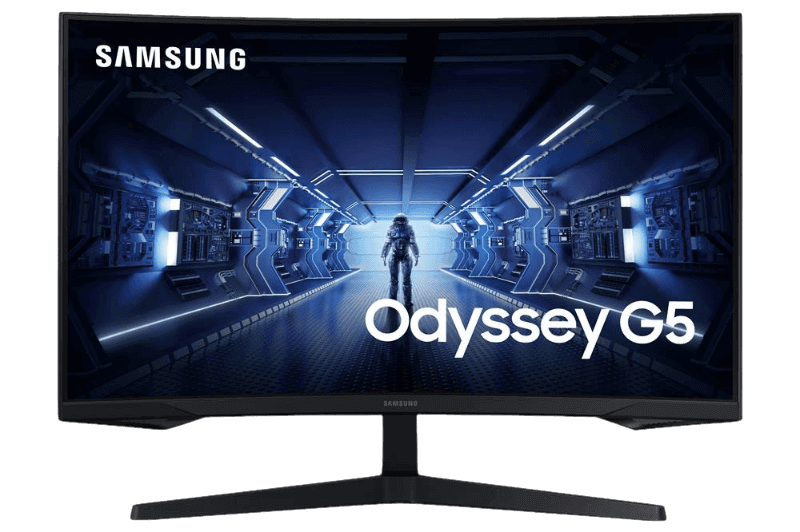
The ASUS TUF VG27AQ1A uses IPS at 170 Hz, while the Samsung Odyssey G5 uses a curved VA panel at 165 Hz.
The graphics card a 1440p monitor needs
Match your graphics card to your refresh rate:
- RTX 5060 Ti 16GB: 1440p at high settings and 100 to 144 frames per second in many games.
- RTX 5070: 1440p at high settings and 144 Hz or more.
- RTX 5070 Ti: 1440p at maximum settings and high refresh rates.
- RTX 5080: 1440p at 240 Hz in many games.
Our RTX 5070 Ti guide explains why it is such a strong match for 1440p.
Adaptive sync and features
FreeSync and G-Sync compatibility remove tearing and stutter, and every gaming 1440p monitor we stock supports them. HDR is a bonus on mid-range screens, where SDR often looks better. A height-adjustable stand or VESA mount helps posture.
1440p for consoles
The PS5 and Xbox Series X both support 1440p output at up to 120 Hz in supported games. A 1440p monitor with HDMI and VRR is a great match for consoles at a desk. Our best monitor for PS5 guide covers console settings.
1440p vs 1080p and 4K
Compared with 1080p, a 1440p monitor is much sharper on 27-inch screens. Compared with 4K, it lets your graphics card push higher frame rates and costs less. Read our 1440p vs 1080p and 1440p vs 4K comparisons for full details.
1440p for sim racing
A single 1440p monitor is a great starting point for sim racing. Triple 1440p screens give a wide, immersive view, but need an RTX 5070 Ti or faster for high frame rates. Mount screens on a rigid monitor stand for the best position behind the wheel.
1440p for work and streaming
For productivity, a 1440p monitor shows more content than 1080p without the scaling issues of 4K on smaller screens. Streamers often pair a 1440p main screen with a 1080p second screen for chat and stream controls.
Is a 1440p monitor good for work?
Yes. A 1440p monitor shows noticeably more content than 1080p, so documents, spreadsheets and code fit comfortably without zooming. On a 27-inch screen, text is crisp at 100 percent scaling, which avoids the scaling quirks some older apps show on 4K screens. For a single monitor that handles both gaming and work, 1440p is hard to beat.
Budget vs premium 1440p monitors
Budget 1440p screens use VA or IPS panels at 144 Hz to 170 Hz and offer excellent value. Premium models add higher refresh rates, better HDR, faster response, OLED panels or USB-C hubs. For most players, a mid-range 1440p monitor at 165 Hz to 170 Hz delivers the biggest improvement per dollar.
How long will a 1440p monitor stay relevant?
A long time. Graphics cards keep getting faster, so a 1440p monitor at 165 Hz or 240 Hz will continue to suit future upgrades. Many players keep the same screen for five years or more while upgrading the PC underneath it.
Setting up a 1440p monitor
Connect with DisplayPort, set 2560 x 1440 and the highest refresh rate in Windows display settings, enable adaptive sync in the graphics driver and choose a comfortable brightness. Our guide on how to check monitor refresh rate helps confirm the setup.
Our picks
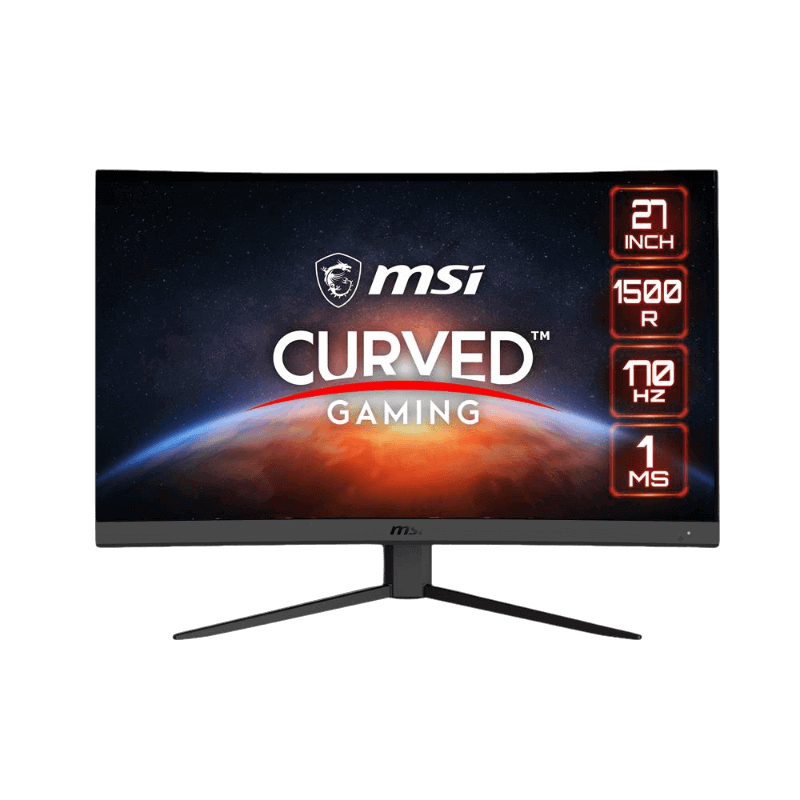
- MSI G27CQ4 E2: a curved 27-inch 1440p VA screen at 170 Hz.
- Samsung Odyssey G5 27-inch: a 1000R curved 1440p monitor at 165 Hz.
- Samsung Odyssey G5 32-inch: a larger curved 1440p screen for immersion.
1440p monitor FAQ
Is 1440p worth it over 1080p?
Yes, especially on 27-inch screens, where 1440p looks much sharper.
What graphics card do I need for 1440p?
An RTX 5060 Ti 16GB for good performance, an RTX 5070 or RTX 5070 Ti for high refresh rates.
Is 27 inches the best size for 1440p?
For most people, yes. It balances sharpness, size and desk space.
Does a 1440p monitor work with consoles?
Yes. The PS5 and Xbox Series X support 1440p output at up to 120 Hz.
Is 1440p better than 4K for competitive games?
Usually, yes. A 1440p monitor lets your graphics card reach higher frame rates, which matters more than extra sharpness in fast shooters.
Can I run a 1440p monitor on an older graphics card?
Yes, at lower settings. An RTX 3060 or similar still plays many games at 1440p with upscaling, though newer cards reach much higher frame rates.
Should I choose curved or flat for 1440p?
At 27 inches either works well. Curved suits immersive games; flat suits work and competitive play.
Choose your 1440p screen
A 1440p monitor offers the best balance of sharpness, speed and price for most gamers. Choose 27 inches, 144 Hz or more, and an IPS or VA panel to suit your taste. Browse our gaming monitors, compare test results at RTINGS, or contact us for advice.