The best wireless gaming headset gives you clear, immersive sound and a reliable microphone without a cable tugging at your head or snagging on your chair. Modern wireless headsets have low latency, long battery life and excellent comfort, which is why many players never go back to wired. Not every model suits every platform, though, and Bluetooth-only headsets can disappoint in games. This guide explains how to choose the best wireless gaming headset for PC, PlayStation and Xbox, and which features matter most.
North Gaming PCs prices every headset in Canadian dollars, and every product we sell is covered by our 2-year warranty. Our current range focuses on wired headsets, so this guide also explains when wired is the smarter buy. Our team can also help with setup questions after your order arrives, so you can get everything configured properly and enjoy your upgrade from the first day.
2.4 GHz vs Bluetooth
The best wireless gaming headset uses a 2.4 GHz USB dongle for gaming. It offers very low latency, so footsteps and gunshots line up with what you see. Bluetooth is convenient for phones, but it adds noticeable delay, and many Bluetooth headsets lower audio quality when the microphone is active. Look for a headset with both: 2.4 GHz for games and Bluetooth for your phone, ideally at the same time.
Battery life on the best wireless gaming headset
Battery life ranges from around 20 hours to over 200 hours on some models. For most players, 30 hours or more means charging once or twice a week. Fast charging, where ten minutes adds several hours of play, is handy. Some headsets support swappable batteries, so you can play while a spare charges.
Microphone quality
A clear microphone matters as much as sound for team games. Look for a boom microphone with noise cancellation, a flip-to-mute design and a mute indicator light. Detachable microphones are great if you also use the headset for music on the go. If you stream, a separate desktop microphone still sounds better than any headset mic.
Comfort: what makes the best wireless gaming headset wearable
Comfort decides whether you can wear a headset for hours. Look for:
- Weight: under about 330 grams for long sessions.
- Clamping force: firm enough to stay put, gentle enough not to cause pressure.
- Ear pads: memory foam with fabric or leatherette covers. Fabric stays cooler; leatherette blocks more noise.
- Headband: a suspension strap spreads the weight evenly.
Glasses wearers should look for soft ear pads that seal around the arms without pressing them into the head.
Sound and spatial audio
Most gaming headsets use 40 mm or 50 mm drivers tuned for clear mids and highs, so footsteps and voices stand out. Spatial audio features such as Windows Sonic, Dolby Atmos for Headphones, DTS Headphone:X and PlayStation’s Tempest 3D Audio help you place sounds in competitive games.
Platform compatibility
Check compatibility carefully when choosing the best wireless gaming headset:
- PC: almost every 2.4 GHz and Bluetooth headset works.
- PS5: most USB-C or USB-A dongle headsets work.
- Xbox: needs a headset with Xbox Wireless support or an Xbox-specific dongle.
- Switch: USB-C dongles work in docked or handheld mode on many models.
Multi-platform headsets often come in separate PlayStation and Xbox versions.
Open-back or closed-back?
Closed-back headsets block outside noise and keep sound in, which suits most homes and shared rooms. Open-back headsets sound more spacious and natural, which helps positional audio, but they leak sound and let room noise in. Most wireless gaming headsets are closed-back.
Seven tips for buying the best wireless gaming headset
- Choose a 2.4 GHz dongle for low latency in games.
- Check that it supports your platforms, especially Xbox.
- Aim for 30 hours of battery life or more.
- Pick a comfortable weight and soft ear pads.
- Make sure the microphone has noise cancellation and easy mute.
- Look for simultaneous Bluetooth if you take calls while gaming.
- Read reviews for real-world comfort and mic quality.
Wireless vs wired
Wired headsets cost less, never need charging and often sound better for the money. They also have no latency at all. Wireless headsets offer freedom from cables and easier movement, which matters in sim rigs and couch setups. If you mostly sit at a desk, a wired headset is excellent value. Our best budget gaming headset guide covers affordable wired options.
The best wireless gaming headset for sim racing and flight sim
In a sim rig, cables can catch on the wheel, shifter or seat. A wireless headset removes that risk, and spatial audio helps you hear cars alongside you. Flight simmers benefit from clear microphones for online air traffic control. Choose a headset with long battery life so it lasts through endurance races and long-haul flights.
The best wireless gaming headset on a budget
You do not need to spend a fortune for a good wireless experience. Mid-range models with a 2.4 GHz dongle, a decent microphone and 30 hours of battery life cover most needs. The best wireless gaming headset on a budget skips extras such as RGB lighting, swappable batteries and premium materials, while keeping the features that matter: low latency, comfort and a clear mic.
Premium features worth paying for
At the higher end, the best wireless gaming headset models add active noise cancellation, simultaneous Bluetooth and 2.4 GHz, multi-platform dongles, swappable batteries, metal headbands and high-resolution drivers. Some include a base station that charges spare batteries and controls volume and EQ. These extras make sense if you use the headset all day for gaming, calls and music.
Setting up your headset
After pairing the dongle, set the headset as the default playback and recording device in Windows sound settings. Update the firmware through the maker’s software, set an EQ profile you like and test the microphone with the Windows voice recorder or Discord’s mic test. A few minutes of setup makes the best wireless gaming headset sound its best.
Caring for your headset
Store the headset on a stand to protect the ear pads and headband. Charge the battery regularly, but avoid leaving it fully drained for long periods. Replacement ear pads refresh an older headset and improve comfort.
Our picks
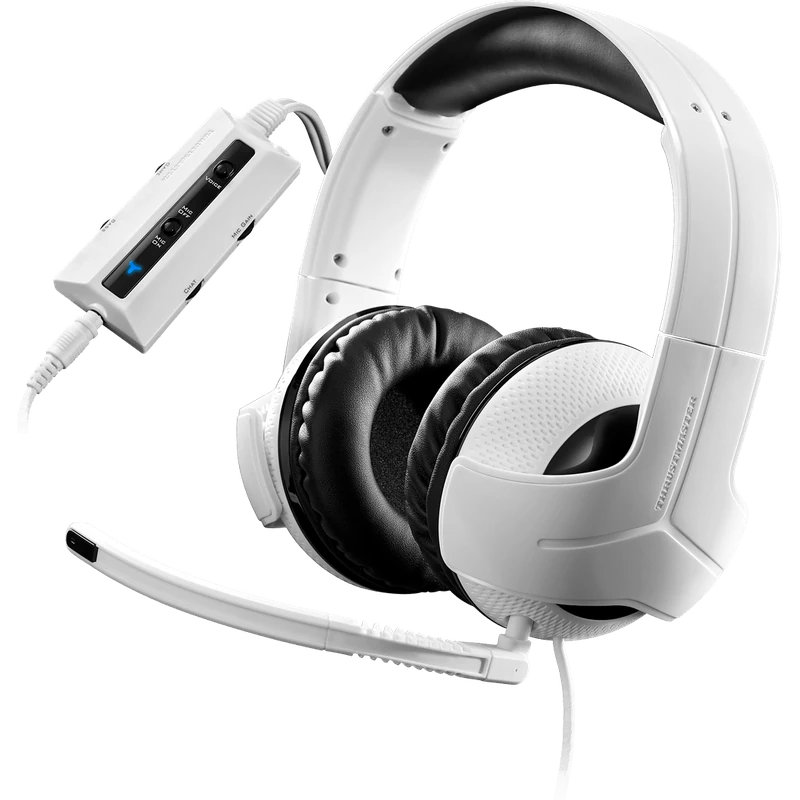
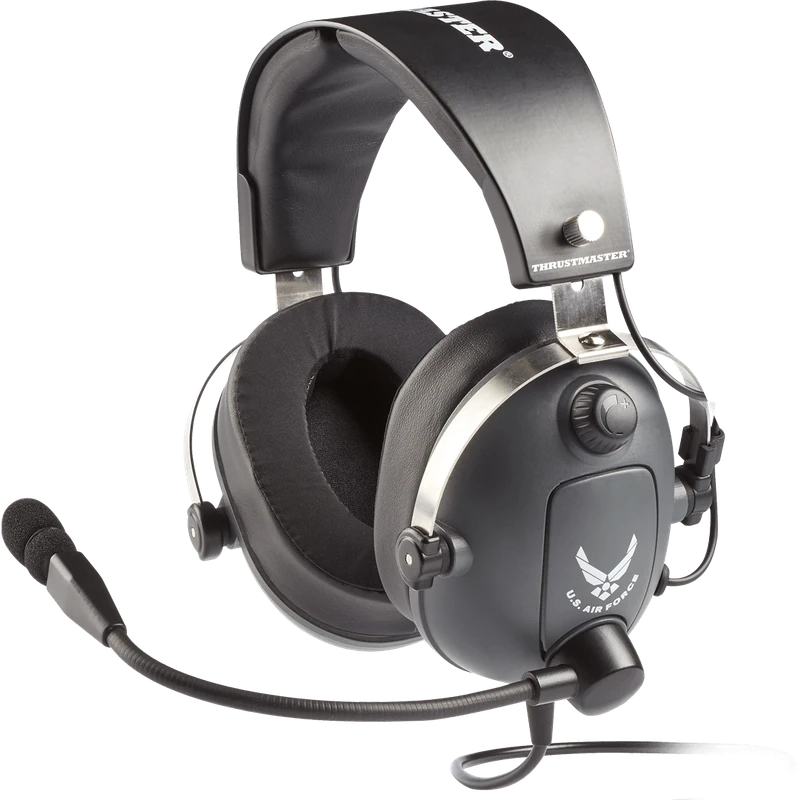
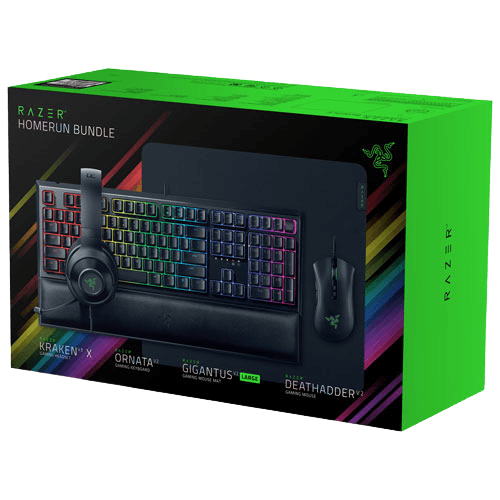
- Thrustmaster Y-300CPX: a wired multi-platform headset with 50 mm drivers.
- Thrustmaster T.Flight U.S. Air Force Edition: a wired flight sim headset with DTS Headphone:X.
- Razer gaming setup bundle: includes a Kraken V3 X headset with keyboard, mouse and pad.
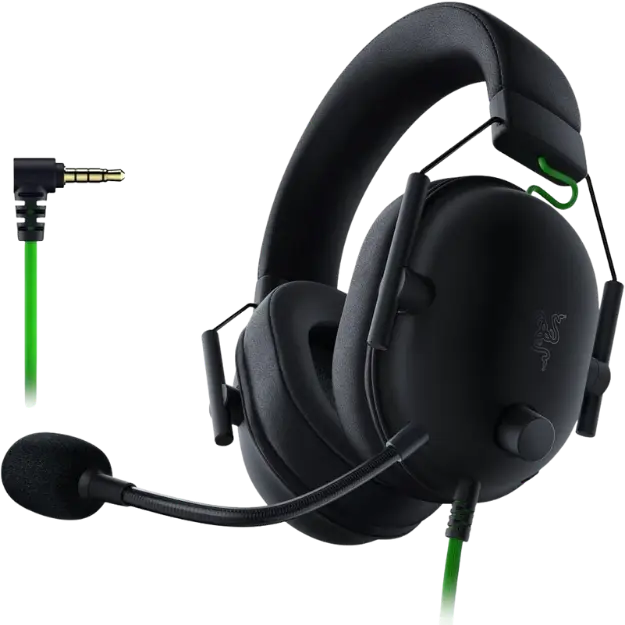
The Razer BlackShark V2 X is our lightweight wired pick at about 240 grams.
Best wireless gaming headset FAQ
Is Bluetooth good enough for gaming?
Not for competitive play. Bluetooth adds latency, so use a 2.4 GHz dongle for games.
How long should battery life be?
At least 30 hours is comfortable for most players.
Do wireless headsets work on Xbox?
Only those with Xbox Wireless support or an Xbox-specific dongle.
Is wireless audio worse than wired?
Modern 2.4 GHz audio is excellent. Wired headsets can still offer better sound for the money.
Can I use the best wireless gaming headset for music?
Yes. Many gaming headsets sound good with music, especially with an EQ preset. Bluetooth makes them easy to use with a phone on the go.
Choose your headset
The best wireless gaming headset combines a low-latency 2.4 GHz connection, long battery life, a clear microphone and all-day comfort. Check platform support carefully, and consider wired if you mostly sit at a desk. Browse our gaming headsets, read headset tests from RTINGS, or contact us for advice.