The curved vs flat monitor choice looks simple, but it affects immersion, comfort and even how well certain games play. A curved screen wraps the image around your view, which can make racing, flight and open-world games feel more absorbing. A flat screen keeps lines straight and suits design work, competitive shooters and multi-monitor setups. This guide compares a curved vs flat monitor in every area that matters, so you can choose the right shape for your desk and your games.
North Gaming PCs stocks both curved and flat monitors, priced in Canadian dollars with a 2-year warranty. Our team can also help with setup questions after your order arrives, so you can get everything configured properly and enjoy your upgrade from the first day.
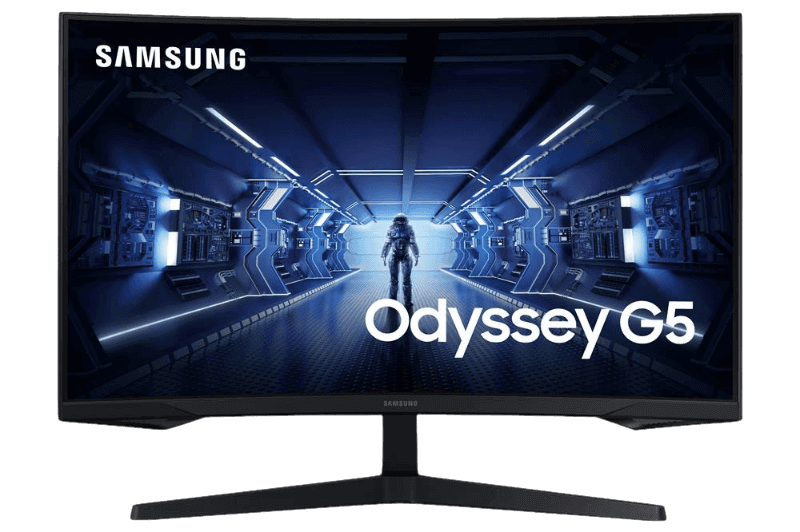
What does the curve number mean?
Curvature is measured as a radius in millimetres, written with an R. A 1000R curve matches a circle with a 1-metre radius, which is quite pronounced. A 1500R or 1800R curve is gentler. A smaller number means a stronger curve. The Samsung Odyssey G5 uses 1000R, while the MSI G27CQ4 E2 uses 1500R.
Curved vs flat monitor: immersion
A curved monitor brings the edges of the screen closer to your eyes, so the whole image sits at a more even distance. That fills more of your peripheral vision and makes games feel more immersive, especially on wide screens. Flat screens feel more neutral and keep the image exactly as the game draws it.
Curved vs flat monitor comfort and eye strain
Because a curved screen keeps the edges at a similar distance from your eyes, you move your eyes and head a little less to scan the image. On large and ultrawide monitors, many people find this more comfortable during long sessions. On 24-inch screens, the difference is small.
Screen size and the curve
The curve matters more as screens get wider:
- 24 inches: a curve adds little; flat is usually fine.
- 27 inches: a gentle curve adds some immersion; either works well.
- 32 inches and above: a curve helps keep edges comfortable to view.
- Ultrawides: almost always curved, because the extra width needs it.
Our ultrawide monitor guide explains why wide screens and curves go together.
Curved vs flat monitor for competitive gaming
Many competitive players prefer flat screens. Straight lines, consistent geometry and no distortion make it easy to judge distances and aim precisely. Most esports tournaments use flat 24-inch monitors. A gentle curve does not hurt aim for most players, but if you play shooters seriously, the curved vs flat monitor choice usually leans flat.
Curved vs flat monitor for racing and flight sims
Simulators are where curved screens shine. A curved monitor, especially a curved ultrawide, wraps the cockpit around you and shows more of your mirrors and side windows naturally. Sim racers who cannot fit triple screens often choose a curved ultrawide for a similar effect. Mount it on a rigid monitor stand so it stays steady under force feedback.
Curved vs flat monitor for work and design
For photo editing, graphic design, CAD and architecture, a flat screen is better, because straight lines stay straight. Spreadsheets and documents work well on either shape. Curved screens can make long rows of text slightly easier to read on very wide monitors.
Reflections and lighting
Curved screens can catch reflections from lights at the sides of the room in different ways from flat screens. In a room with windows beside the desk, a matte coating reduces glare on either type. Position lamps behind or above the monitor rather than beside it.
Panel types and curves
Most curved gaming monitors use VA panels, which handle curvature well and offer strong contrast. Flat monitors are commonly IPS, with accurate colours and wide viewing angles. That means the curved vs flat monitor decision often overlaps with the IPS vs VA decision. Our IPS vs VA guide explains the panel side.
Multi-monitor setups
Flat screens line up more neatly side by side, which makes them better for dual setups. Curved screens can work in triples for sim racing, where the curves and angles combine into a wraparound view, but they need careful alignment. Our dual monitor setup guide covers arranging two screens.
Wall and arm mounting
Flat monitors mount closer to the wall and look neater on arms. Curved monitors stick out further at the edges, so check desk depth. Both usually support VESA mounts.
Curved vs flat monitor prices
At similar sizes and specifications, curved and flat monitors cost about the same. Curved VA models are often among the best value 1440p gaming screens, which makes them attractive for immersive gaming on a budget.
Common mistakes
Avoid buying a curved monitor for a desk where you sit far away, which reduces the benefit, or choosing a strong curve for design work. Do not expect a curve to fix a small screen; at 24 inches, a flat screen is usually better value.
Getting used to a curved screen
Most people adapt to a curved monitor within a day or two. At first, straight lines in menus and spreadsheets may look slightly bent, but your brain quickly adjusts. Sit centred in front of the screen at the distance the curve is designed for, roughly the same as the radius for strong curves, and the image looks natural.
Which should you choose for streaming?
Streamers often use a flat main screen for games and a second flat screen for chat and OBS, because flat screens sit neatly side by side. A curved main screen also works well if you prefer immersion, with a flat secondary display beside it. In the curved vs flat monitor choice for streaming, comfort and layout matter more than shape.
Our picks
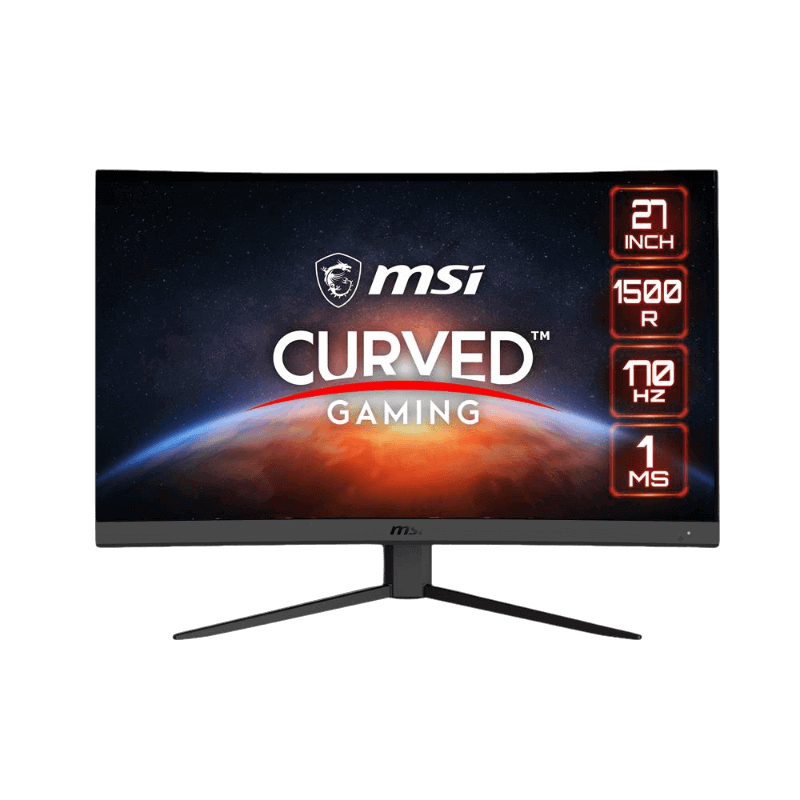

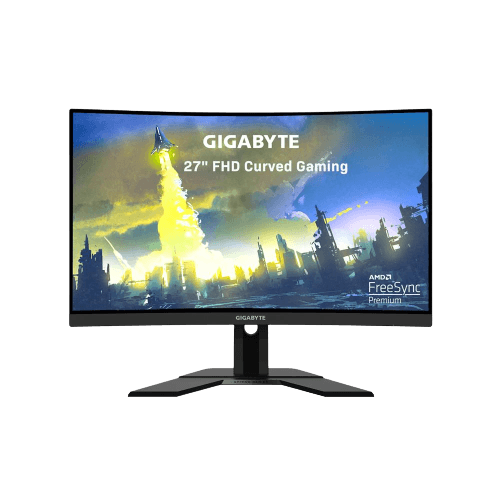
- MSI G27CQ4 E2: a 1500R curved 1440p VA monitor at 170 Hz.
- ASUS TUF VG27AQ1A: a flat 1440p IPS monitor at 170 Hz.
- Gigabyte G27FC: an affordable 1080p curved monitor at 165 Hz.
Curved vs flat monitor FAQ
Is a curved monitor better for gaming?
For immersive games and sims, yes. For competitive shooters, many players prefer flat.
Do curved monitors cause eye strain?
No. Many people find them more comfortable on large screens, because the edges are closer.
What curve is best?
1500R suits most 27-inch screens. 1000R is more dramatic and immersive.
Are curved monitors good for work?
For documents and multitasking, yes. For design and photo editing, flat is better.
Can I wall-mount a curved monitor?
Yes, with a VESA mount, though it sticks out further than a flat screen.
Is a curve worth it at 24 inches?
Rarely. The benefit is small at that size, so a flat screen is usually better value.
Does a curved vs flat monitor change input lag?
No. Input lag depends on the electronics, not the shape. Both curved and flat gaming monitors can be very responsive.
Which is better for console gaming?
Either works. A curved screen adds immersion in racing and cinematic games, while a flat screen suits sports and shooters.
The verdict
The curved vs flat monitor decision depends on what you play and how you work. Choose curved for immersion in racing, flight and open-world games, especially at 27 inches and above. Choose flat for competitive shooters, design work and multi-monitor setups. Browse our gaming monitors, compare models at RTINGS, or contact us for advice.