Flight Simulator PS5 players finally have the real thing. Microsoft Flight Simulator 2024 arrived on PlayStation 5 and PS5 Pro on December 8, 2025, bringing the whole planet, tens of thousands of airports, career missions and a huge aircraft list to Sony’s console for the first time. Getting the most from it on PlayStation means choosing the right controls, because only certain flight peripherals are supported. This Flight Simulator PS5 guide explains what the game offers, which controllers work, how to set them up and how to build a comfortable home cockpit.
North Gaming PCs stocks flight sim controls, stands and monitors priced in Canadian dollars with a 2-year warranty. If you are unsure which option suits you, our team is happy to compare specifications with you and suggest a setup that fits your space, budget and plans.
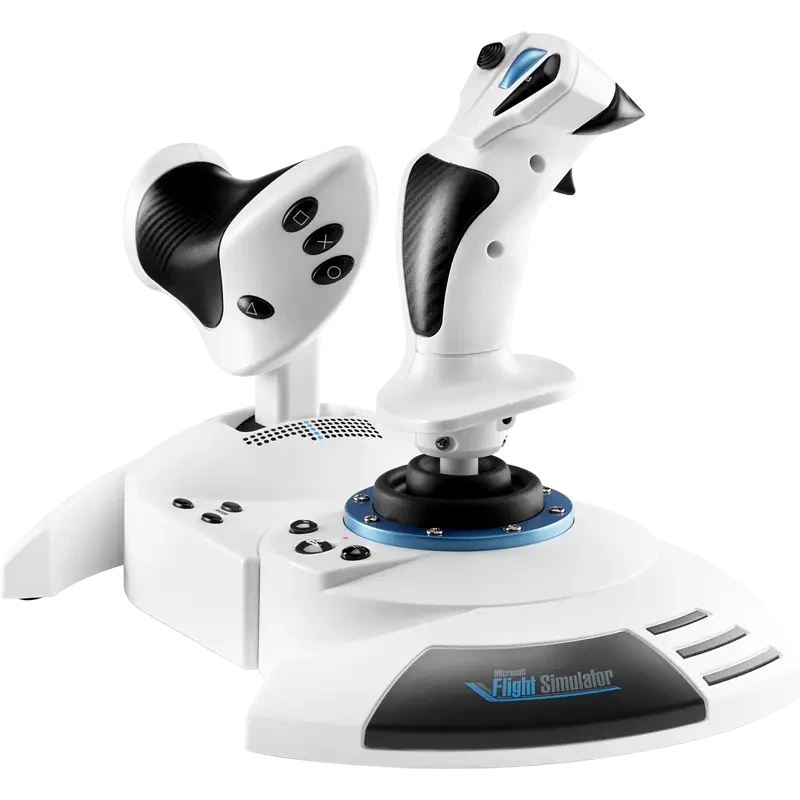
What the Flight Simulator PS5 version includes
The PlayStation version includes the same world, aircraft and activities as the PC and Xbox versions, including career mode, missions, landing challenges and free flight. It receives the same free sim and world updates. DualSense features such as adaptive triggers, haptics and controller audio add immersion when flying with a gamepad.
Flight Simulator PS5 and PS5 Pro
Both consoles run the game, and the PS5 Pro offers extra visual quality and performance headroom. The sim streams much of its scenery from the cloud, so a fast, stable internet connection improves the experience on either console.
PSVR 2 support
Support for PlayStation VR2 was promised as a free update in 2026 and is now available. Flying in VR gives a real sense of depth and scale, which makes landings and sightseeing spectacular. VR is demanding, so expect lower visual settings than on a flat screen.
Can you use a joystick with Flight Simulator PS5?
Yes, but only supported models. PlayStation does not treat every USB joystick as a flight controller, and the sim must recognise the device. Microsoft’s hardware guide lists the Thrustmaster T.Flight HOTAS 4 and Thrustmaster’s T.Flight rudder pedals for PS5, alongside a USB keyboard and mouse.
Newer Flight Simulator PS5 controls
Since launch, Thrustmaster has added more PlayStation options. The HOTAS 5 Microsoft Flight Simulator Edition is designed for PS5, PS4 and PC, and Thrustmaster’s TCA Sky Yoke has a PlayStation version. Some devices may need a one-time custom control profile in the sim, so check the latest compatibility notes before you buy.
PC and Xbox controls do not work on PS5
A yoke or HOTAS labelled for PC or Xbox will not become PlayStation compatible through a USB adapter. Always look for explicit PS5 support for the exact model. This is the most common mistake new Flight Simulator PS5 pilots make.
Flying Flight Simulator PS5 with the DualSense
The DualSense is a perfectly good way to start. Adaptive triggers can represent brakes and throttle feel, and haptics add runway rumble. Adjust stick sensitivity and dead zones in the control settings to make small corrections easier.
Adding rudder pedals to Flight Simulator PS5
Rudder pedals let you steer on the ground, coordinate turns and handle crosswind landings. On PS5, Thrustmaster’s T.Flight rudder pedals connect through a compatible Thrustmaster host such as the HOTAS 4 or HOTAS 5. Toe brakes help with taxiing and let you steer tightly by braking one wheel at a time.
Keyboard and mouse
A small USB keyboard and mouse make cockpit interaction easier, letting you click switches and dials in aircraft. They are supported on PS5 and pair well with a HOTAS.
Best Flight Simulator PS5 settings
- Start with the default control profile for your device, then adjust sensitivities.
- Add a small dead zone if the aircraft drifts.
- Choose performance or quality mode based on your screen and preference.
- Enable 120 Hz output if your monitor or TV supports it.
- Use the tutorials and flight training to learn controls step by step.
Screen choice
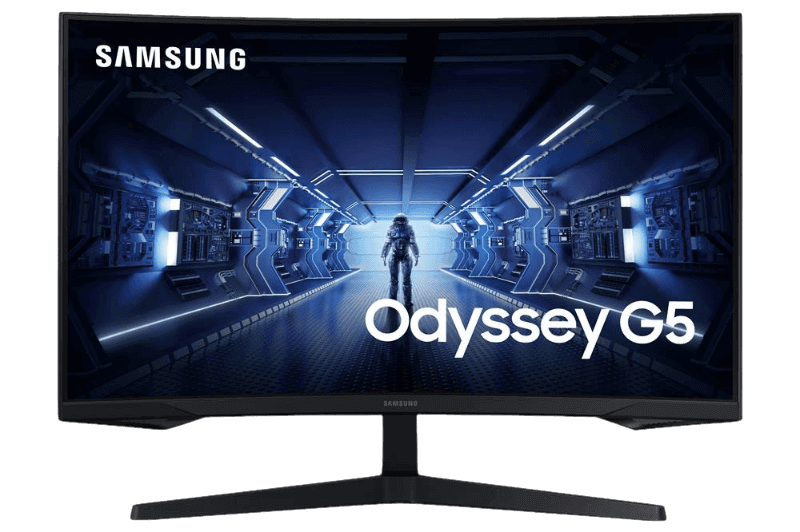
A low input lag monitor or TV in game mode improves responsiveness. Flight simulation benefits from a large, sharp image, so a 27-inch 1440p monitor or a big TV works well. Our best monitor for PS5 guide explains the options.
Building a Flight Simulator PS5 home cockpit
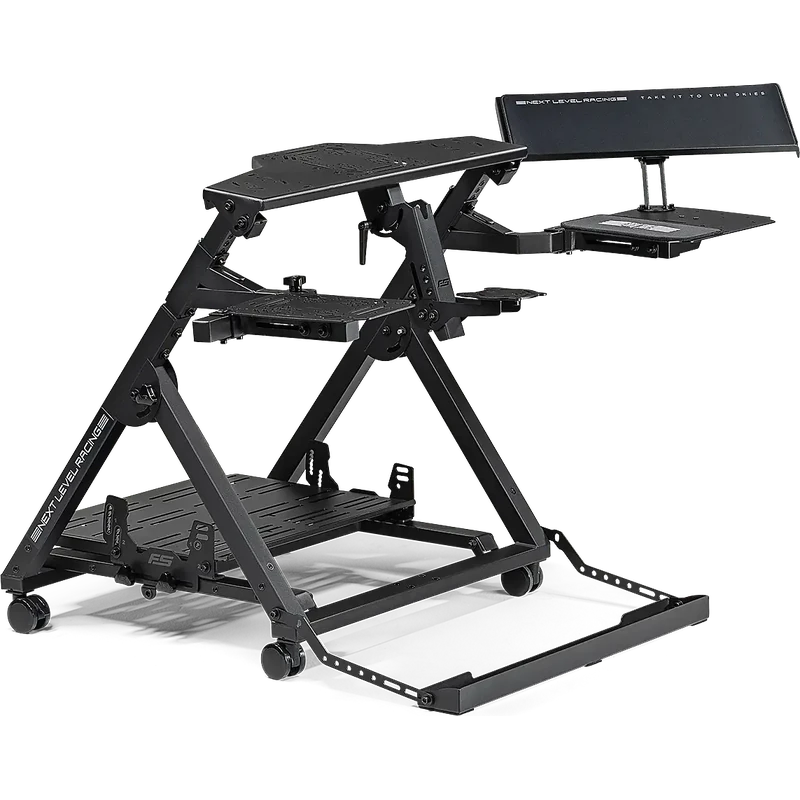
A flight stand or cockpit holds your stick, throttle and pedals in realistic positions, so they do not slide around a desk. A comfortable seat makes long-haul flights more enjoyable. Our flight sim hardware guide covers stands, seats and panels.
Flight Simulator PS5 vs PC
The PC version supports a much wider range of hardware, third-party add-ons and higher settings. The Flight Simulator PS5 version is simpler to set up and still looks superb. Marketplace purchases do not carry over between PlayStation and the Xbox and PC ecosystem. Our Microsoft Flight Simulator PC requirements guide explains what a PC needs.
Flight Simulator PS5 vs Xbox
Xbox has more officially compatible yokes and throttles, including Thrustmaster’s TCA range, Honeycomb’s XPC equipment and Turtle Beach controls. PlayStation’s list is shorter but growing. Our flight simulator Xbox guide covers that platform.
Getting started tips
Begin with a small aircraft such as a Cessna, fly circuits at a familiar airport and practise landings. Use assistance options at first, then switch them off as you gain confidence. Career mode is a great way to learn new aircraft and skills, with jobs that gradually introduce navigation, radio work and heavier aircraft.
Seating and comfort
Long flights can last hours, so comfort matters. A supportive chair or flight seat, a stand that places the stick and throttle at a natural height and a screen at eye level all reduce fatigue. Take short breaks during long-haul flights, just like real pilots rest on long sectors.
Our picks
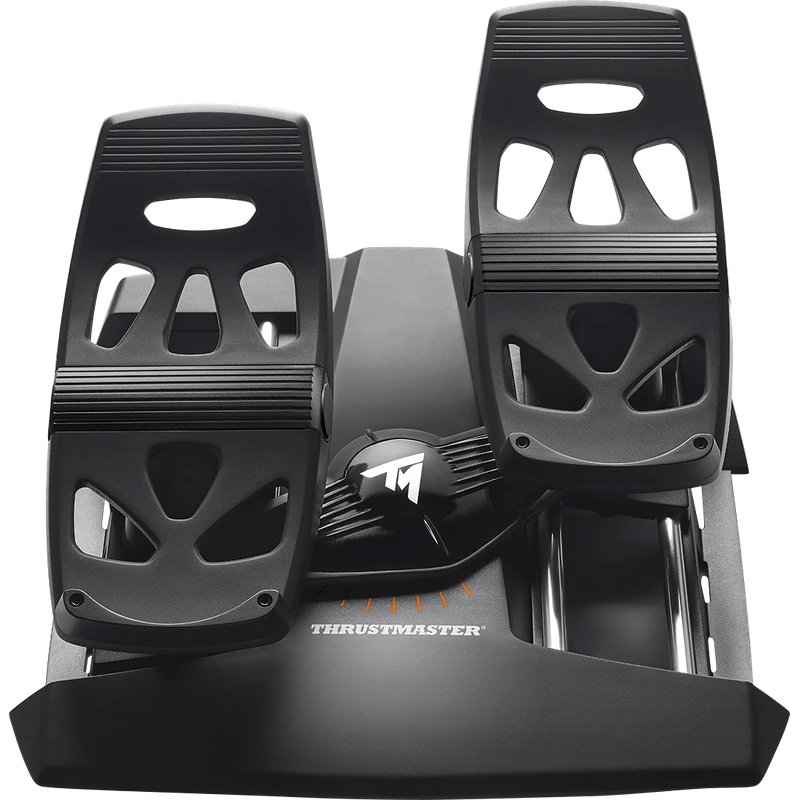
- Thrustmaster TFRP rudder pedals: rudder pedals that connect through a compatible Thrustmaster host.
- Next Level Racing Flight Stand Pro: a stand for stick, throttle and pedals.
- Samsung Odyssey G5: a 1440p monitor for sharp cockpit views.
The Thrustmaster HOTAS 5 MSFS Edition is built for PS5, PS4 and PC flight sims.
Flight Simulator PS5 FAQ
Is Microsoft Flight Simulator on PS5?
Yes. Microsoft Flight Simulator 2024 launched on PS5 and PS5 Pro on December 8, 2025.
Which HOTAS works on PS5?
The Thrustmaster T.Flight HOTAS 4 is officially listed, and the HOTAS 5 MSFS Edition is designed for PS5.
Can I use a yoke on PS5?
Only PS5-compatible yokes, such as the PlayStation version of Thrustmaster’s TCA Sky Yoke.
Does it support PSVR 2?
Yes. PSVR 2 support arrived as a free update in 2026.
Do Xbox flight controls work on PS5?
No. Choose controls that explicitly support PS5.
Do my Xbox purchases carry over?
No. Marketplace purchases are separate on PlayStation.
Can I use a keyboard and mouse?
Yes. USB keyboard and mouse are supported.
Is the PS5 Pro better for the sim?
Yes. It offers extra visual quality and performance headroom over the standard PS5.
Does the DualSense work well for flying?
Yes. Adaptive triggers and haptics add feel, and it is a good way to start before buying a HOTAS.
Take off on PlayStation
Flight Simulator PS5 pilots can now explore the whole world from the couch or a home cockpit. Start with the DualSense, then add a supported HOTAS and rudder pedals for real control. Check the official hardware guide, browse our flight sim joysticks, or contact us for advice.