A gaming PC case does far more than hold your parts. It decides how cool and quiet your system runs, how easy it is to build and upgrade, and how your setup looks on or under the desk. The right gaming PC case fits your graphics card and cooler with room to spare, breathes well and suits your style. This guide covers sizes, airflow, clearance, features and design, so you can choose a case that works as well as it looks.
You can choose your case in our configurable gaming PC, with every option priced in Canadian dollars and a 2-year warranty on the finished build. Our team can also help with setup questions after your order arrives, so you can get everything configured properly and enjoy your upgrade from the first day.

Gaming PC case sizes
Cases are grouped by the motherboard sizes they support:
- Full tower: fits E-ATX and ATX boards, huge graphics cards and multiple radiators. Large and heavy.
- Mid tower: fits ATX boards and nearly every graphics card. The most popular gaming PC case size.
- Micro-ATX: smaller, with fewer expansion slots but plenty of space for a gaming build.
- Mini-ITX: compact cases for small builds, which need careful part choices.
For most gamers, a mid tower offers the best balance of size, cooling and ease of building.
Airflow matters most
Modern graphics cards and processors produce a lot of heat. A gaming PC case with a mesh front panel lets fans pull in cool air easily, while solid glass or plastic fronts restrict airflow. Look for:
- At least two or three front intake fan positions.
- A rear exhaust fan and top exhaust positions.
- Removable dust filters on the front, top and bottom.
A balanced setup with slightly more intake than exhaust keeps dust out and temperatures down.
Clearance for your parts
Check three measurements before choosing a gaming PC case:
- Graphics card length: high-end cards can exceed 330 mm, and some are thicker than three slots.
- CPU cooler height: tall air coolers need 160 mm or more of clearance.
- Radiator support: check top and front radiator sizes if you plan an AIO cooler.
Tools such as PCPartPicker check these dimensions automatically, which helps avoid surprises.
Cable management and build quality
Good cable management makes a build tidier and helps airflow. Look for rubber grommets around cut-outs, tie-down points behind the motherboard tray and enough space behind the side panel for thick cables. A power supply shroud hides cables and the power supply for a clean look.
Build quality shows in panel thickness, tool-free side panels and solid feet. A sturdy gaming PC case also reduces rattles and vibration noise.
Front ports and features
Check the front panel connections. A USB-C port is handy for modern phones and drives, and two or more USB-A ports suit headsets, controllers and flash drives. Some cases include fan hubs and RGB controllers, which simplify wiring.
Style: glass, white and dual-chamber designs
Tempered glass side panels show off your parts and lighting. White cases have become popular for clean, bright setups, and our guide to building a white gaming PC covers matching parts. Dual-chamber cases, with glass on the front and side, put the motherboard and graphics card on display while hiding the power supply and cables in a rear chamber.
If you prefer a sleeper look, a plain black gaming PC case with a mesh front keeps things understated while still breathing well.
Noise and sound dampening
Some cases use foam-lined solid panels to reduce noise. They are quieter at low loads but can run hotter under heavy gaming. For most players, a mesh case with good-quality fans set to sensible curves is both cool and quiet.
Small gaming PC cases
Compact cases save desk space and look great, but they need careful planning. Check the supported graphics card length, cooler height and power supply type, which is often SFX. Our small gaming PC guide explains the trade-offs.
A gaming PC case for a sim rig
If your PC sits beside a sim racing cockpit, choose a gaming PC case with front ports facing the right way and enough cooling for long races. Some rigs include a PC mount, which suits mid-tower and smaller cases best. Keep the case away from heat sources such as the wheelbase’s power supply.
Building in a gaming PC case: tips
A few habits make building easier in any gaming PC case. Install the power supply and route its main cables before fitting the motherboard, so you know where each cable will go. Fit the CPU cooler and memory on the motherboard outside the case, then mount the board. Install the graphics card last, after the cables behind it are in place.
Leave space around fans and radiators, keep cables away from fan blades and use the tie-down points behind the motherboard tray. A tidy build is easier to clean and upgrade later.
Keeping your case clean
Dust builds up on filters, fans and heatsinks over time and raises temperatures. Clean the dust filters every month or two, and blow out the inside of the case with compressed air every few months, holding fans still while you do it. A clean case runs cooler and quieter, and your parts last longer.
Matching the case to your room
Think about where the PC will live. Under a desk, a case with front ports at the top is handy. On a desk, a glass side panel facing you shows off the build. In a warm room, prioritise airflow over looks. In a bedroom or streaming space, choose quieter fans and a case with good dust filtering, because dust buildup makes fans spin faster and louder.
Fans and lighting
Many cases include two or three fans, which is enough for most builds. Upgrading to quality fans lowers noise. RGB fans add colour, and software from the motherboard maker can sync lighting across the case, memory and graphics card.
Our picks
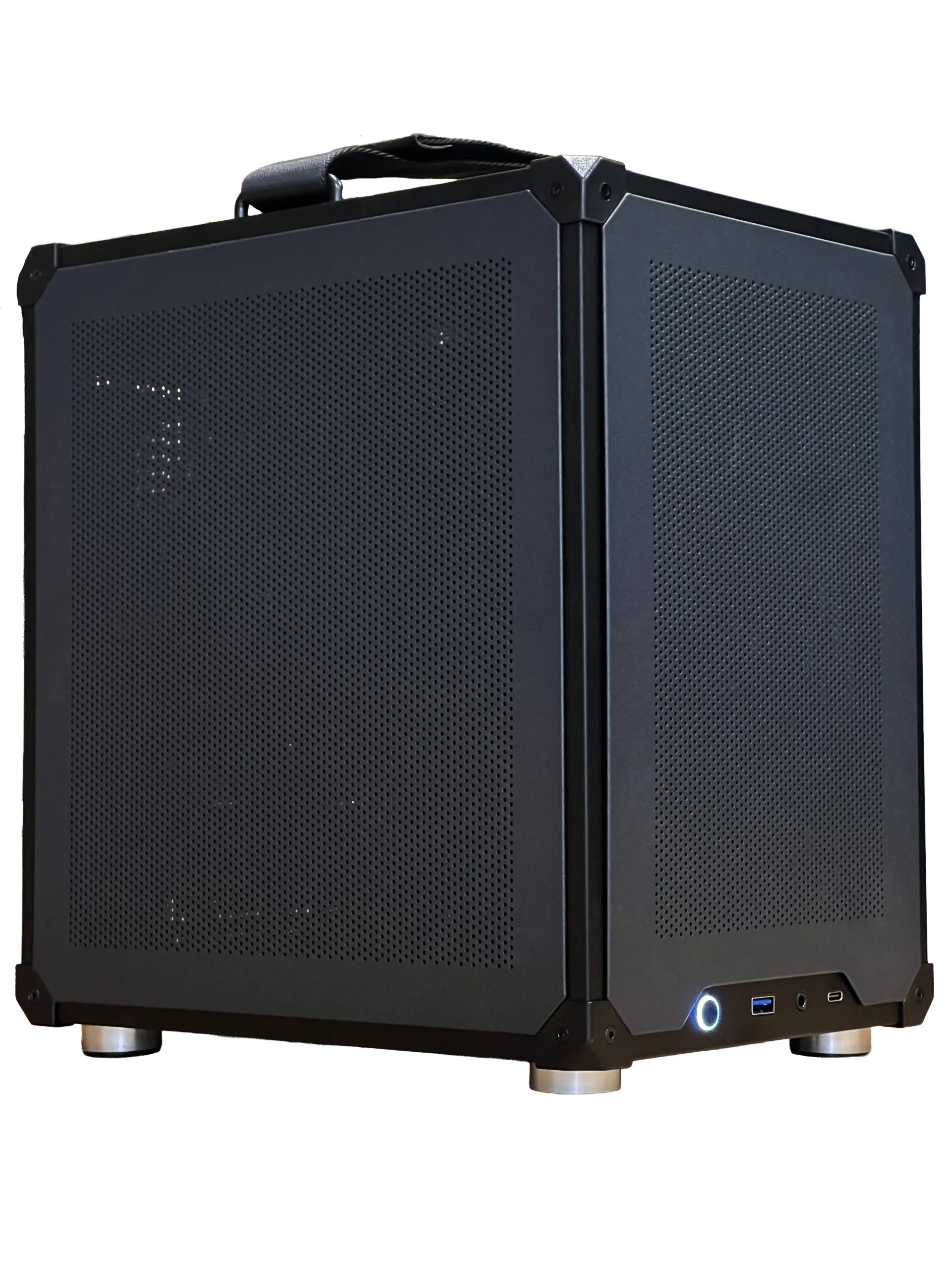
- Ready-to-ship gaming PC: a finished build in a well-ventilated case, ready now.
- 2TB NVMe SSD: add fast storage to any build.
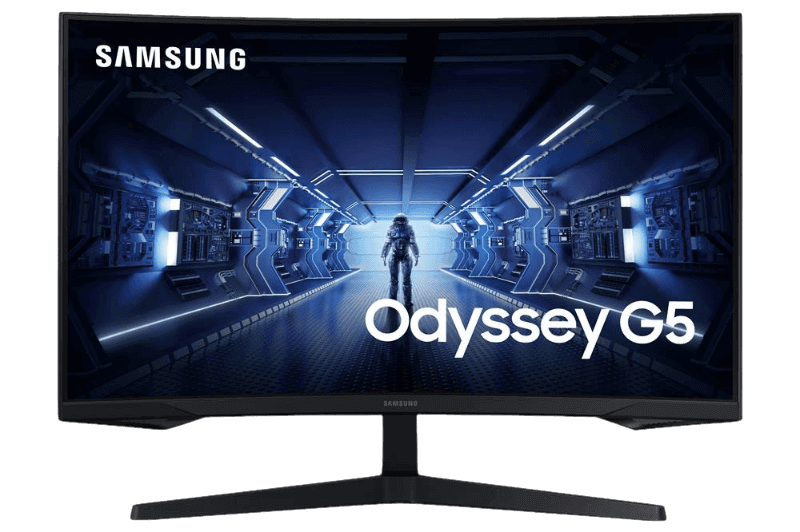
- Samsung Odyssey G5: a curved 1440p monitor to complete the setup.
Gaming PC case FAQ
What size gaming PC case should I get?
A mid tower suits most gaming builds, with space for large graphics cards and good airflow.
Do I need a mesh front panel?
It is the easiest way to keep a powerful gaming PC cool, especially with high-end graphics cards.
How many fans do I need?
Two or three intake fans and one exhaust fan suit most gaming builds.
Is a glass side panel a good idea?
Yes, if you like to see your parts. Tempered glass is durable and easy to clean, and it does not affect airflow when the front panel is mesh.
Can I reuse my old gaming PC case for a new build?
Often, yes, if it fits modern graphics cards and coolers and has good airflow. Older cases may lack USB-C and radiator support.
Choose your case
The right gaming PC case fits your parts with room to spare, breathes freely and matches your style. Start with size and airflow, check clearances, then choose the look you love. Configure a gaming PC with your case of choice, or contact us for advice.