A great gaming setup is more than a fast PC. It is the monitor you stare at for hours, the mouse and keyboard under your hands, the headset on your ears and the desk that holds it all together. When those pieces work well together, you play better, stay comfortable longer and enjoy the space more. This guide walks through every part of a gaming setup, in the order that makes the biggest difference, with tips for small budgets and big ones.
North Gaming PCs prices everything in Canadian dollars, and every product we sell is covered by our 2-year warranty. If you are unsure which option suits you, our team is happy to compare specifications with you and suggest a setup that fits your space, budget and plans.
Start with the PC
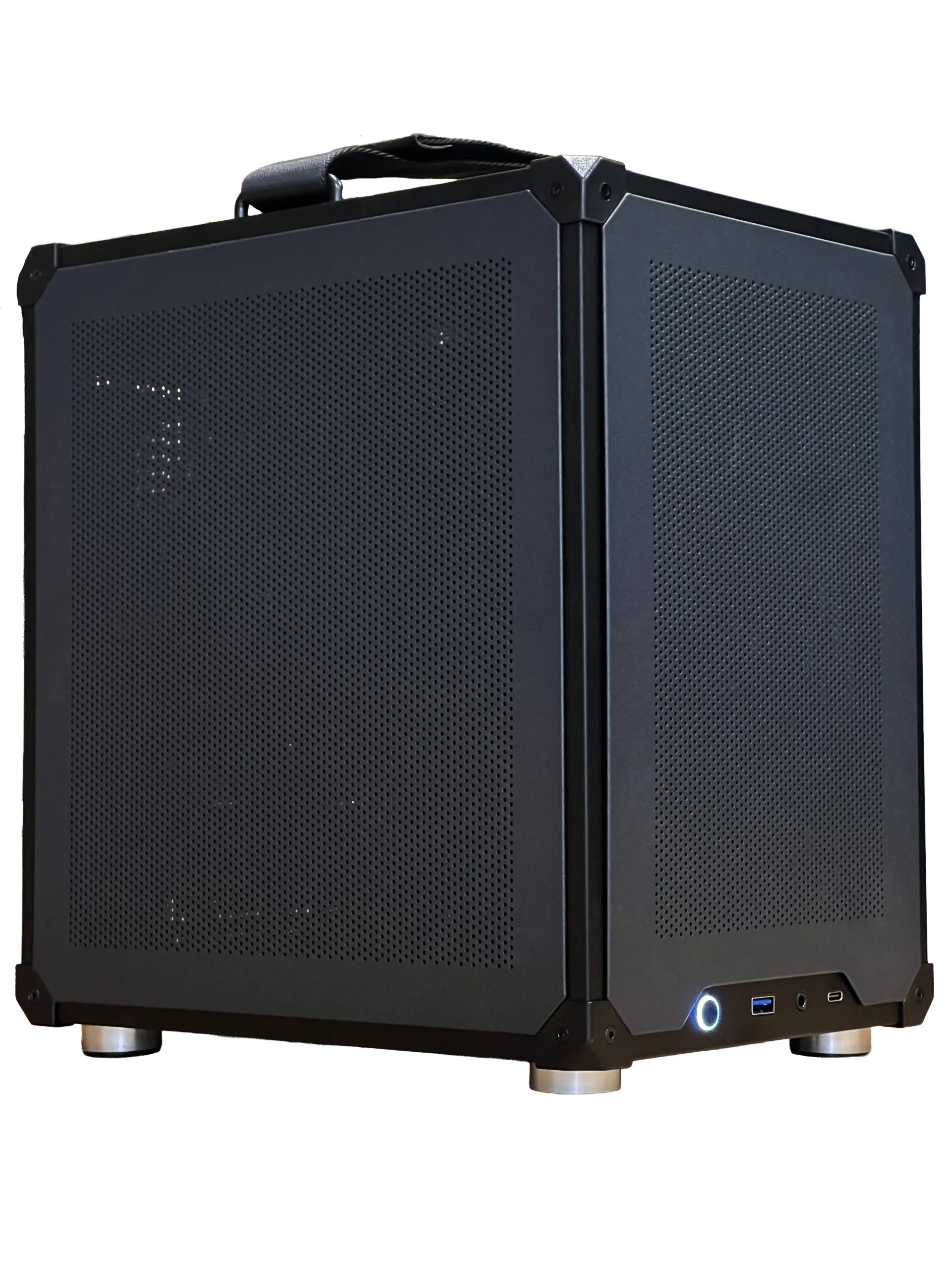
The PC decides what your gaming setup can do. Choose it based on the games you play and the monitor you want:
- 1080p esports: an RTX 5060 or RTX 5060 Ti class system with 16GB to 32GB of memory.
- 1440p high refresh: an RTX 5070 or RTX 5070 Ti with 32GB of DDR5.
- 4K or triple screens: an RTX 5080 or faster with a strong processor.
Our ready-to-ship gaming PC suits 1080p and 1440p gaming, and our configurable gaming PC lets you choose each part.
Choose the right monitor
Your monitor is the window into every game, so it deserves a big share of the budget. For most players, a 27-inch 1440p screen at 144 Hz to 170 Hz is the sweet spot. Competitive players may prefer a 24-inch 1080p screen at 240 Hz. Read our guide to the best monitor for gaming for help choosing.
Mount the monitor so the top edge sits at or slightly below eye level, about an arm’s length away. A monitor arm makes that easy and frees up desk space.
Mouse, keyboard and mouse pad
These are the parts you touch most in a gaming setup. Choose a mouse shape that fits your hand and grip, a keyboard with a feel you enjoy and a large mouse pad so you never run out of room. A full-size or tenkeyless keyboard suits most desks, and a wireless mouse removes cable drag. Our gaming mouse pad guide explains surfaces and sizes.
Headset and microphone
Good audio helps you hear footsteps, engine notes and teammates clearly. A comfortable headset with a clear microphone is the simplest choice. Streamers and podcasters often add a USB or XLR microphone on a boom arm for better voice quality. Read our best wireless gaming headset guide if you want to cut the cord.
The desk and chair
A sturdy desk at the right height keeps your wrists straight and your shoulders relaxed. Aim for a depth of at least 70 cm so the monitor sits far enough away. A supportive chair with adjustable height and lumbar support matters for long sessions. Sit with your feet flat, knees at about 90 degrees and elbows close to your sides.
Lighting
Lighting changes how a gaming setup looks and feels. A bias light behind the monitor reduces eye strain in a dark room. RGB strips under the desk or behind shelves add atmosphere. Keep bright lights out of your line of sight and away from screen reflections.
Cable management
Tidy cables make a gaming setup look better and easier to clean. Use an under-desk cable tray, Velcro ties and a single power bar mounted to the underside of the desk. Route the monitor and peripheral cables together, and leave a little slack so you can move things without unplugging them.
A gaming setup on a budget
You do not need everything at once. Spend first on the PC and monitor, because they decide what you can play and how it looks. Then upgrade the mouse and headset, followed by the keyboard, desk and lighting. A bundle such as our Razer gaming setup bundle covers the keyboard, mouse, headset and mouse pad in one purchase.
Adding a sim racing or flight sim corner
Many players expand their gaming setup with a racing wheel or flight controls. A wheel and pedals clamp to a desk to start, and a dedicated sim racing cockpit adds rigidity and the right seating position later. For flight sim, a joystick and throttle sit beside the keyboard, and a yoke can clamp to the desk edge.
Ergonomics for long sessions
Comfort keeps you playing well for longer. Set the chair so your forearms rest level with the desk and your shoulders stay relaxed. Keep the keyboard and mouse close together so you are not reaching. Take a short break every hour to stretch your wrists and look at something far away, which eases eye strain. Organisations such as the Canadian Centre for Occupational Health and Safety publish simple workstation guidance that applies just as well to a gaming setup.
Sound and acoustics
A quiet room makes voice chat clearer and audio more immersive. Soft furnishings, a rug and curtains reduce echo. Keep the PC on the floor or on a stand away from your microphone, and choose quiet case fans. If you stream, a dynamic microphone picks up less background noise than a condenser in an untreated room.
Upgrading your gaming setup over time
The beauty of a gaming setup is that it grows with you. Start with the essentials, then add a second monitor, a better microphone, a stream deck, a monitor arm or a racing wheel. Each upgrade should solve a problem you actually have, such as running out of screen space or wanting clearer voice chat.
Common gaming setup mistakes
The most common mistakes are spending too much on the PC and too little on the monitor, placing the monitor too close or too high, using a small mouse pad and ignoring chair comfort. Another is forgetting airflow: a PC tucked into a closed cabinet runs hot and loud. Leave space around the case.
Our gaming setup picks
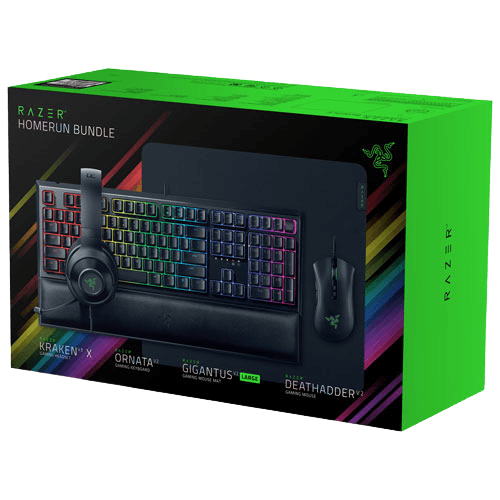

- Razer gaming setup bundle: keyboard, mouse, headset and mouse pad in one box.
- ASUS TUF 1440p monitor: a 27-inch, 170 Hz screen for sharp, smooth play.
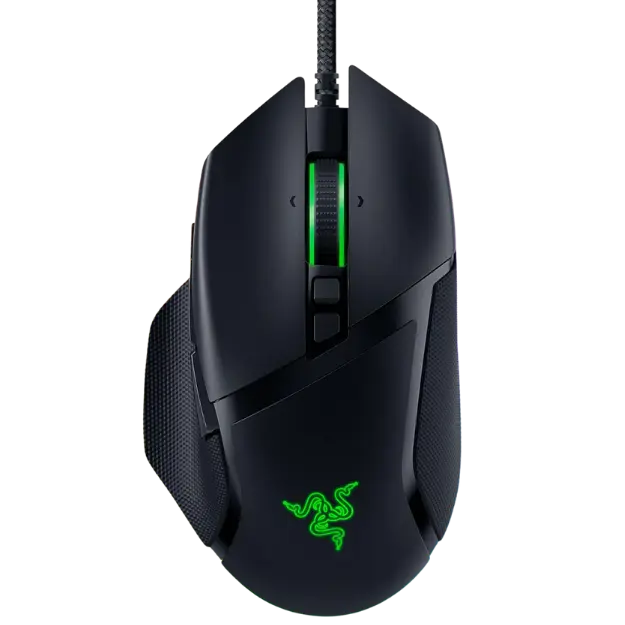
- Razer Basilisk V3: an ergonomic mouse with 11 programmable buttons.
Gaming setup FAQ
What do I need for a basic gaming setup?
A gaming PC, a monitor, a keyboard, a mouse, a headset and a comfortable desk and chair.
How much should I spend on the monitor?
A good rule is to spend about a quarter to a third of your PC’s cost on the monitor, so both are balanced.
Is a dual-monitor gaming setup worth it?
Yes for streaming and multitasking. Read our dual monitor setup guide for tips.
How do I make my gaming setup look clean?
Hide cables in an under-desk tray, use a monitor arm to free desk space and pick a consistent colour theme for peripherals and lighting.
What is the cheapest upgrade with the biggest impact?
A larger mouse pad and a bias light behind the monitor are inexpensive and make a gaming setup feel noticeably better.
Build your gaming setup
Start with a PC and monitor that match your games, then add the peripherals, desk and lighting that make long sessions comfortable. Explore our gaming PCs and gaming accessories, or contact us and we will help you plan your gaming setup.