The membrane vs mechanical keyboard debate is one of the oldest in PC gaming. Mechanical keyboards are loved for their crisp feel, customisation and long life, while membrane keyboards win on quiet typing, spill resistance and price. Both can be excellent for gaming, and the right choice depends on how you type, where you play and what you want to spend. This guide compares a membrane vs mechanical keyboard in feel, noise, durability, gaming performance and value, so you can choose with confidence.
North Gaming PCs prices every keyboard in Canadian dollars, and every product we sell is covered by our 2-year warranty. Our team can also help with setup questions after your order arrives, so you can get everything configured properly and enjoy your upgrade from the first day.
How each type works
A membrane keyboard uses a sheet of rubber domes over a circuit layer. Pressing a key collapses its dome, which pushes a contact against the circuit to register the keystroke. A mechanical keyboard has an individual switch under every key, each with its own spring, stem and contacts. That structural difference drives the whole membrane vs mechanical keyboard comparison, from how keys feel and sound to how long the keyboard lasts.
Membrane vs mechanical keyboard: key feel
Mechanical keyboards feel crisp and consistent. Depending on the switch, presses are smooth, bumpy or clicky, and every key behaves the same. Membrane keyboards feel softer and cushioned, with a gentler bottom-out. Some people find membrane boards more comfortable for long typing sessions, while others prefer mechanical precision. If possible, try both types in a store before deciding, because feel is personal. Our mechanical keyboard switches guide explains switch types.
Noise
Membrane keyboards are quieter. Rubber domes dampen sound, which makes them ideal for shared rooms, offices, late-night sessions and streaming with an open microphone. Mechanical keyboards range from fairly quiet with silent linear switches to loud with clicky switches. In the membrane vs mechanical keyboard comparison for noise, membrane wins.
Membrane vs mechanical keyboard durability
Mechanical switches are typically rated for 50 to 100 million keystrokes, and individual switches can be replaced on hot-swappable boards. Membrane keyboards are usually rated for around 5 to 10 million keystrokes per key, and the domes gradually soften over years of use. For heavy daily use, mechanical boards last longer.
Spill resistance
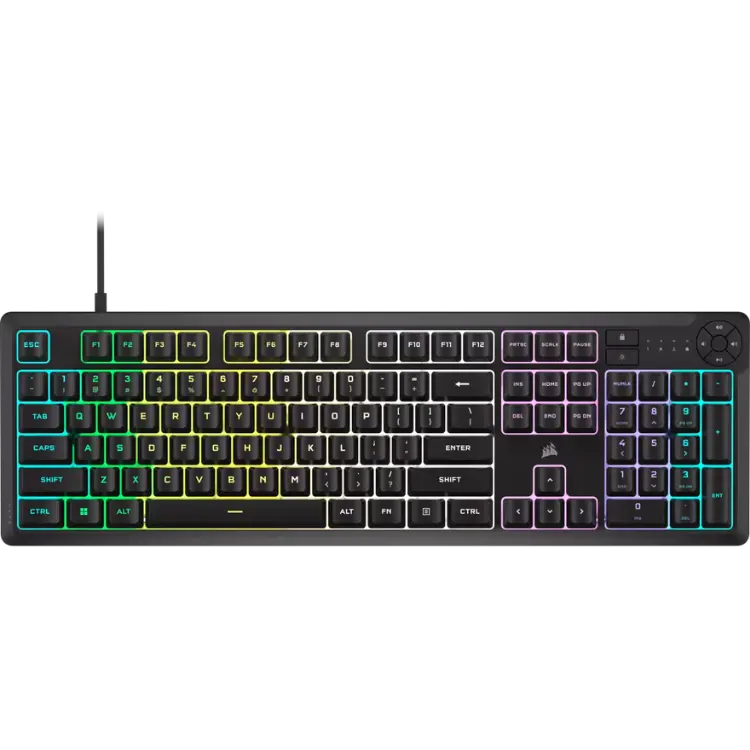
Many membrane keyboards are spill-resistant, because the sealed membrane layer keeps liquid away from the electronics. The CORSAIR K55 CORE resists up to 300 ml of liquid. Mechanical keyboards are more vulnerable, as liquid can seep into switch housings, though some are water-resistant by design.
Gaming performance
Both types work well for gaming. Mechanical keyboards offer consistent actuation and fast reset, and newer magnetic switches add adjustable actuation and rapid trigger for competitive shooters. Quality membrane gaming keyboards include anti-ghosting, macro keys and 1,000 Hz polling, which covers most players. In practice, the membrane vs mechanical keyboard choice matters less for aim than your mouse and monitor.
Customisation
Mechanical keyboards are highly customisable: you can swap keycaps, change switches on hot-swap boards, add dampening foam and tune the sound. Membrane keyboards offer little customisation beyond lighting and software macros. If you enjoy tinkering, mechanical is far more rewarding, and many players treat their keyboard as a long-term hobby project.
Membrane vs mechanical keyboard price
Membrane keyboards cost less, often much less, for similar features such as RGB lighting and media keys. Mechanical keyboards start a little higher and climb steeply with premium materials and switches. On a tight budget, a quality membrane keyboard frees money for more important upgrades. Our best budget gaming keyboard guide covers affordable options.
Hybrid options
Some keyboards blend both worlds. Mecha-membrane designs, such as Razer’s Ornata line, combine a membrane base with a tactile click for a crisper feel while staying quiet. Low-profile scissor-switch boards feel like premium laptop keyboards. These hybrids are worth considering if you want something between the two.
Typing comfort and ergonomics
Whichever type you choose, ergonomics matter. A wrist rest keeps wrists straight, and a low-profile board reduces wrist extension. Many typists enjoy tactile mechanical switches for clear feedback, while others find the soft cushion of membrane keys easier on their fingers.
Which should you choose?
- Shared rooms, streaming and spills: membrane.
- Long-term durability and customisation: mechanical.
- Competitive shooters: mechanical or magnetic, though membrane works fine.
- Tight budget: membrane.
- Lots of typing: either, depending on preferred feel.
Membrane vs mechanical keyboard for sim racing and flight sim
In a sim rig, the keyboard is mainly for menus and shortcuts. A compact, quiet membrane board on a keyboard tray works perfectly. Flight simmers who rely on many key commands may prefer a full-size board with a number pad, in either type.
Membrane vs mechanical keyboard for work
If your keyboard is also your work tool, think about how much you type. Writers and programmers often love the clear feedback of tactile mechanical switches. Office workers in shared spaces may prefer the quiet of a membrane board. Both work well with a wrist rest and good posture.
Repair and maintenance
A mechanical keyboard is easier to repair. On hot-swappable boards, a faulty switch takes seconds to replace, and keycaps are easy to clean or swap. A membrane keyboard is harder to fix: a worn or damaged membrane usually means replacing the whole keyboard. For long-term ownership, the membrane vs mechanical keyboard choice leans mechanical.
Portability
Membrane and low-profile keyboards are usually lighter and thinner, which makes them easier to carry. Many mechanical boards are heavy, especially with metal cases. If you travel to LAN events or switch between desks, a light board is handy.
Common myths
One myth in the membrane vs mechanical keyboard debate is that membrane boards cannot be used for serious gaming. Many players compete on membrane keyboards with no disadvantage. Another myth is that mechanical keyboards are always loud; silent linear switches are surprisingly quiet.
Our picks
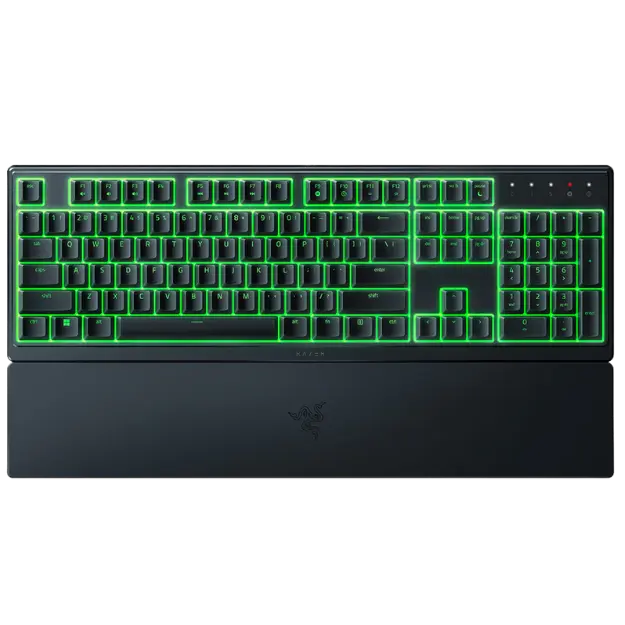
- Razer Ornata V3 X: a silent, low-profile membrane keyboard with RGB and wrist rest.
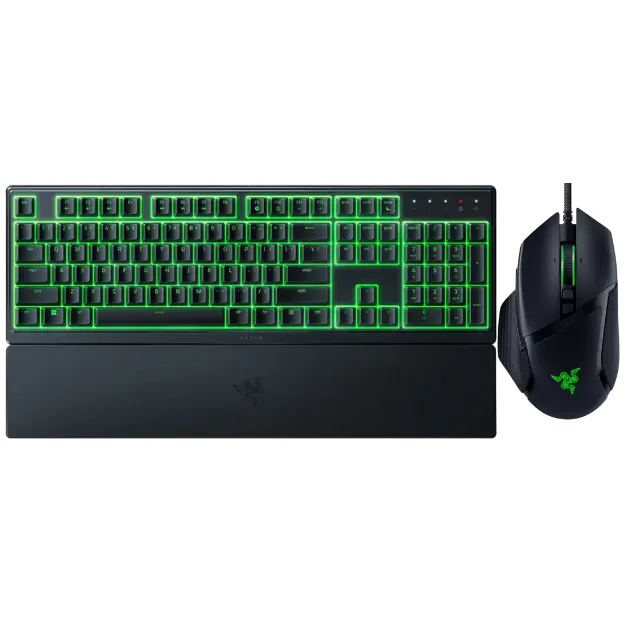
- Razer renewed mouse and keyboard bundle: an Ornata V3 X and Basilisk V3 together.
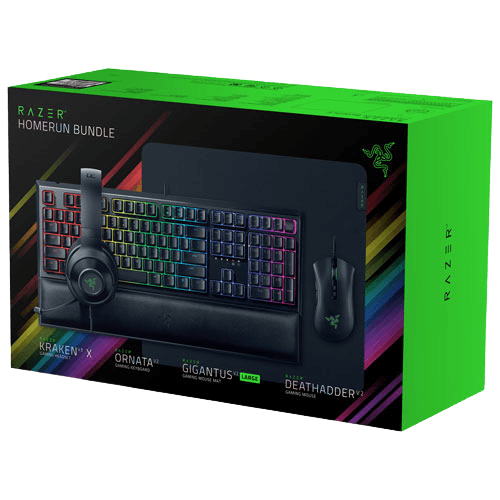
- Razer gaming setup bundle: keyboard, mouse, headset and pad in one box.
Membrane vs mechanical keyboard FAQ
Is mechanical better for gaming?
It offers more consistent feel and options, but a quality membrane keyboard is perfectly capable for gaming.
Which is quieter?
Membrane keyboards are generally quieter than mechanical ones.
Which lasts longer?
Mechanical keyboards typically last longer and can be repaired by replacing switches.
Are membrane keyboards spill-proof?
Many are spill-resistant, which helps them survive accidental spills.
Can I make a mechanical keyboard quieter?
Yes, with silent switches, dampening foam and O-rings.
Which is better for typing?
It depends on preference: tactile mechanical for feedback, membrane for a soft, quiet feel.
Is a membrane vs mechanical keyboard choice important for beginners?
Not very. Beginners can start with either; comfort and layout matter more at first.
Can a membrane keyboard have RGB lighting?
Yes. Many membrane gaming keyboards include zoned or full RGB lighting.
The verdict
In the membrane vs mechanical keyboard comparison, choose membrane for quiet, spill-resistant value and mechanical for feel, durability and customisation. Both can serve gamers well. Browse our gaming keyboards, see keyboard reviews at RTINGS, or contact us for advice.