The best budget gaming keyboard gives you reliable keys, anti-ghosting for complex inputs and a comfortable feel, without paying for premium extras you do not need. Affordable keyboards have come a long way: many offer RGB lighting, macro keys and spill resistance at prices that leave room in your budget for a better monitor or graphics card. This guide explains how to choose the best budget gaming keyboard, what to prioritise and which features you can skip.
North Gaming PCs prices every keyboard in Canadian dollars, and every product we sell, including renewed models, is covered by our 2-year warranty. Every price is shown in Canadian dollars, so there is no surprise currency conversion at checkout, and you can email our team whenever you need help choosing.
Membrane or mechanical on a budget?
Budget keyboards come in two main types. Membrane keyboards use rubber domes, which are quiet, often spill-resistant and affordable. Mechanical keyboards use individual switches with a crisper feel and longer lifespan, but cost more. For the best budget gaming keyboard, a quality membrane board is often the smarter choice, especially in shared spaces. Our membrane vs mechanical keyboard guide compares them in depth.
Features that matter in the best budget gaming keyboard
- Anti-ghosting: multiple key presses register correctly, essential for games.
- Comfortable key feel: consistent presses without mushiness.
- Layout: full-size with a number pad, or a compact tenkeyless for more mouse room.
- Durability: spill resistance and sturdy keycaps.
- Media controls: handy volume and playback keys.
Features you can skip
Per-key RGB, aluminium frames, detachable cables and heavy software suites add cost without improving gameplay. Very high polling rates beyond 1,000 Hz offer little benefit on a budget keyboard. Focus your money on comfort and reliability.
Spill resistance in the best budget gaming keyboard
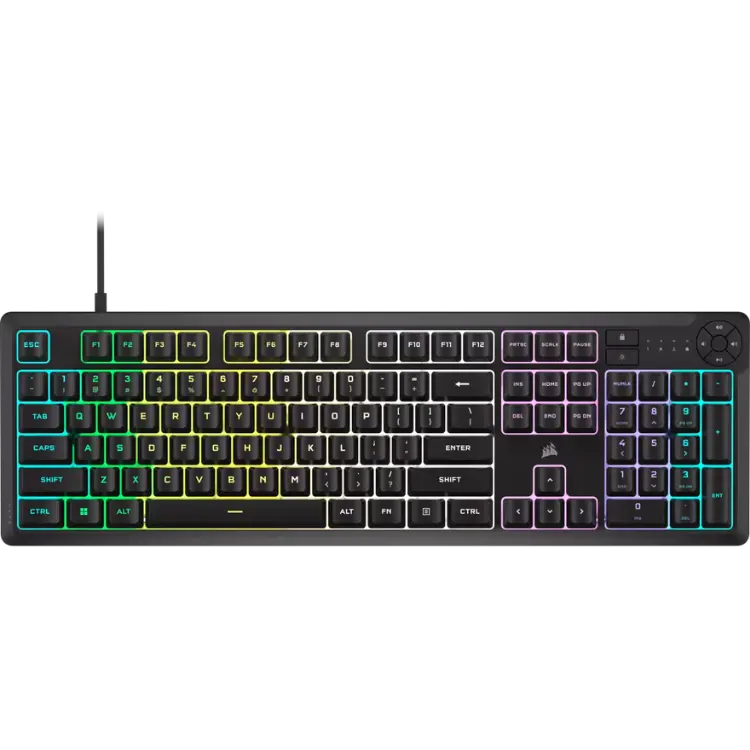
Spills are the most common way keyboards die. Many budget membrane boards are spill-resistant, draining liquid away from the electronics. If a spill happens, unplug the keyboard, turn it upside down and let it dry fully before using it again. The CORSAIR K55 CORE is rated to resist up to 300 ml of liquid, which makes it a safe choice for desks with drinks nearby.
Quiet typing on the best budget gaming keyboard
Membrane keyboards are much quieter than most mechanical boards, which helps in shared rooms, late-night gaming and streaming with an open microphone. The Razer Ornata V3 X uses silent membrane switches and low-profile keys for a quiet, comfortable feel.
Layout and size
Full-size keyboards include a number pad, useful for spreadsheets, flight sim views and MMO keybinds. Tenkeyless keyboards remove the number pad, freeing space for wider mouse movements. Choose the best budget gaming keyboard layout based on your desk size and games. If your desk is narrow and you play shooters with low mouse sensitivity, a compact layout makes a noticeable difference.
Wrist comfort
A wrist rest keeps your wrists straight during long sessions. Some budget keyboards include one, such as the Ornata V3 X. If yours does not, a separate foam or gel rest is an inexpensive addition.
Renewed keyboards and bundles
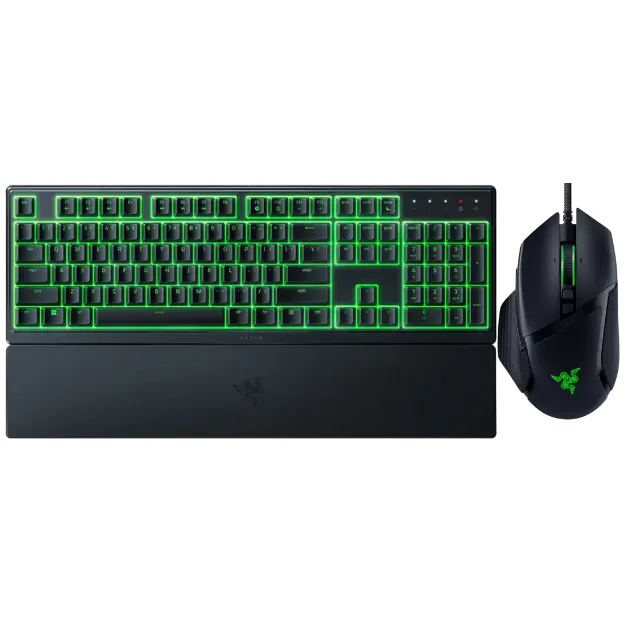
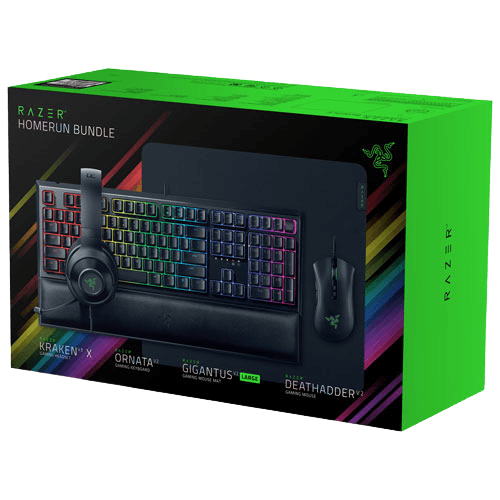
Renewed keyboards are manufacturer-restored units sold at lower prices. Bundles pair keyboards with mice, headsets and pads at a lower combined price. The Razer renewed mouse and keyboard bundle pairs an Ornata V3 X with a Basilisk V3, while the Razer gaming setup bundle adds a headset and pad.
Seven tips for buying the best budget gaming keyboard
- Choose membrane for quiet value, mechanical for feel and lifespan.
- Make sure anti-ghosting covers the keys you use most.
- Pick a layout that fits your desk and games.
- Look for spill resistance if you keep drinks nearby.
- Skip premium extras that do not improve play.
- Consider renewed models and bundles for better value.
- Read reviews for key feel and durability.
Traps to avoid
Avoid unbranded keyboards with vague specs, boards with no anti-ghosting and very cheap mechanical boards with scratchy, inconsistent switches. A quality membrane keyboard from a known brand often feels better than a poor mechanical one.
The best budget gaming keyboard for sim racing and flight sim
Sim racers and flight simmers often need a keyboard beside the rig for menus and shortcuts. A compact, spill-resistant membrane board fits well on a keyboard tray. Our sim rig accessories include trays that hold a keyboard and mouse within reach.
The best budget gaming keyboard for students and shared rooms
Students and anyone sharing a room benefit from quiet, spill-resistant membrane keyboards. They do not disturb roommates during late-night sessions and survive the occasional knocked-over drink. A full-size layout helps with essays and spreadsheets, while media keys make music control easy. That combination makes a quality membrane board the best budget gaming keyboard for many students.
When to spend a little more
If you type a lot or play competitive games daily, a quality mechanical keyboard can be worth the extra cost for its feel and lifespan. If you play casually or share a room, the best budget gaming keyboard is usually a membrane model that keeps noise down and costs less.
Upgrading later
Starting with a budget keyboard does not lock you in. When your budget allows, you can move to a mechanical board with your preferred switches. Many players keep their budget keyboard as a backup or for a second PC.
Caring for your keyboard
Shake out crumbs regularly, wipe keys with a slightly damp cloth and keep drinks at a safe distance. Store the keyboard covered if your room is dusty, and pop off a few keycaps every few months to clean underneath. These habits keep even the best budget gaming keyboard working well for years.
Our picks
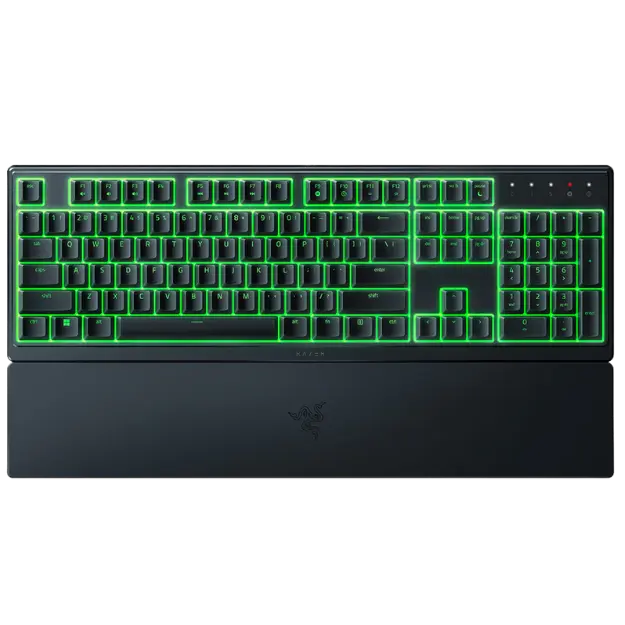
- Razer Ornata V3 X: a silent, low-profile renewed keyboard with RGB and a wrist rest.
- Razer renewed mouse and keyboard bundle: keyboard and mouse together at a lower price.
- Razer gaming setup bundle: keyboard, mouse, headset and pad in one box.
Best budget gaming keyboard FAQ
Is a membrane keyboard good for gaming?
Yes. A quality membrane keyboard with anti-ghosting handles games well.
Is a cheap mechanical keyboard worth it?
Only from a reputable brand. Poor mechanical switches can feel worse than a good membrane board.
Do I need RGB lighting?
No. It looks nice but does not improve performance.
What is anti-ghosting?
It ensures several keys pressed at once all register correctly.
Are renewed keyboards reliable?
Manufacturer-renewed keyboards are tested and restored. Ours are covered by our 2-year warranty.
Full-size or tenkeyless?
Full-size if you use the number pad, tenkeyless if you want more mouse space.
How long does a budget keyboard last?
A quality membrane keyboard lasts several years of daily use, especially with spill resistance and regular cleaning.
Can I use a budget keyboard for typing work?
Yes. A comfortable membrane keyboard works well for essays, email and office tasks as well as games.
Do budget keyboards have macro keys?
Some do. The CORSAIR K55 CORE has six programmable macro keys for games and shortcuts.
Choose your keyboard
The best budget gaming keyboard is comfortable, reliable and has the features you actually use. Choose membrane for quiet value or mechanical for feel, and look at renewed models and bundles for extra savings. Browse our gaming keyboards, compare keyboard tests at RTINGS, or contact us for advice.