Gaming setup accessories turn a desk with a PC into a space you enjoy sitting at for hours. The right extras improve comfort, tidy up cables, sharpen your audio and make everyday tasks quicker, while the wrong ones just add clutter. This guide covers twelve gaming setup accessories that make a real difference, explains which to buy first and offers tips for every budget, whether you play shooters at a desk or race in a full cockpit.
North Gaming PCs prices every accessory in Canadian dollars, and every product we sell is covered by our 2-year warranty. If you are unsure which option suits you, our team is happy to compare specifications with you and suggest a setup that fits your space, budget and plans.
Which gaming setup accessories should you buy first?
Start with the gaming setup accessories that solve daily problems. If your desk is cluttered, cable management and a monitor arm come first. If your wrists ache, a bigger mouse pad and a wrist rest help. If teammates struggle to hear you, a better microphone matters most. Buying in this order keeps money focused on real improvements.
1. A large mouse pad or desk mat
A large cloth pad gives your mouse room to move and protects the desk. Desk mats cover the keyboard area too, which keeps everything aligned and quiet. Read our gaming mouse pad guide to compare speed and control surfaces.
2. A monitor arm
A monitor arm lifts the screen to the right height, frees desk space and makes it easy to adjust angle and distance. It is one of the most useful gaming setup accessories for small desks and dual-monitor setups.
3. Cable management
Under-desk trays, Velcro ties, cable sleeves and adhesive clips keep cables out of sight. A tidy setup looks better, is easier to clean and stops your mouse cable from snagging.
4. A headset stand
A headset stand keeps your headset off the desk and protects the ear cushions. Some stands add USB ports or a built-in sound card, which makes them doubly useful.
5. Bias lighting
A bias light behind the monitor reduces eye strain in a dark room and makes contrast look better. LED strips under the desk or behind shelves add atmosphere without glare.
6. A better microphone
Headset microphones are convenient, but a dedicated USB microphone on a boom arm sounds far clearer for streaming and voice chat. A dynamic microphone rejects keyboard noise and room echo better than a condenser in most rooms.
7. A webcam and lighting
Streamers and remote workers benefit from a 1080p webcam and a soft key light. Good lighting improves image quality more than an expensive camera.
8. A wrist rest
A soft wrist rest keeps your wrists straight while typing and reduces strain during long sessions. Many keyboards include one, but a separate rest lets you choose the height and material.
9. A USB hub or dock
Modern setups need many USB ports for headsets, controllers, wheels and drives. A powered USB hub on the desk keeps them within reach and reduces wear on the PC’s front ports.
10. A controller
Even PC players benefit from a controller for racing, sports and couch games. Many work wirelessly on both PC and console.
11. Keyboard and mouse trays for sim rigs
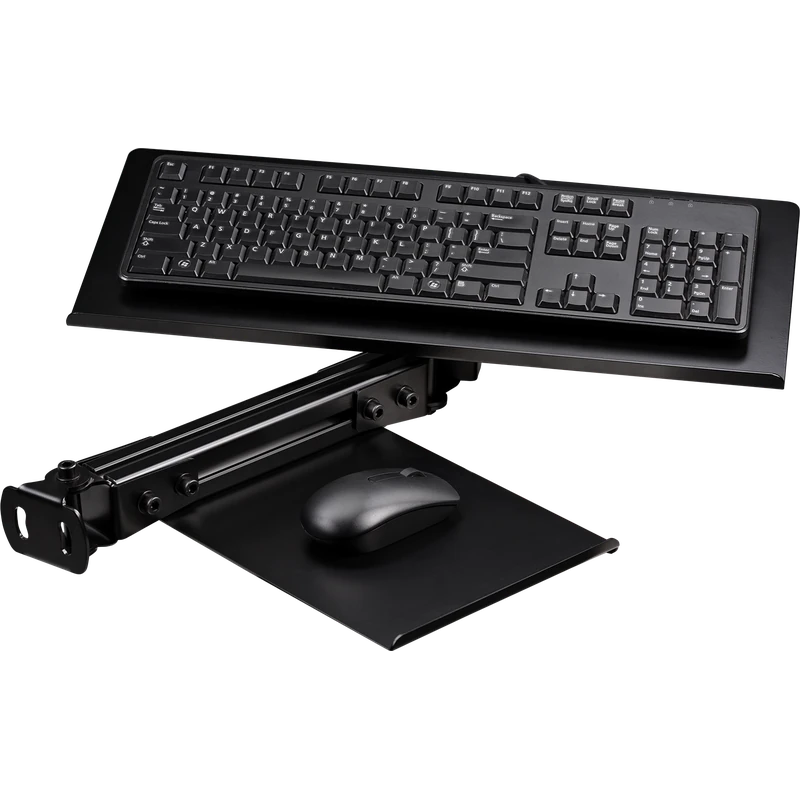
If you race or fly in a cockpit, a keyboard and mouse tray keeps controls within reach without leaving the seat. It is one of the most underrated gaming setup accessories for simulator fans, because menus, chat and setups are easier when you do not have to stretch.
12. A comfortable chair and footrest
Comfort sets how long you can play. A supportive chair with adjustable height and lumbar support, plus a footrest if your feet do not reach the floor, makes long sessions easier on your back.
Gaming setup accessories on a budget
On a tight budget, start with a large mouse pad, cable ties and a bias light. These cost little and make an immediate difference. Add a monitor arm and a better microphone next, then upgrade lighting and comfort items over time.
Gaming setup accessories for streaming
Streamers should prioritise a good microphone, a webcam, key lighting and a second monitor for chat and stream controls. A stream deck or macro pad makes switching scenes and muting audio quick. Our dual monitor setup guide explains how to arrange two screens.
Gaming setup accessories for sim racing
Sim racers have their own list of gaming setup accessories: a floor mat to protect the floor, a keyboard tray, a button box, a monitor stand and a tablet mount for dashboards. Explore our sim rig accessories for parts that fit cockpits and wheel stands.
Gaming setup accessories for small desks
Small desks need accessories that save space. A monitor arm lifts the screen off the desk, a compact keyboard leaves more room for the mouse, and an under-desk headset hook keeps the surface clear. Wall shelves hold controllers and spare cables. With the right gaming setup accessories, even a narrow desk feels organised and comfortable.
Wireless or wired accessories?
Wireless mice, headsets and controllers reduce cable clutter and make a setup look cleaner. Modern 2.4 GHz wireless gear has very low latency, so it suits competitive gaming. Wired accessories never need charging and cost less. Many players mix both: a wireless mouse and headset, with a wired keyboard that stays put.
Matching your style
Gaming setup accessories also shape how your space looks. Choose a colour theme, such as all black, white or a single accent colour, and keep lighting consistent. Matching desk mats, keyboard keycaps and headset stands makes a setup look planned rather than collected over time.
Keep it clean and organised
Accessories only help when the setup stays tidy. Clean your mouse pad, wipe the keyboard and dust the PC regularly. Keep a small drawer or box for cables, adapters and spare batteries so the desk stays clear.
Our picks
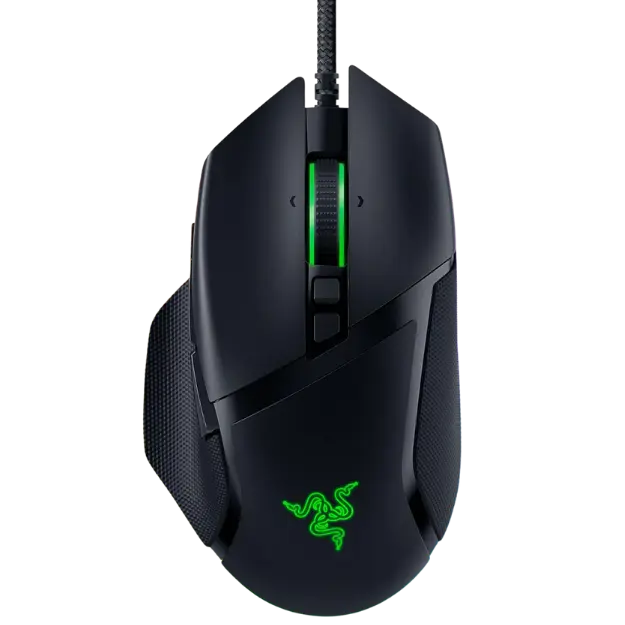
- Razer Basilisk V3: an ergonomic mouse with 11 programmable buttons.
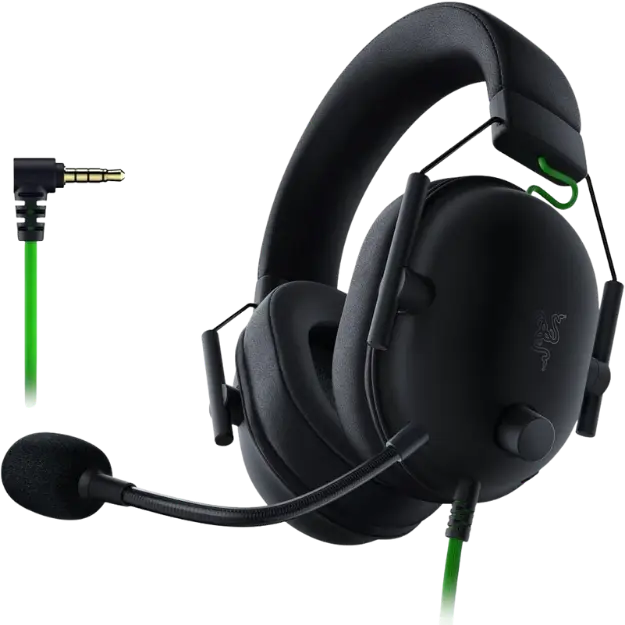
- Razer BlackShark V2 X: a light headset with clear audio for competitive games.
- Next Level Racing keyboard and mouse tray: keeps controls close in a sim rig.
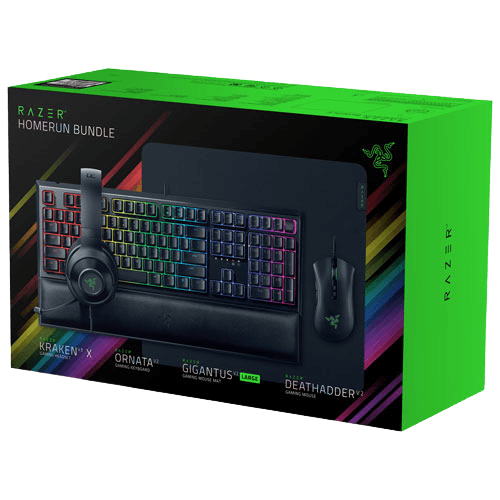
The Razer gaming setup bundle covers a keyboard, mouse, headset and mouse pad in one box.
Gaming setup accessories FAQ
What is the most useful accessory?
For most people, a large mouse pad and a monitor arm make the biggest everyday difference.
Are RGB accessories worth it?
They do not improve performance, but they can make a setup more enjoyable. Buy them for looks, not speed.
Do I need a separate microphone?
Only if you stream, record or want clearer voice chat than your headset provides.
How much should I spend on gaming setup accessories?
Start small. A mouse pad, cable ties and a bias light cost little, while a monitor arm and microphone are worth saving for.
Which gaming setup accessories help posture?
A monitor arm, a wrist rest, a supportive chair and a footrest all help you sit comfortably for longer.
Upgrade your setup
The best gaming setup accessories solve real problems: clutter, comfort, audio and lighting. Start with the basics, add upgrades as your needs grow and keep everything tidy. Browse our gaming accessories, read ergonomic tips from the Canadian Centre for Occupational Health and Safety, or contact us for ideas.