The best gaming mouse is the one that fits your hand, suits your grip and matches the games you play. Specs such as DPI and polling rate matter far less than most marketing suggests, while shape, weight and comfort decide whether a mouse feels like an extension of your hand. This guide explains how to choose the best gaming mouse for you, which features genuinely help and which ones you can ignore.
North Gaming PCs prices every mouse in Canadian dollars, and every product we sell is covered by our 2-year warranty. Our team can also help with setup questions after your order arrives, so you can get everything configured properly and enjoy your upgrade from the first day.
Start with your grip style
How you hold a mouse is the first step to finding the best gaming mouse for you:
- Palm grip: your whole hand rests on the mouse. Larger, ergonomic shapes suit it best.
- Claw grip: your palm touches the back while your fingers arch. Medium mice with a raised back work well.
- Fingertip grip: only your fingertips touch. Small, light mice give the most control.
Measure your hand from wrist to fingertip; most brands list recommended hand sizes for each model. If you can, try a friend’s mouse or a store demo unit before buying, because the feel in your hand tells you more than any spec sheet.
Shape: ergonomic or symmetrical?
Ergonomic mice are shaped for right hands, with a sloped side that supports the palm. They are comfortable for long sessions. Symmetrical mice are the same on both sides, suit many grips and work for left-handed players when buttons are on both sides. Many FPS players prefer symmetrical shapes for precise flicks.
Weight of the best gaming mouse
Lighter mice are easier to move quickly and stop precisely. Many competitive mice weigh 50 to 70 grams. Heavier mice of 90 grams or more feel stable and suit players who prefer slower, controlled movement. The best gaming mouse weight is a personal choice, but most FPS players now prefer lighter designs.
Sensor and DPI
Every modern gaming mouse sensor tracks accurately, so you do not need to chase the highest DPI. Most players use 400 to 1,600 DPI with in-game sensitivity to fine-tune. A high maximum DPI is mostly a marketing number. Look instead for a sensor with no acceleration and a sensible lift-off distance.
Polling rate
Polling rate is how often the mouse reports its position to the PC. 1,000 Hz is standard and responsive. Some mice offer 4,000 or 8,000 Hz, which can feel slightly smoother on high refresh monitors but uses more processor power and battery.
Is the best gaming mouse wireless or wired?
Modern 2.4 GHz wireless mice are as responsive as wired ones, with no cable drag. Bluetooth is fine for office work but adds latency in games. Wired mice never need charging and cost less. For many players, the best gaming mouse today is wireless, thanks to freedom of movement and long battery life.
Buttons and switches
FPS players need two side buttons for push-to-talk and utilities. MMO and MOBA players benefit from mice with many programmable buttons for abilities and macros. Optical switches resist double-clicking issues and actuate very quickly.
Six of the best gaming mouse types
Best for FPS: a light symmetrical mouse
A 50 to 65 gram symmetrical wireless mouse suits most competitive shooter players.
Best ergonomic: a contoured right-handed mouse
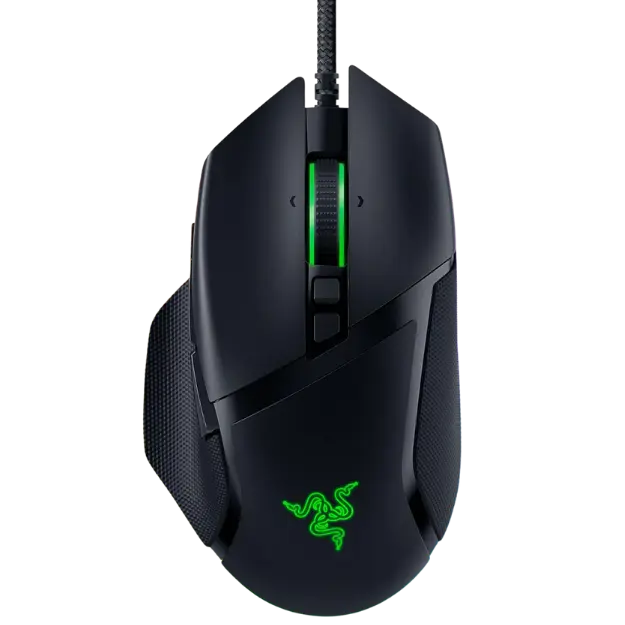
A sculpted shape, such as the Razer Basilisk V3, supports the palm during long sessions.
Best for MMO: a mouse with a side button grid
Twelve side buttons put abilities under your thumb.
Best wireless value: a multi-mode mouse
A mouse with 2.4 GHz, Bluetooth and wired modes, such as the CORSAIR HARPOON RGB Wireless, covers gaming and everyday use.
Best budget: a simple wired mouse
A well-shaped wired mouse with a good sensor is all many players need. Our best budget gaming mouse guide covers affordable options.
Best for left-handed players: a true symmetrical design
Choose a symmetrical mouse with buttons on both sides or a dedicated left-handed model.
Mouse feet and mouse pads
Smooth PTFE feet glide easily, and replacement feet can refresh an older mouse. Pair the best gaming mouse with a large mouse pad so you have room for low sensitivity. Our gaming mouse pad guide explains speed and control surfaces.
Software and onboard memory
Mouse software lets you set DPI, button mapping, lighting and polling rate. Onboard memory stores your settings in the mouse, so they work on any PC without software installed.
How to choose your sensitivity
Many pros use low sensitivity, moving the mouse with their arm for large turns and their wrist for fine aim. Start around 800 DPI and adjust in-game sensitivity until a full swipe across your pad turns you about 180 to 360 degrees in shooters.
Finding the best gaming mouse for your hand size
Hand size narrows the field quickly. Measure from the base of your palm to the tip of your middle finger, and the width across your knuckles. Small hands, under about 17 cm long, usually suit small or medium mice. Large hands, over about 20 cm, need longer shapes to support the palm. The best gaming mouse for a large hand can feel clumsy in a small one, so check each model’s dimensions before you buy.
The best gaming mouse for different games
Different genres favour different features. Shooters reward light weight and a simple, reliable shape. MOBA and MMO players benefit from extra programmable buttons for abilities and items. Strategy players want comfort for long sessions. Many people own one versatile mouse, so the best gaming mouse for you may be the one that handles your two most-played genres well.
When to replace your mouse
Signs that it is time for a new mouse include double-clicking, a scroll wheel that skips, worn feet that scratch and a cable that cuts out. If your current mouse is comfortable but worn, replacement feet can extend its life. If the shape never quite fit, upgrading to the best gaming mouse for your grip makes an immediate difference.
Our picks
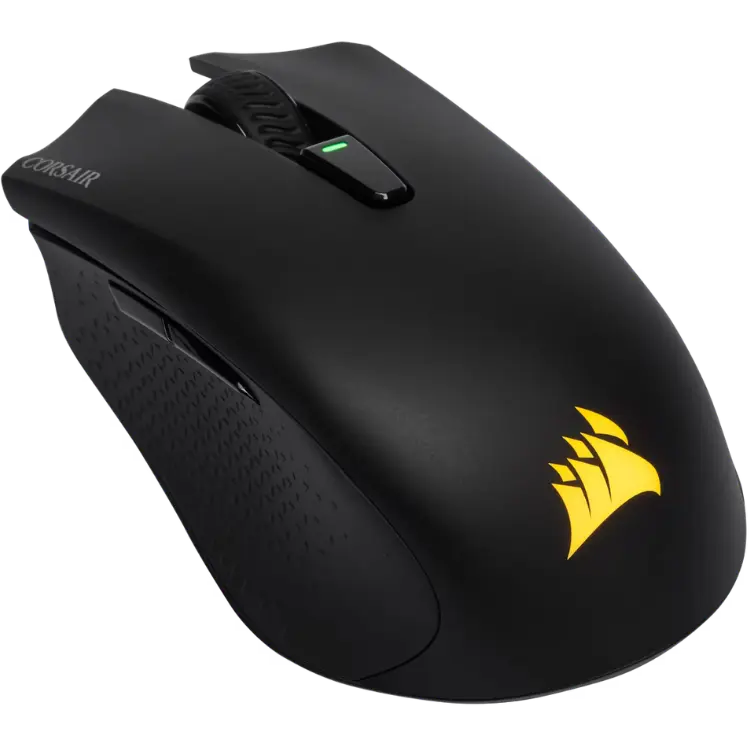
- CORSAIR HARPOON RGB Wireless: a light, multi-mode wireless mouse with long battery life.
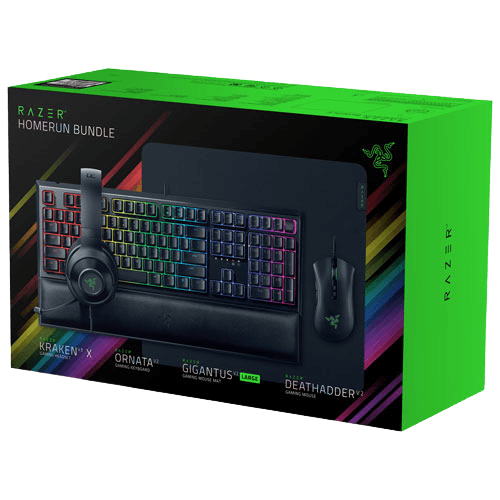
- Razer gaming setup bundle: a mouse, keyboard, headset and pad together.
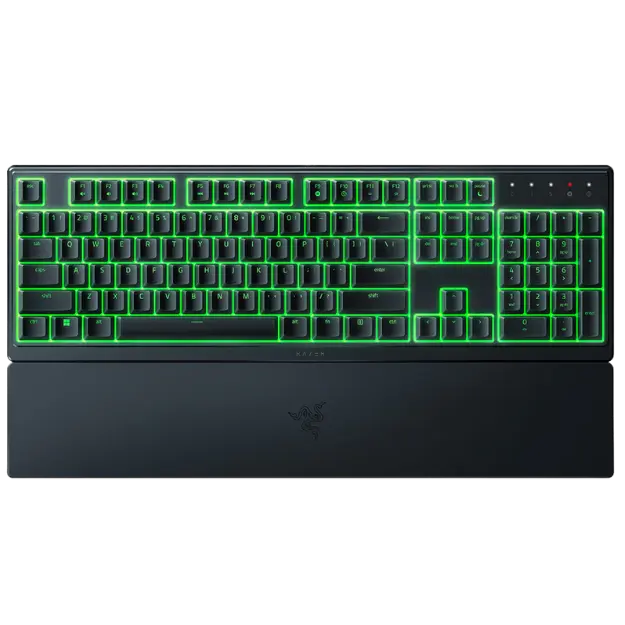
- Razer Ornata V3 X: a quiet keyboard to pair with your new mouse.
Best gaming mouse FAQ
Does DPI matter?
Not much beyond 1,600 for most players. Accuracy and comfort matter more than maximum DPI.
Is a wireless mouse good for gaming?
Yes. Modern 2.4 GHz wireless mice are as responsive as wired ones.
What weight should a gaming mouse be?
FPS players often prefer 50 to 70 grams, while others prefer heavier mice for stability.
How long does a gaming mouse last?
A quality mouse lasts several years. Switches are rated for tens of millions of clicks.
Are expensive gaming mice worth it?
Premium mice offer lighter shells, better wireless and longer battery life. A well-shaped mid-range mouse is still plenty for most players.
Choose your mouse
The best gaming mouse fits your hand and grip, feels light enough for your games and offers the buttons you need. Ignore inflated DPI numbers and focus on comfort and shape. Browse our gaming mice, read independent mouse tests at RTINGS, or contact us for help.