The best budget gaming mouse proves you do not need to spend a lot to aim well. Today, even affordable mice use accurate sensors, reliable switches and comfortable shapes, so the gap between budget and premium models is smaller than ever. The trick is knowing which features matter and which ones are just marketing. This guide explains how to choose the best budget gaming mouse, what to prioritise, where renewed models fit and the traps to avoid.
North Gaming PCs prices every mouse in Canadian dollars, and every product we sell is covered by our 2-year warranty, including renewed models. Our team can also help with setup questions after your order arrives, so you can get everything configured properly and enjoy your upgrade from the first day.
What matters most on a budget
When shopping for the best budget gaming mouse, focus on four things:
- Shape: it must fit your hand and grip. Comfort beats every spec.
- Sensor: any modern optical gaming sensor without acceleration is accurate enough.
- Weight: lighter mice are easier to control quickly; under about 90 grams suits most players.
- Build quality: reliable switches and a flexible cable or solid wireless connection.
Extras such as very high DPI, heavy RGB lighting and dozens of buttons add cost without improving your aim.
Wired or wireless on a budget?
Wired mice are cheaper and never need charging, which makes them the default choice for the best budget gaming mouse. Look for a flexible, braided cable that does not drag. Affordable 2.4 GHz wireless mice have improved a lot and are worth considering if you hate cables. Avoid Bluetooth-only mice for gaming, because they add latency.
Shape and grip of the best budget gaming mouse
Measure your hand and think about your grip. Palm grip players suit larger ergonomic mice, claw grip players suit medium mice with a raised back, and fingertip players suit small, light mice. Our best gaming mouse guide explains grips in more detail.
Sensor and DPI: ignore the hype
Budget mice often advertise huge DPI numbers, but most players use 400 to 1,600 DPI. What matters is that the sensor tracks accurately without acceleration or jitter. Nearly every mouse from a reputable gaming brand meets that standard, so do not pay extra for a bigger number.
Buttons on the best budget gaming mouse
Two side buttons are enough for most games, used for push-to-talk, melee or utilities. MMO players may want more, but extra buttons add cost and weight. Make sure the side buttons are easy to reach without pressing them by accident.
Renewed mice: premium shapes at lower prices
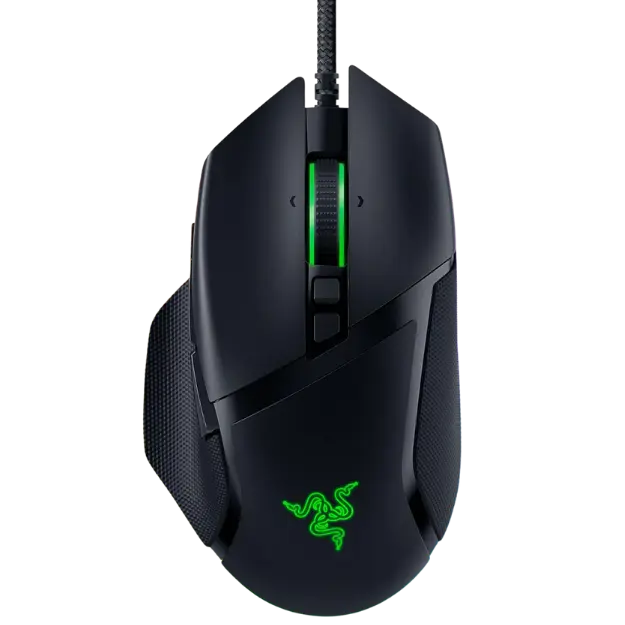
Renewed or refurbished mice are returned or open-box units tested and restored by the manufacturer. They can bring premium designs down into budget territory. The Razer Basilisk V3 we sell is renewed and tested to Razer standards, offering 11 programmable buttons and a Focus+ sensor for less than a new unit. Because we cover renewed products with our 2-year warranty, the savings come without extra risk.
Seven tips for buying the best budget gaming mouse
- Choose a shape that fits your hand before anything else.
- Stick with reputable gaming brands for reliable sensors.
- Prefer wired or 2.4 GHz wireless over Bluetooth for games.
- Check the weight and pick lighter if you play shooters.
- Look for a braided or flexible cable on wired mice.
- Consider renewed models of premium mice for better value.
- Read reviews for switch reliability and double-click issues.
Traps to avoid
Avoid unbranded mice with extreme DPI claims, very heavy mice with removable weights you will never use and cheap wireless mice that only support Bluetooth. Be wary of stiff rubber cables that drag on the desk. A slightly more expensive mouse from a known brand often lasts years longer.
Pair it with a good mouse pad
A good pad improves any mouse. Choose a large cloth pad with a stitched edge so you have room for low sensitivity. Our gaming mouse pad guide explains speed and control surfaces. Pad and mouse together often cost less than one premium mouse.
Budget bundles with the best budget gaming mouse
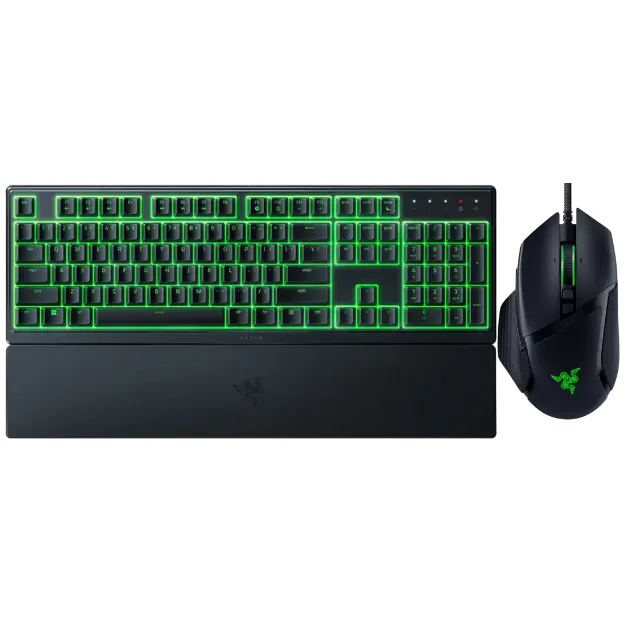
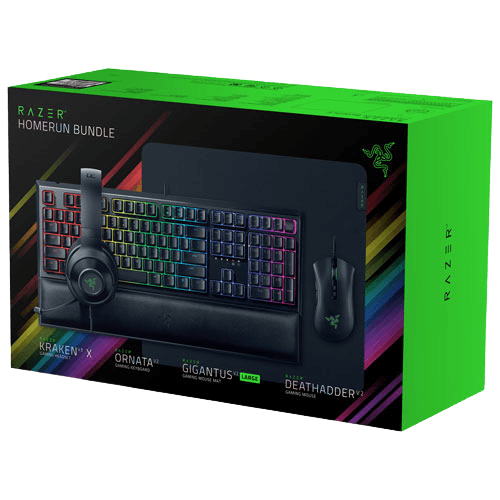
Bundles combine a mouse with a keyboard, headset or pad at a lower total price. The Razer gaming setup bundle includes a mouse, keyboard, headset and pad, while the Razer renewed mouse and keyboard bundle pairs a Basilisk V3 with an Ornata V3 X. Bundles suit first-time PC gamers who need everything at once.
The best budget gaming mouse for different games
For shooters, choose a light, simple shape with two side buttons. For MMOs, an affordable mouse with a side button grid can be great value. For strategy and everyday use, an ergonomic shape with a comfortable scroll wheel matters most.
Settings to get the most from a budget mouse
Turn off Windows’ Enhance pointer precision setting, which adds acceleration. Choose a DPI between 400 and 1,600, then set in-game sensitivity to taste. Install the maker’s software to update firmware and set the polling rate to 1,000 Hz. These steps make even the best budget gaming mouse feel sharp and consistent.
When to spend a little more
Sometimes the best budget gaming mouse is the one just above your limit. If you play competitive shooters daily, a lighter shell, better wireless or a more refined shape can be worth a small premium. If you mostly play casually, a simple wired mouse from a trusted brand is all you need. Decide based on how many hours you play each week.
Upgrading from an office mouse
Moving from an office mouse to the best budget gaming mouse you can find is a big step, and you will notice it from the first match. Gaming mice track more accurately, have better switches, lighter shells and side buttons for in-game actions. Even a modest model makes aiming feel more precise and consistent.
Our picks
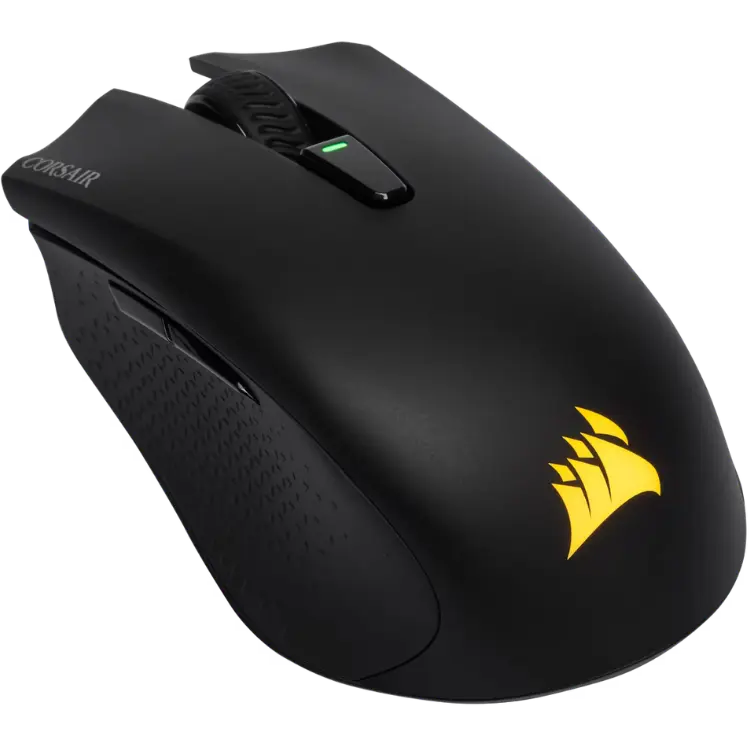
- CORSAIR HARPOON RGB Wireless: an affordable wireless mouse with 2.4 GHz, Bluetooth and wired modes.
- Razer renewed mouse and keyboard bundle: a Basilisk V3 and Ornata V3 X at a lower price.
- Razer gaming setup bundle: mouse, keyboard, headset and pad in one box.
Best budget gaming mouse FAQ
Is a budget mouse good enough for competitive games?
Yes. Many budget mice use the same type of accurate sensors as premium models.
Are renewed mice reliable?
Renewed mice are tested and restored by the manufacturer. Ours are covered by our 2-year warranty.
Should I buy wired or wireless on a budget?
Wired offers the best value. Choose 2.4 GHz wireless if you want no cable.
What DPI should I use?
Most players use 400 to 1,600 DPI and adjust in-game sensitivity.
How long does a budget gaming mouse last?
A good one lasts several years. Reputable brands use switches rated for tens of millions of clicks.
Do I need software for a budget mouse?
Not always. Many store settings in onboard memory, but software helps update firmware and set DPI.
Is a renewed premium mouse better than a new budget mouse?
Often, yes. A renewed premium model gives you a better shape, switches and sensor for a similar price, especially when it carries a warranty.
Choose your mouse
The best budget gaming mouse fits your hand, tracks accurately and comes from a brand you can trust. Ignore inflated specs, consider renewed premium models and pair it with a good pad. Browse our gaming mice, see independent mouse tests at RTINGS, or contact us for advice.