A gaming mouse pad is one of the cheapest upgrades you can make, yet it changes how every movement feels. The surface decides how fast your mouse glides and how easily it stops, the size decides how much room you have for low sensitivity, and the base keeps everything steady. This guide explains the different types of gaming mouse pad, how to choose the right size and surface, and how to look after it so it lasts.
North Gaming PCs prices accessories in Canadian dollars, and everything we sell is covered by our 2-year warranty. Our team can also help with setup questions after your order arrives, so you can get everything configured properly and enjoy your upgrade from the first day.
Why a gaming mouse pad matters
A good gaming mouse pad provides a consistent surface, so your mouse sensor tracks precisely and your aim stays predictable. Desks vary in texture, have seams and collect dust, which affects tracking and glide. A pad also protects the desk and the mouse feet from wear.
Cloth pads: speed vs control
Cloth pads are the most popular gaming mouse pad type. They come in two broad styles:
- Control pads: a rougher weave with more friction, making it easy to stop precisely. Popular in tactical shooters.
- Speed pads: a smoother weave with less friction, so the mouse glides quickly. Popular for tracking-heavy games.
- Balanced pads: somewhere in between, a good all-round choice.
Cloth pads are comfortable for the wrist and quiet.
Hard pads
Hard pads made of plastic, aluminium or glass are very fast and consistent. They are easy to clean and do not change with humidity. Downsides include more noise, faster wear on mouse feet and a colder, harder feel under the wrist. Glass pads are especially smooth and durable.
Hybrid surfaces
Hybrid pads combine cloth comfort with a coated surface that glides faster and resists moisture. They suit players who want speed without the noise and hardness of a hard pad.
Choosing the right size
Size matters more than many players expect:
- Medium (around 32 x 27 cm): fine for high sensitivity and small desks.
- Large (around 45 x 40 cm): good for mid and low sensitivity.
- Extended or desk mat (around 90 x 40 cm): covers the keyboard area too and suits low sensitivity players.
If you use low sensitivity and move the mouse with your arm, choose a large or extended gaming mouse pad so you never run out of room.
Thickness
Most pads are 3 to 5 millimetres thick. Thicker pads feel softer and smooth out uneven desks. Thinner pads feel firmer and more consistent. A 4 mm pad is a comfortable middle ground.
Edges and base
Stitched edges stop fraying and make a pad last much longer, especially where your wrist rests and slides during long sessions. Low-profile stitching avoids a ridge under the wrist. A natural rubber base grips the desk so the pad stays put during fast movements.
Humidity and consistency
Cloth pads can feel slower in humid weather, as fibres absorb moisture from the air and your hand. Hybrid and hard pads stay consistent. If you live somewhere with big seasonal changes, a coated or hybrid gaming mouse pad keeps the feel stable all year.
How to clean a gaming mouse pad
Clean a cloth pad every month or two:
- Rinse it with lukewarm water.
- Gently scrub with a soft brush and a little mild soap.
- Rinse thoroughly to remove soap.
- Pat dry with a towel and let it air dry flat.
Avoid hot water, washing machines and hair dryers, which can warp the base or damage the surface. Hard pads just need a wipe with a damp cloth.
When to replace your pad
Replace a gaming mouse pad when it develops shiny or worn spots, frayed edges or uneven glide. Worn patches make your aim inconsistent, because the mouse moves differently in different areas.
RGB pads
RGB mouse pads add lighting around the edges, often synced with other peripherals. They look great, but they usually cost more and need a USB connection. Choose one for style, not performance.
Mouse pads for sim rigs
In a sim racing or flight cockpit, a mouse pad on a tray or shifter mount keeps menus and setups within reach. Some rig accessories combine a shifter mount with a mouse pad support. Browse our sim rig accessories for options that fit cockpits.
Gaming mouse pad for different games
The best surface depends on what you play. Tactical shooters such as Valorant and Counter-Strike 2 reward a control pad for precise stops. Tracking-heavy games such as Apex Legends and Overwatch suit a speed or balanced pad for smooth movement. MMO and strategy players can use almost any surface, so comfort and size matter most. Choose a gaming mouse pad that matches the game you play most.
Desk mats vs mouse pads
A desk mat is simply an extended gaming mouse pad that covers the keyboard area too. It keeps the keyboard and mouse at the same height, dampens typing noise and gives the desk a clean, unified look. If your desk is large enough, a desk mat is an easy upgrade that also protects the surface.
Budget vs premium pads
Budget cloth pads work well for most players and are easy to replace. Premium pads use better weaves, coatings and bases, last longer and stay consistent across seasons. If you play daily, a quality gaming mouse pad is one of the best-value upgrades available.
Pairing with your mouse
A light mouse with smooth PTFE feet pairs well with a control pad for balance. A heavier mouse benefits from a faster pad. Our best gaming mouse guide helps you choose the mouse itself.
Our picks
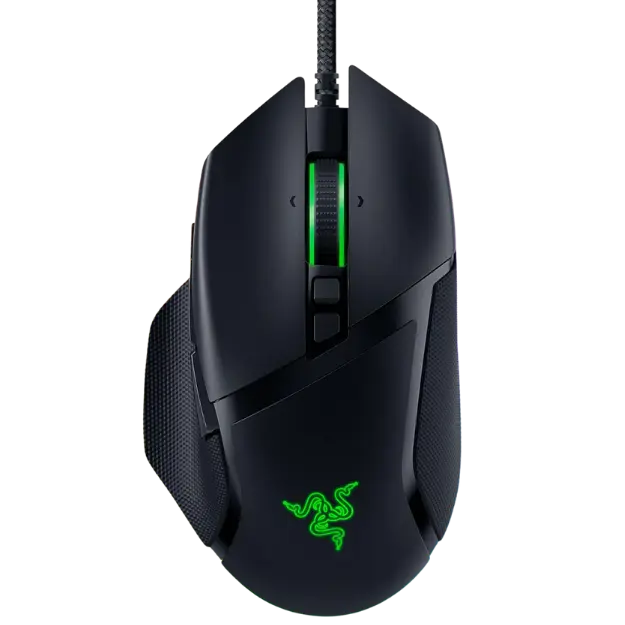
- Razer Basilisk V3: an ergonomic mouse to pair with a large pad.
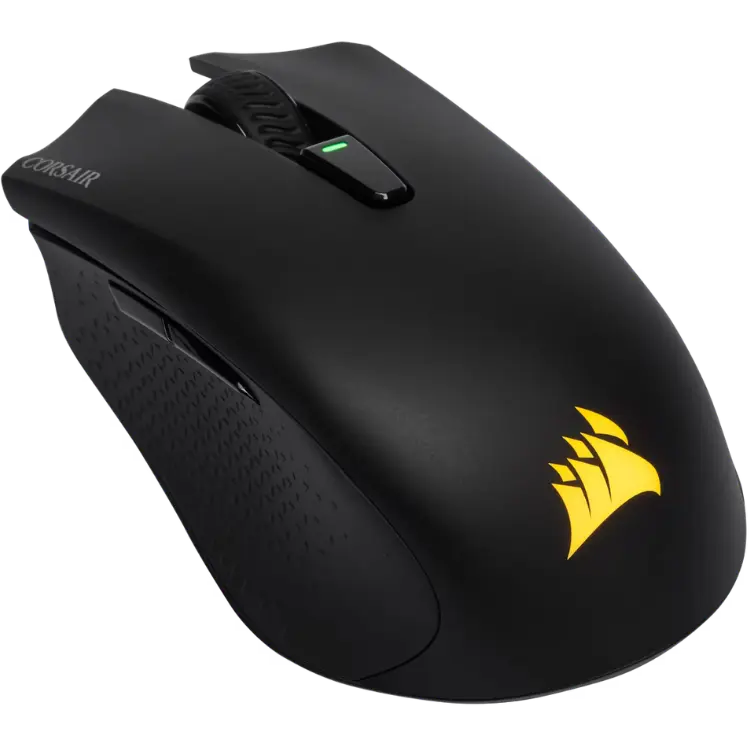
- CORSAIR HARPOON RGB Wireless: a light wireless mouse for everyday gaming.
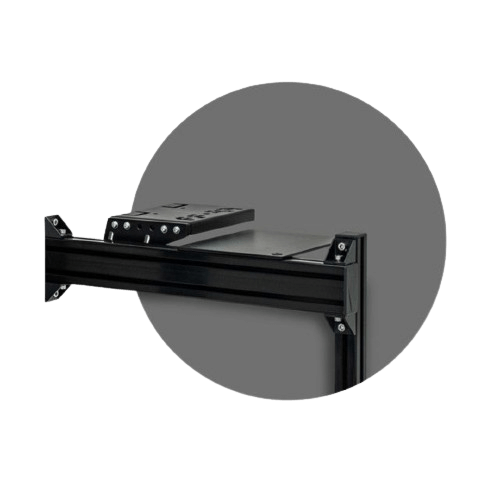
- Sim rig shifter mount and mouse pad support: keeps a mouse pad within reach in a cockpit.
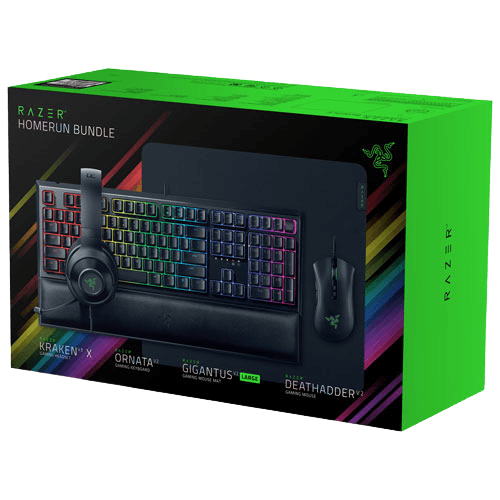
The Razer gaming setup bundle includes a Gigantus V2 cloth pad.
Gaming mouse pad FAQ
Is a speed or control pad better?
Control pads suit tactical shooters, speed pads suit tracking games. Balanced pads suit most players.
What size gaming mouse pad should I buy?
Large or extended if you use low sensitivity; medium if you use high sensitivity.
Can I wash a gaming mouse pad?
Yes. Hand wash cloth pads gently in lukewarm water and let them air dry flat.
How long does a gaming mouse pad last?
A quality cloth pad lasts one to three years of daily use. Hard pads last longer but wear mouse feet faster.
Does a mouse pad affect sensor accuracy?
Yes. A consistent surface helps the sensor track precisely, while glossy or patterned desks can cause tracking errors.
Is a bigger gaming mouse pad always better?
Not always. Choose a size that fits your desk and sensitivity. Bigger pads help low sensitivity players most.
Choose your surface
The right gaming mouse pad matches your sensitivity, your games and your desk. Choose a size with plenty of room, a surface that suits your aim style and a stitched edge for durability. Browse our gaming accessories, see mouse pad tests at RTINGS, or contact us for advice.