The best budget gaming headset delivers clear game audio, a usable microphone and enough comfort for long sessions without draining your wallet. Affordable headsets have improved a lot, and many now rival older premium models in sound quality. The key is knowing what to prioritise and which flashy features to skip. This guide explains how to choose the best budget gaming headset for PC and consoles, from comfort and sound to microphones and connections.
North Gaming PCs prices every headset in Canadian dollars, and every product we sell, including renewed models, is covered by our 2-year warranty. If you are unsure which option suits you, our team is happy to compare specifications with you and suggest a setup that fits your space, budget and plans.
What matters most on a budget
When shopping for the best budget gaming headset, focus on:
- Comfort: light weight, soft ear pads and gentle clamping force.
- Sound: clear mids and highs so footsteps and voices stand out.
- Microphone: clear voice with a flexible boom and easy mute.
- Compatibility: a connection that works with your PC and consoles.
RGB lighting, virtual 7.1 badges and huge driver sizes on the box matter far less than these basics.
Wired is the budget sweet spot
Wired headsets deliver the best sound for the money, never need charging and have zero latency. A 3.5 mm jack works with PC, PS5 and Xbox controllers, Switch and phones, which makes wired the most flexible choice. If your PC has separate headphone and microphone jacks, a simple splitter cable connects a single-plug headset to both. Wireless headsets cost more for the same sound quality. Our best wireless gaming headset guide covers wireless options if you prefer no cable.
Comfort: the best budget gaming headset for long sessions
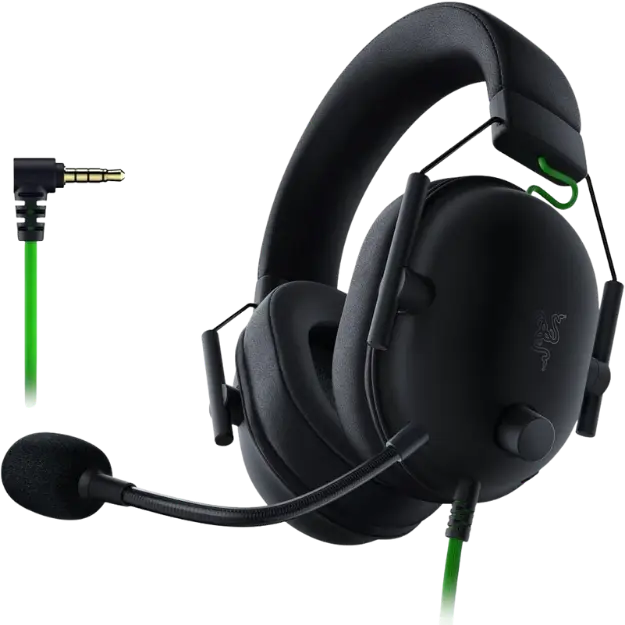
A budget headset should still be comfortable for several hours. Look for a weight under about 300 grams, memory foam ear pads and a padded or suspension headband. Glasses wearers should look for soft pads that seal around the arms without pressing them into the head. The Razer BlackShark V2 X weighs about 240 grams, which makes it one of the lightest options we stock. Fabric ear pads stay cooler; leatherette blocks more outside noise.
Sound quality on the best budget gaming headset
Most gaming headsets use 40 mm or 50 mm drivers. Larger drivers do not automatically mean better sound; tuning matters more. A good budget headset keeps bass controlled so it does not drown out footsteps. Windows Sonic, a free spatial audio option in Windows, adds positional cues to any stereo headset.
Microphone quality on the best budget gaming headset
Budget microphones vary a lot. A cardioid or unidirectional boom mic focuses on your voice and reduces background noise. Flip-to-mute or an inline mute switch is handy for quick muting. Check reviews or sample recordings, because spec sheets rarely show real mic quality. Test your mic in Discord or the Windows voice recorder after setup.
Platform compatibility
A 3.5 mm headset works almost everywhere: PC, PS5 and Xbox controllers, Switch and mobile. USB headsets work on PC and often PS5, but not always Xbox. Check the box for your platforms. The Thrustmaster Y-300CPX supports PlayStation, Xbox, PC, Mac and mobile through its 3.5 mm connection.
Renewed headsets
Renewed headsets are returned or open-box units restored and tested by the manufacturer. They bring better models into budget range. The BlackShark V2 X we sell is renewed and tested to Razer standards, and our 2-year warranty covers it like a new product.
Seven tips for buying the best budget gaming headset
- Prioritise comfort and fit over features.
- Choose wired for the best sound per dollar.
- Check platform compatibility before buying.
- Look for a flexible boom mic with easy mute.
- Ignore virtual 7.1 marketing; use Windows Sonic or console 3D audio.
- Consider renewed models of better headsets.
- Read reviews for real-world mic quality and durability.
Traps to avoid
Avoid unbranded headsets with flashy lights and vague specs, very heavy designs with tight clamping and headsets with thin, fragile cables. Be wary of USB-only headsets if you play on Xbox. A reputable brand at a slightly higher price usually lasts much longer.
The best budget gaming headset for flight sim
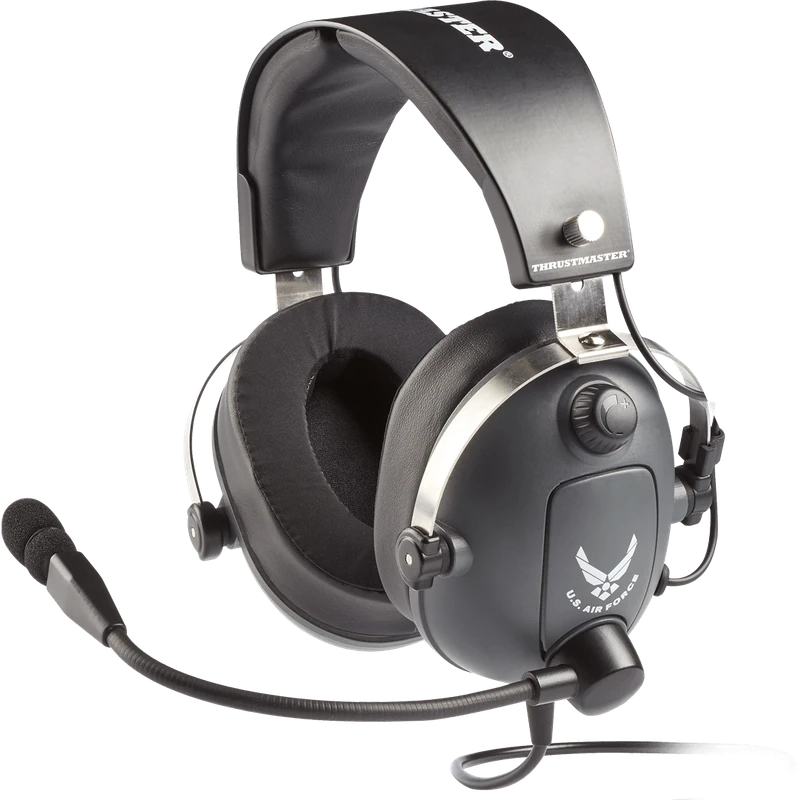
Flight simmers benefit from clear voice communication for online air traffic control and long comfortable sessions. The Thrustmaster T.Flight U.S. Air Force Edition is designed with flight sims in mind and includes DTS Headphone:X spatial audio for PC and Xbox.
The best budget gaming headset for consoles
Console players should check compatibility first. A wired 3.5 mm headset plugged into the controller works on PS5, Xbox and Switch, which makes it the most flexible choice of best budget gaming headset for console gamers. PS5 owners can enable Tempest 3D Audio for positional sound, and Xbox owners can use Windows Sonic.
Upgrading your microphone later
If your budget headset’s microphone is not quite clear enough for streaming, you can add a separate USB microphone later without replacing the headset. That makes the best budget gaming headset a sensible first step: great game audio now, with a mic upgrade when you need it.
When to spend a little more
If you game for many hours a day, comfort features such as softer pads, lighter frames and replaceable cables justify a slightly higher price. If you play occasionally, the best budget gaming headset from a reputable brand covers your needs well.
Caring for your headset
Store your headset on a stand or hook, coil the cable loosely and avoid yanking it from the jack. Wipe ear pads regularly, and replace them when they flatten. These simple habits help even the best budget gaming headset last for years.
Our picks
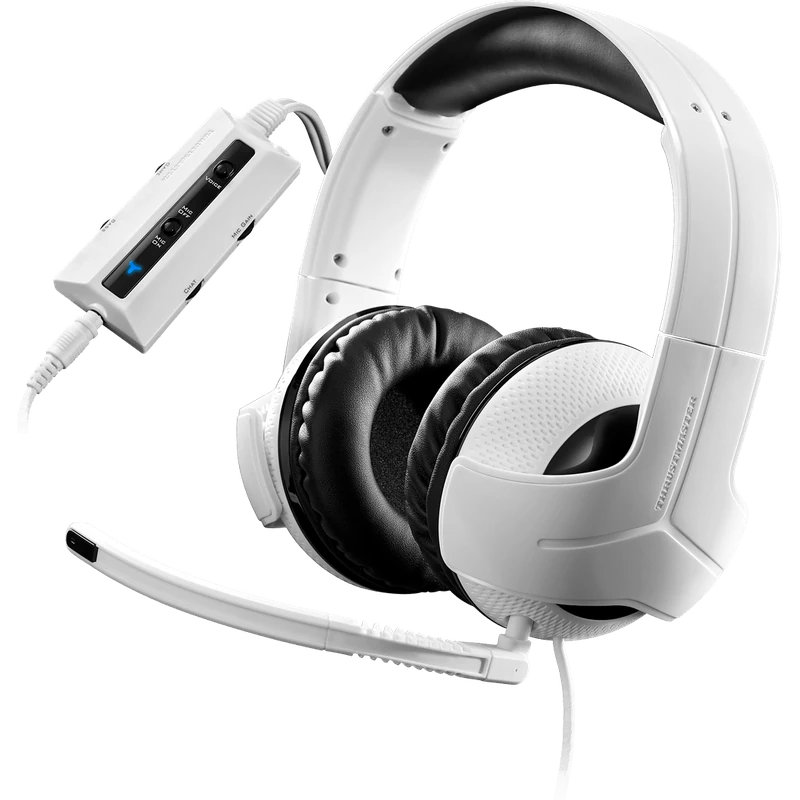
- Thrustmaster Y-300CPX: a wired multi-platform headset with 50 mm drivers.
- Thrustmaster T.Flight USAF Edition: a flight sim headset with DTS Headphone:X.
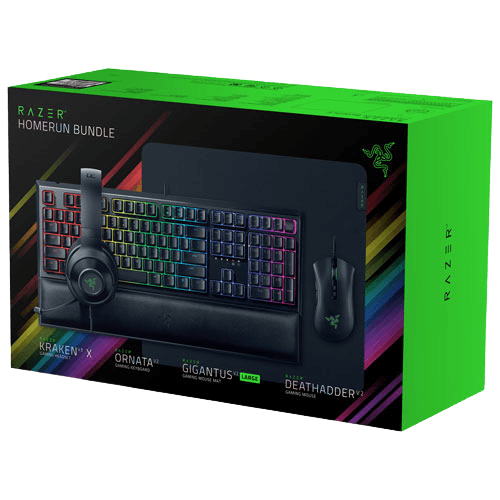
- Razer gaming setup bundle: includes a Kraken V3 X headset with keyboard, mouse and pad.
Best budget gaming headset FAQ
Is a budget headset good enough for gaming?
Yes. Many affordable headsets deliver clear sound and usable microphones.
Wired or wireless on a budget?
Wired gives better sound for the money and works on more platforms.
Does virtual 7.1 help?
It can help a little, but free options such as Windows Sonic do a similar job.
Are renewed headsets worth buying?
Yes, when they come from the manufacturer with a warranty. Ours carry our 2-year warranty.
Will a 3.5 mm headset work on PS5?
Yes. Plug it into the DualSense controller.
How long does a budget headset last?
With care, several years. Replacement ear pads extend its life.
Can I use the best budget gaming headset for calls and school?
Yes. A clear boom microphone works well for video calls, online classes and voice chat.
Is a gaming headset better than earbuds?
For gaming, usually yes. Over-ear headsets give better positional audio, more comfort over long sessions and a clearer microphone than most earbuds.
What should I check before buying?
Check comfort, platform compatibility and microphone reviews. Those three things matter more than any other spec.
Choose your headset
The best budget gaming headset is comfortable, sounds clear, has a decent microphone and works with your platforms. Choose wired for value, consider renewed models and ignore flashy marketing. Browse our gaming headsets, see headset measurements at RTINGS, or contact us for help.