A mechanical keyboard uses an individual switch under every key, and that one design choice changes how typing and gaming feel. Each press is crisp and consistent, the board lasts for years, and you can tune the sound and feel to your taste. This guide explains how a mechanical keyboard works, which switch type suits you, which size fits your desk, and when a quiet membrane keyboard is actually the better buy.
North Gaming PCs prices everything in Canadian dollars, and every keyboard we sell is covered by our 2-year warranty. Every price is shown in Canadian dollars, so there is no surprise currency conversion at checkout, and you can email our team whenever you need help choosing.
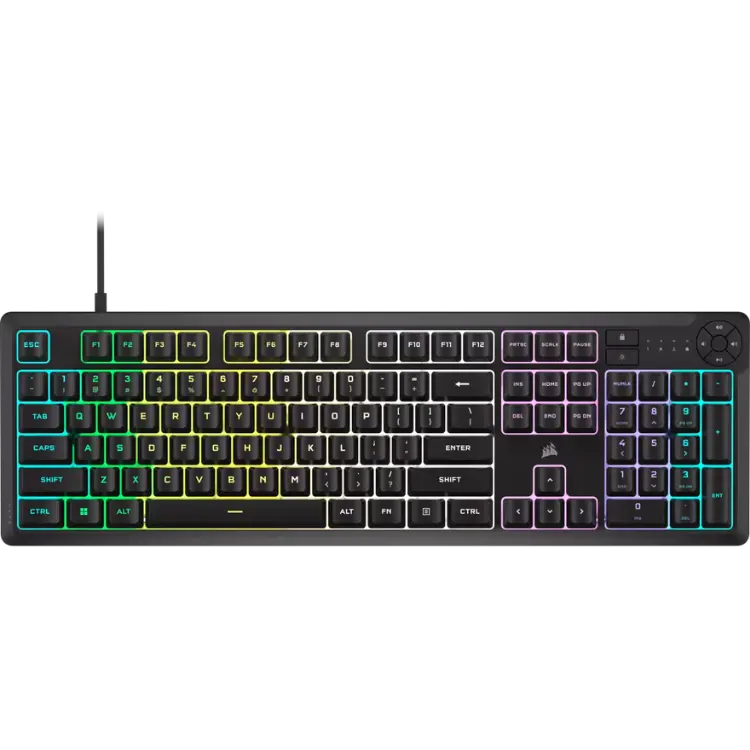
How a mechanical keyboard works
Under each keycap of a mechanical keyboard sits a small switch with its own spring and contacts. When you press a key far enough, the switch registers the press, and the spring pushes the key back up. Because every key has its own switch, presses feel the same across the whole board and the switches are typically rated for tens of millions of keystrokes.
A membrane keyboard works differently. It uses a rubber dome sheet that collapses onto a circuit layer. Membrane boards are quieter and cheaper, but they feel softer and less precise, and the domes wear out sooner.
Choosing switches for a mechanical keyboard
Switches decide how a mechanical keyboard feels and sounds. There are three main families:
- Linear switches: smooth from top to bottom with no bump. Popular for fast games because there is nothing to push through.
- Tactile switches: a small bump tells your finger the key has registered. A good all-rounder for typing and gaming.
- Clicky switches: a bump plus an audible click. Satisfying to type on, but loud on voice chat and in shared rooms.
Switch colours used to mean the same thing everywhere, with red for linear, brown for tactile and blue for clicky, but brands now name switches freely, so check the description rather than the colour.
Magnetic and optical switches
Newer gaming boards use Hall effect magnetic switches or optical switches. Magnetic switches measure how far a key is pressed, which allows adjustable actuation points and rapid trigger, a feature that resets the key the moment you start lifting it. Competitive players in fast shooters often prefer them.
Pick the right keyboard size
A mechanical keyboard comes in several layouts, and the right size depends on your desk and your games.
- Full-size (100%): includes the number pad. Best for spreadsheets and anyone who uses the numpad in games or sims.
- Tenkeyless (80%): drops the number pad, giving your mouse more room.
- 75% and 65%: compact layouts that keep arrow keys but squeeze the rest together.
- 60%: the smallest common size, with no arrows or function row, popular with low-sensitivity FPS players.
Sim racers and flight simmers often prefer a compact board that fits on a keyboard tray beside the rig, or a full-size board with a numpad for camera and view controls.
Features worth paying for
Once you have chosen switches and a size, these features make a mechanical keyboard better to live with:
- Hot-swappable sockets: pull switches out and try new ones without soldering.
- PBT keycaps: tougher than ABS plastic and less likely to turn shiny over time.
- N-key rollover: every key registers, even when you press many at once.
- Detachable USB-C cable: easier to route, carry and replace.
- Wireless 2.4 GHz mode: low latency without a cable, often with Bluetooth for other devices.
Gasket mounts, foam dampening and pre-lubed switches change the sound profile. They are nice to have, but not essential for gaming.
When a membrane keyboard makes more sense
A mechanical keyboard is not automatically the right answer. If you share a room, stream with an open microphone or simply want a quiet board that shrugs off spills, a good membrane keyboard is a smart choice. Modern gaming membrane boards still offer full anti-ghosting, macro keys, RGB lighting and 1,000 Hz polling.
Membrane boards also cost less, which leaves more of your budget for the parts that change performance most, such as the graphics card or a better monitor.
Mechanical keyboard specs explained
Spec sheets can be confusing, so here is what the common numbers mean:
- Actuation point: how far you press before the key registers, often around 2 mm on standard switches and adjustable on magnetic ones.
- Actuation force: how hard you press, measured in grams. Lighter switches are faster, heavier ones help prevent accidental presses.
- Polling rate: how often the keyboard reports to the PC. 1,000 Hz is standard, and some boards offer 4,000 or 8,000 Hz.
- Switch rating: the number of presses a switch is tested for, usually 50 to 100 million.
Brands such as CORSAIR publish these figures on their product pages, which makes it easy to compare a mechanical keyboard from one maker with another.
Setting up a mechanical keyboard for games
A few small changes help a new board feel right. Install the maker’s software to set lighting, macros and per-game profiles, and turn on game mode so the Windows key cannot minimise your game mid-match. If your mechanical keyboard has magnetic switches, start with a slightly deeper actuation point and shorten it as you get used to the feel.
Position matters too. Angle the board so your wrists stay straight, use a wrist rest for long sessions, and keep the keyboard close enough that your elbow stays near your side. On a sim rig, a keyboard tray at elbow height keeps shortcuts within reach without leaning out of the seat.
Mechanical keyboard care
A mechanical keyboard rewards a little maintenance. Turn it upside down and shake out crumbs every few weeks, and use a keycap puller to clean underneath every few months. Keep drinks away from the board, because liquid can reach the switch contacts. If one key stops working on a hot-swap board, you can simply replace the switch.
Our keyboard picks
North Gaming PCs stocks quiet, spill-resistant keyboards and complete setups. If you have decided that a mechanical keyboard is not for you, these are great alternatives:
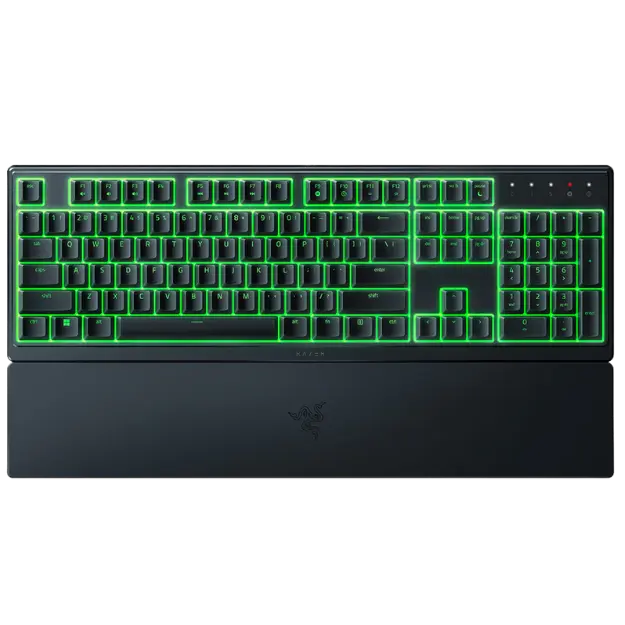
- Razer Ornata V3 X: a low-profile, silent keyboard with RGB and a wrist rest.
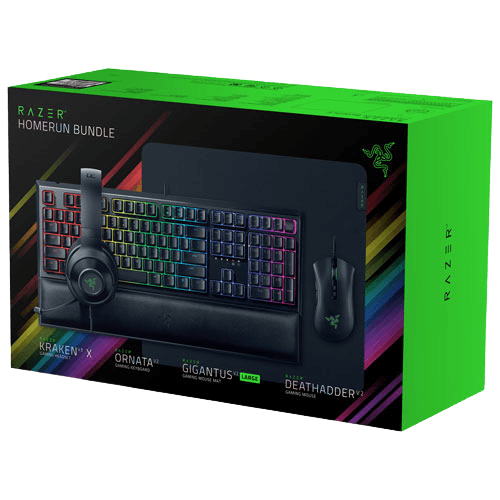
- Razer gaming setup bundle: keyboard, mouse, headset and mouse pad in one box.
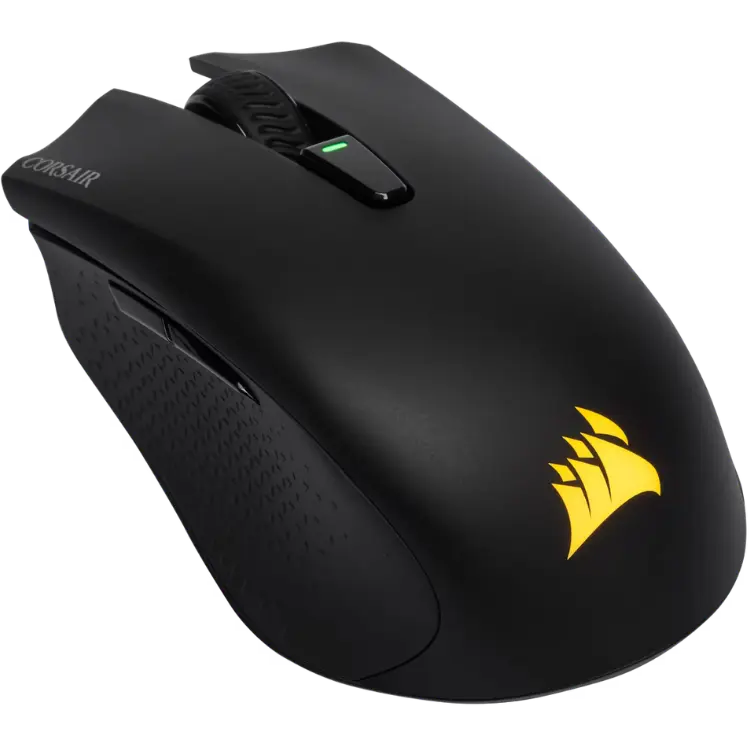
- CORSAIR HARPOON wireless mouse: a light wireless mouse to pair with any keyboard.
You can also browse all of our gaming keyboards and the full range of gaming accessories.
Mechanical keyboard FAQ
Is a mechanical keyboard better for gaming?
It offers more consistent feel and more options, but a good membrane keyboard is perfectly capable for gaming. Choose based on feel, noise and budget.
Which switch is best for beginners?
Tactile switches are a safe first choice for a mechanical keyboard because they suit both typing and gaming.
Are mechanical keyboards loud?
Clicky switches are loud. Linear switches with dampening can be fairly quiet, but a membrane keyboard is still quieter.
Choosing your next keyboard
A mechanical keyboard is a great upgrade if you want a precise, durable board you can customise for years. Pick your switch type first, then a size that suits your desk, and only pay for features you will use. If quiet matters more, a membrane board is the smarter buy. Contact us and we will help you choose the right keyboard for your setup.