Description
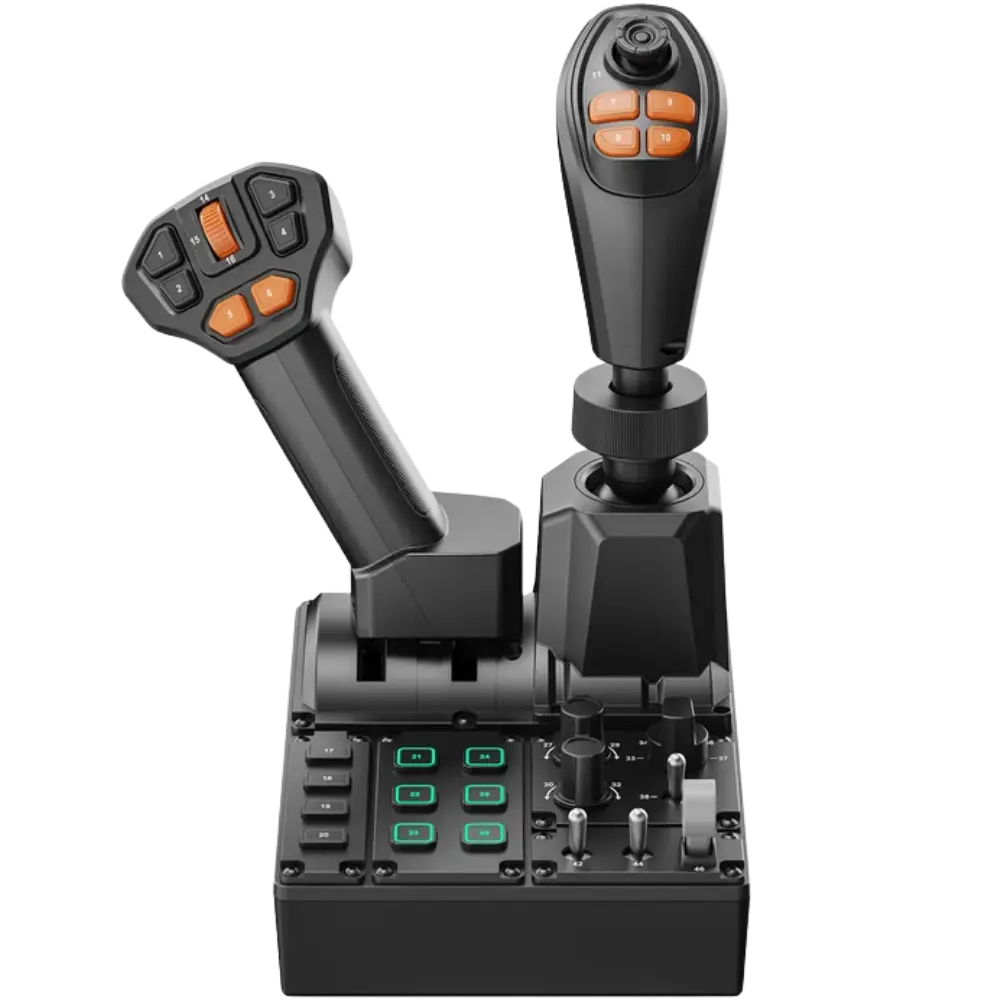
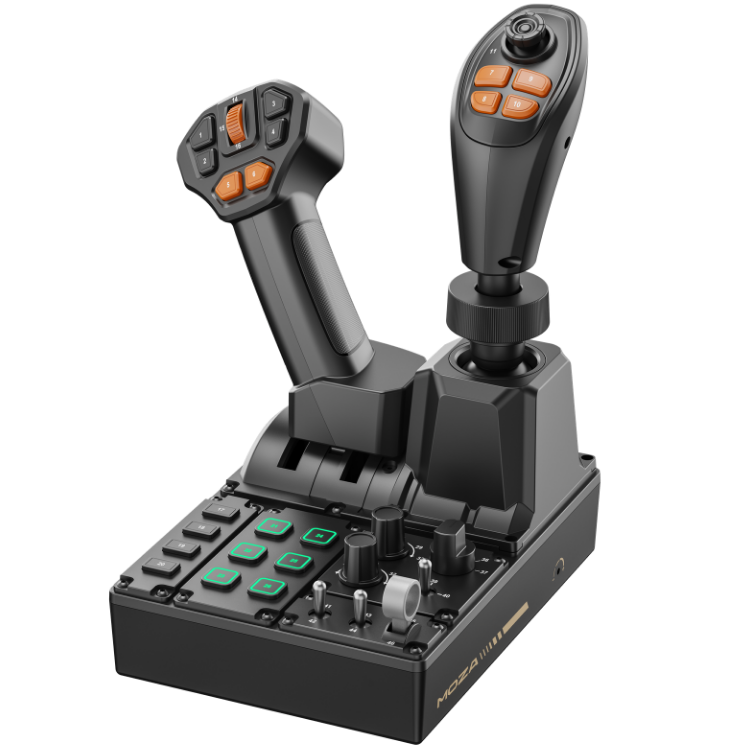
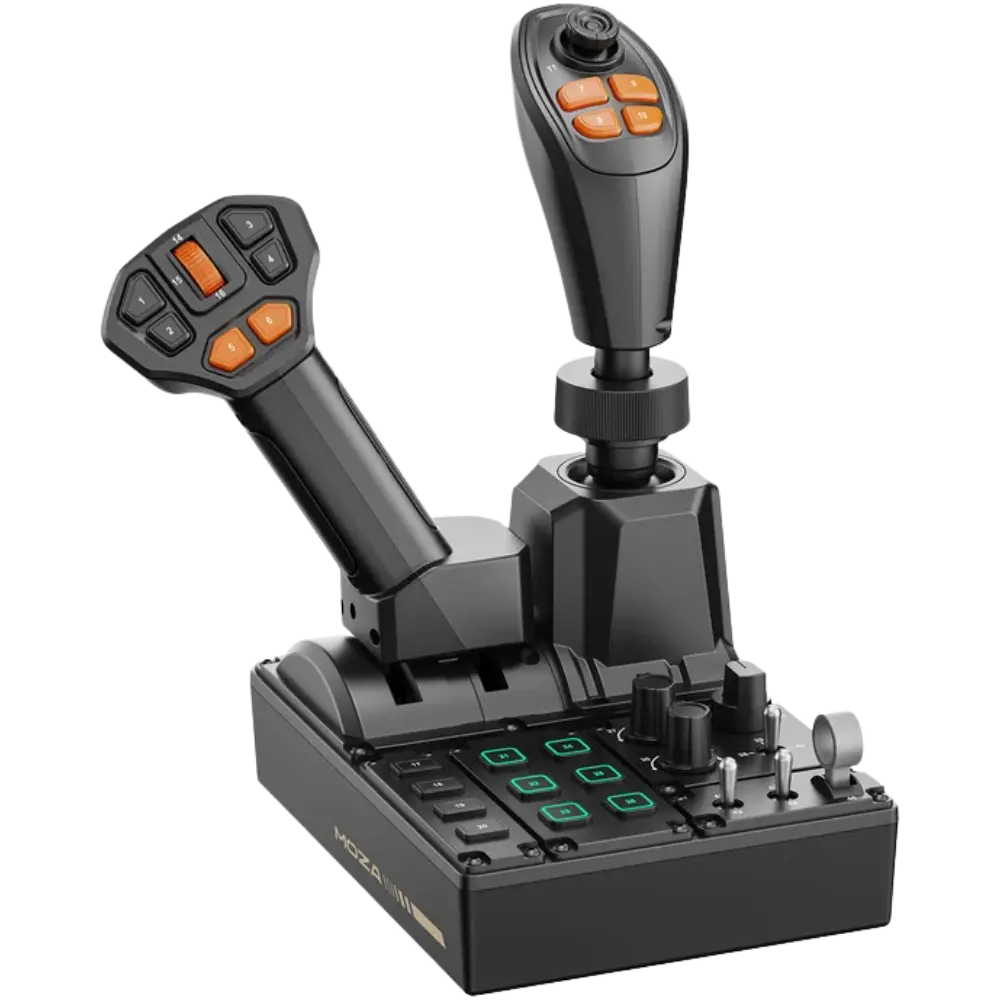
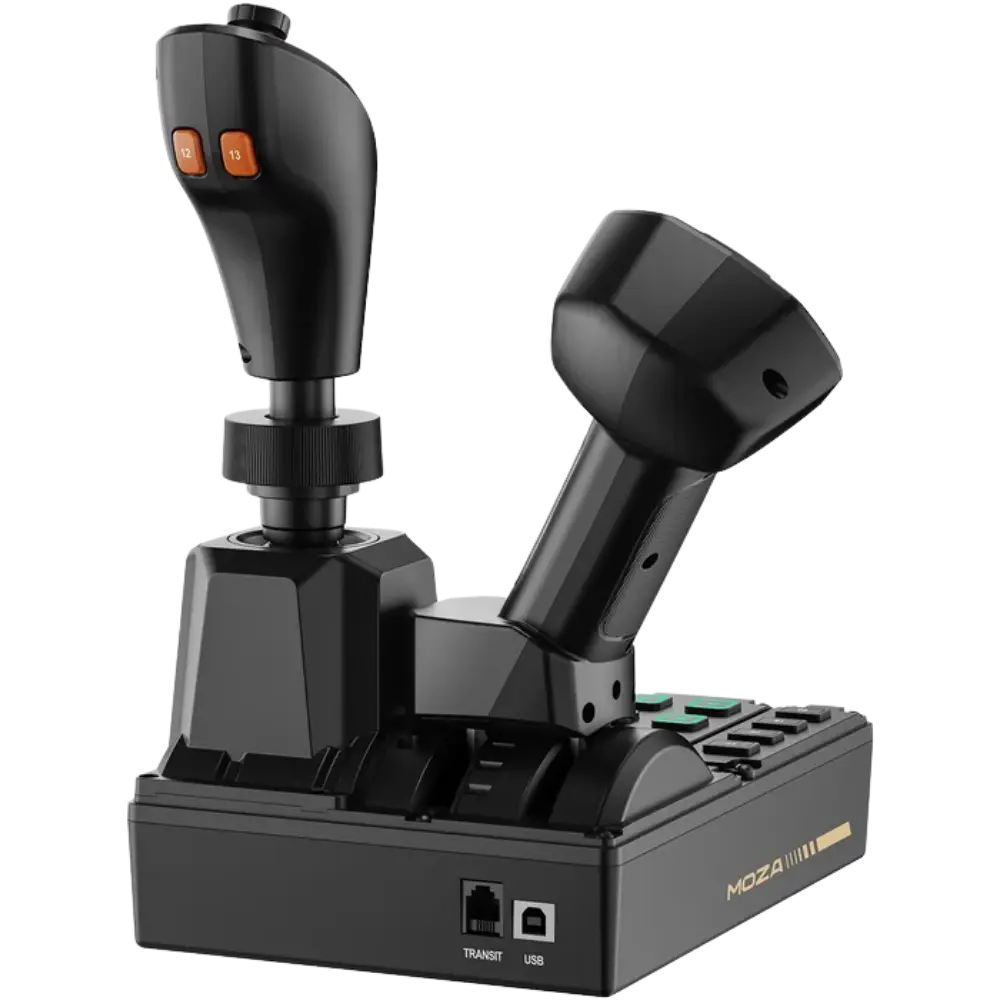
The MOZA FCS Farming Control System is a versatile, all-in-one control panel purpose-built for farming simulation, construction simulation, and heavy-equipment operation. Integrating a 3-axis Hall-effect joystick, a throttle lever, and a full control panel into a single compact unit, it unlocks expanded control possibilities across a wide range of agricultural and engineering simulators — everything you need to run tractors, harvesters, loaders, and heavy machinery from one purpose-designed device.
With official preset mappings for Farming Simulator 22 and 25, the FCS delivers a true plug-and-play experience: no drivers, no manual setup. Your vehicles are automatically mapped and ready for action right out of the box. And with a category-leading 46 programmable inputs — each physically numbered for intuitive in-game mapping — the layout is purposefully designed to cover every operational scenario, from vehicle driving and field operations to implement switching and system control.
Built around contactless Hall-effect sensor technology for smooth, drift-free precision, and shaped by an ergonomic, ambidextrous layout that minimizes hand strain during long sessions, the FCS is engineered for serious, comfortable operation. Its modular universal connector accepts interchangeable MOZA grips, and it slots cleanly into the wider MOZA ecosystem for a fully immersive farming or construction cabin.
Plug-and-Play for FS25
Official preset mappings for Farming Simulator 25 deliver a genuine plug-and-play experience. No drivers, no manual configuration. Tractors, harvesters, loaders, and other vehicles are automatically mapped and ready to use straight out of the box.
All-in-One Control Solution & Layout
A 3-axis Hall-effect joystick, throttle lever, and control panel are integrated into a single, compact unit, with ergonomically optimized zoning for rapid access during heavy-machinery operation. The 46 programmable inputs break down as:
- Panel: 10 buttons, 3 rotary knobs, 3 toggle switches, 1 rocker switch (6 panel buttons with fully customizable 16.7-million-color RGB lighting)
- Throttle: throttle/brake axis, 6 buttons, 1 thumb scroll wheel
- Joystick: 3-axis Hall-effect joystick (XYZ), 6 buttons, 1 Hall-effect thumb joystick
Hall-Effect Precision
Contactless Hall-effect sensors ensure exceptionally smooth, drift-free control, engineered for lasting precision with a refined, responsive center-return detent on the main joystick.
Ergonomic, Ambidextrous Design
Intuitive button placement minimizes hand strain during extended operations, and the ambidextrous layout provides equal functionality for both left- and right-handed users.
Modular Grip Compatibility
A universal connector system makes the FCS fully compatible with interchangeable MOZA grips, including the MA3X, MHG, and MH16. Grip models can be selected directly within MOZA Pit House, unlocking seamless cross-compatibility with the MOZA flight simulation ecosystem.
Ecosystem Compatibility
The FCS works alongside the MOZA R3, R5, and Trucking Bundle for a fully immersive farming or construction cabin experience, all managed through MOZA Pit House.
Compatibility
- Farming Simulator 22 and 25 — official plug-and-play presets for FS25
- Construction Simulator and other heavy-machinery/engineering simulators
- Interchangeable MOZA grips: MA3X, MHG, MH16
- Works alongside MOZA R3 / R5 / Trucking Bundle
- Platform: PC
MOZA FCS — Frequently Asked Questions
Everything Canadian buyers ask before ordering the MOZA FCS Farming Control System (model RS104).
Does the MOZA FCS work on PS5 or Xbox?
No — the MOZA FCS is a PC-only device. It connects over USB and is supported on Windows PC only. There is no PlayStation 5, PlayStation 4, Xbox Series X|S or Xbox One support, and no adapter that adds console compatibility.
If you play Farming Simulator 25 on console, the FCS will not work with it. Farming sim players on PS5 or Xbox will need to stay on a standard gamepad until a console-licensed control panel is available.
Does the MOZA FCS work with Farming Simulator 22 and Farming Simulator 25?
Yes — both are supported, but the setup differs.
- Farming Simulator 25: official preset mappings. Plug the FCS in over USB and tractors, harvesters and loaders are mapped automatically — no drivers, no manual configuration.
- Farming Simulator 22: fully compatible, but controls are assigned manually rather than through an automatic preset.
Even in FS25, a small number of specialised vehicles and implements may need individual bindings adjusted to suit how you like to work.
Does it work with Euro Truck Simulator 2, American Truck Simulator or construction sims?
Yes. The FCS registers as a standard USB controller, so any PC simulator that lets you bind your own inputs can use all 46 of its controls. MOZA lists support for:
- Construction Simulator
- Euro Truck Simulator 2
- American Truck Simulator
- Fernbus Simulator
- The Bus
These titles use manual mapping rather than an official preset, so expect to spend a few minutes assigning controls the first time. Each input on the panel is physically numbered, which makes binding them in-game considerably faster.
Do I need MOZA Pit House software to use the FCS?
Not for basic use in Farming Simulator 25 — the FCS is plug-and-play over USB and needs no drivers. We do recommend installing Pit House, however, as it handles:
- Firmware updates
- Remapping inputs and saving profiles per game
- RGB lighting for the six customisable panel buttons (16.7 million colours)
- Telemetry-driven lighting effects
- Selecting which MOZA grip is attached
MOZA Pit House is a free download for Windows PC.
Is the FCS compatible with MOZA MH16, MA3X and MHG grips?
Yes. The FCS uses MOZA’s universal modular connector and accepts the MA3X, MHG and MH16 grips. Once attached, select the grip model inside MOZA Pit House and its controls are recognised alongside the panel.
Grips are sold separately. This is what lets a single FCS cross over between a farming or construction cabin and a MOZA flight simulation setup, and it works alongside the MOZA R3, R5 and Trucking Bundle in a shared rig.
Question not answered here? Contact the NOX Gaming team — we’re an authorized MOZA Racing dealer in Canada and happy to help you spec a setup.