Description
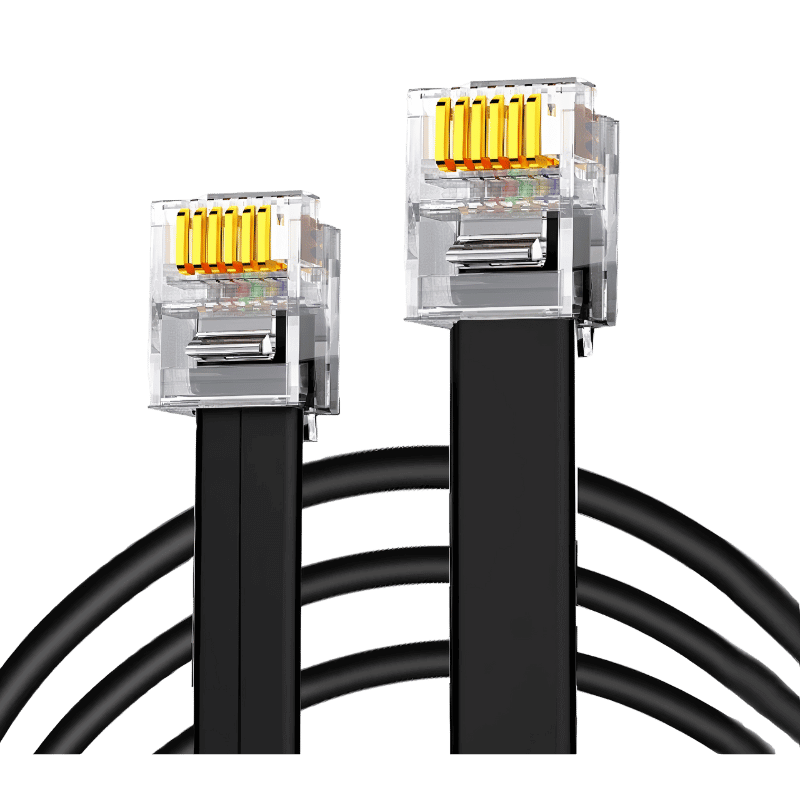
SimNet – RJ12 connection cable for Thrustmaster Wheelbase
SimNet ‘s RJ12 cable can be connected to a Thrustmaster base to enable your SimNet SP Pro pedals to be used directly on your Thrustmaster base.
Technical specifications
- Type: RJ12 cable (SimNet ↔ Thrustmaster connection)
- Length: 2 m
- Compatibility: SimNet SP Pro pedals & Thrustmaster bases compatible
- Construction: shielded copper cable, reinforced RJ12 connectors (6-pin)
- Installation: plug-and-play – no software required
- Console compatibility (PS4, PS5, Xbox): depends on Thrustmaster base model
How to configure your SimNet console pedals
- Connect your SimNet SP Pro pedals to your PC via the USB cable.
- Open Sim Connect Manager and go to: Pedals → Miscellaneous → Analog output settings.
- Activate all channels(clutch, brake, gas pedal).
- Set output range to 0.5V – 2.9V (non-inverted).
- Save settings – your Thrustmaster base will recognize pedals as native equipment.
- Disconnect from the PC and connect the pedals to the Thrustmaster base via the RJ12 cable.
Watch the video demonstration: Using SimNet SP Pro pedals with Thrustmaster on PS5/PC
https://www.youtube.com/watch?v=9tqrGpIm6sE